How to Transfer Your Domain to lihi
If you want to manage your domain renewal through lihi, you must first transfer the domain into our system. Important Prerequisite: Your domain must have at least 1 month of validity remaining before its expiration date to be eligible for transfer.
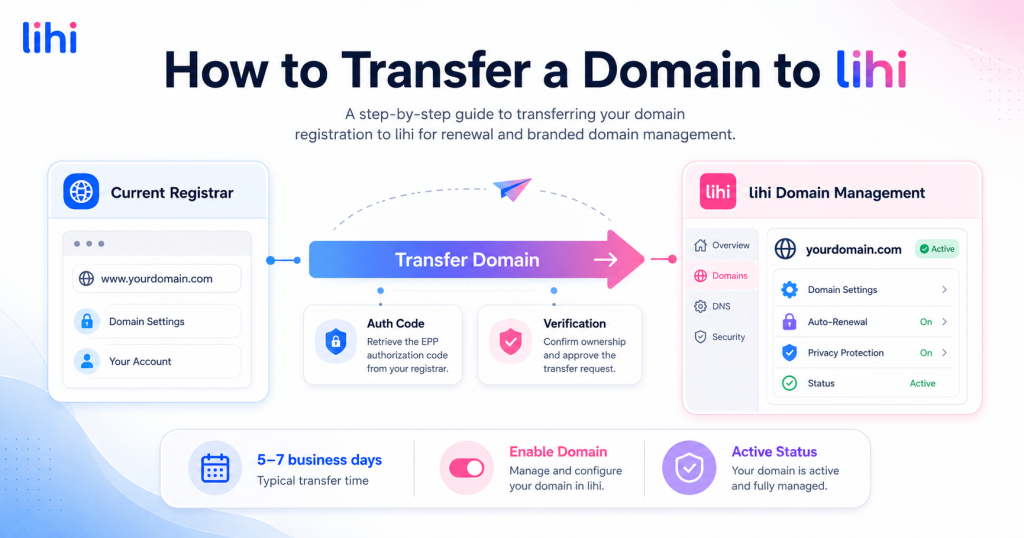
If you want to manage domain renewal through lihi, you’ll need to transfer your domain registration to lihi first. This is different from simply updating DNS records or connecting a domain to your short links.
⚠️ Important Prerequisite: Before starting the transfer, please make sure your domain has at least 1 month of validity remaining before expiration, is unlocked at your current registrar, and has a valid Auth Code / Authorization Code / EPP Key.
Process Overview
- Enter Domain: Enter the domain name you want to transfer.
- Verify Authorization: Enter the Auth Code / Authorization Code / EPP Key provided by your current registrar.
- Complete Payment: Pay the transfer and renewal fee.
- Wait for Processing: Domain transfers usually take 5 to 7 business days.
- Enable Domain: Activate the domain in lihi after the transfer is complete.
Step-by-Step Guide
Step 1: Start the Domain Transfer
- Log in to your lihi dashboard.
- Click Domains in the left sidebar menu.
- Select the Domain Transfer In option.
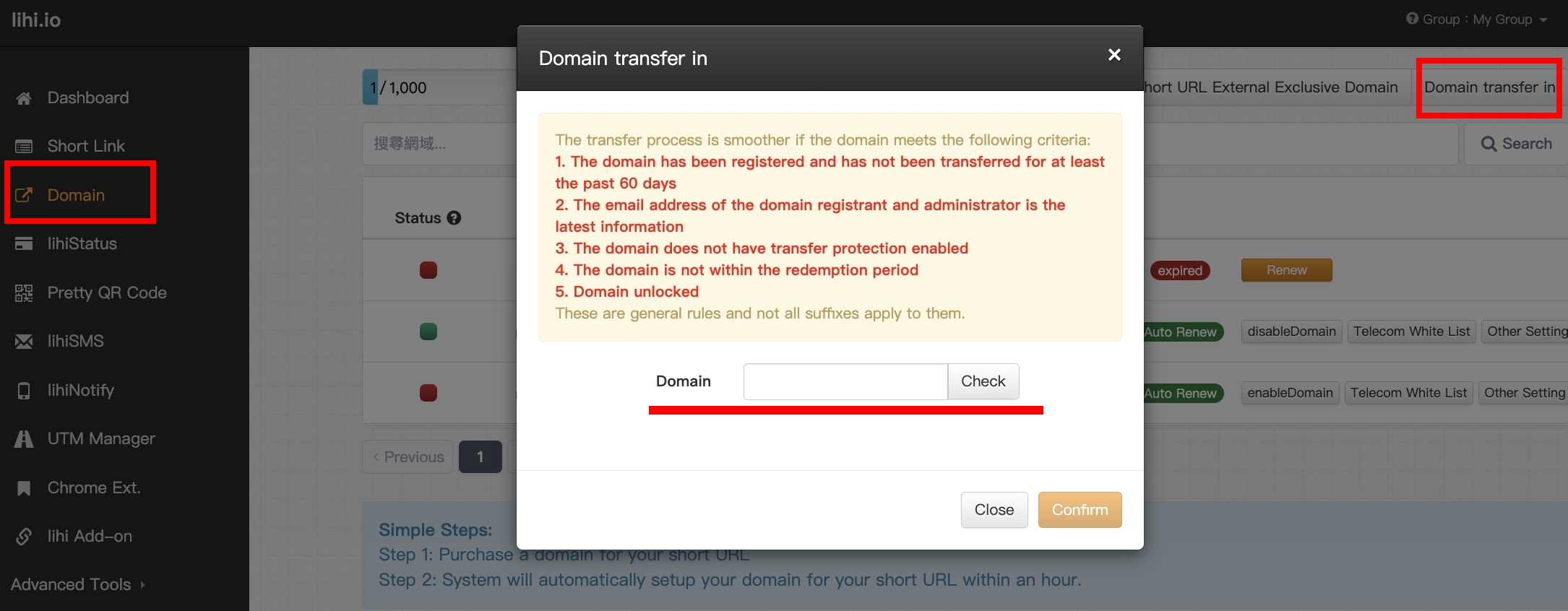
Step 2: Enter Domain Information
- Domain Name: Enter the domain name you want to transfer.
- Check: Click the Check button.
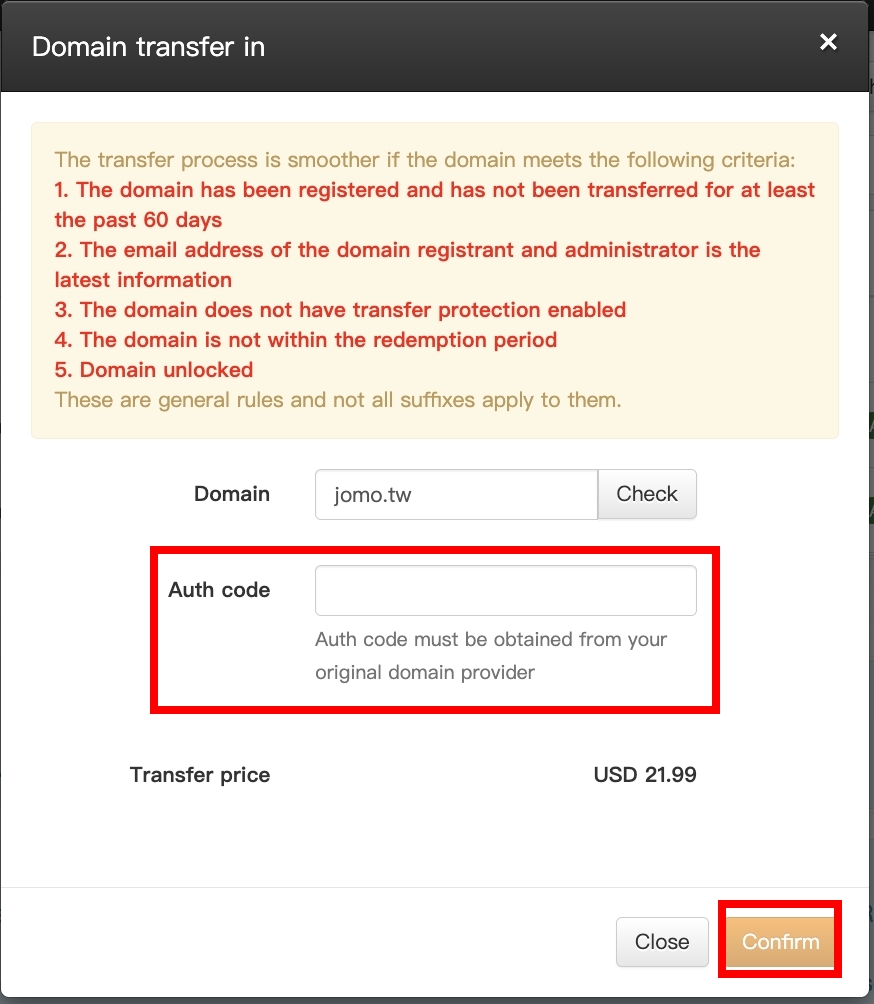
- Auth Code: Enter the Auth Code, also known as an Authorization Code, EPP Code, or Transfer Key. You can obtain this code from your current domain registrar.
- Review Cost: The system will display the transfer fee.
- Note: Standard domain transfer rules usually require at least one year of renewal to be paid when the domain is transferred.
- Confirm: Click the Confirm button to continue.
Step 3: Complete Payment
A payment pop-up will appear after you confirm the transfer details.
- Default Card: Click Confirm to proceed with your saved payment method.
- New or Different Card: Use the dropdown menu to add or switch credit cards before confirming the payment.
Step 4: Wait for Transfer Processing
After payment, you will return to the Domain page. The status will show “Transfer in Progress”. Domain transfers typically take 5 to 7 business days.
⚠️ Important Check: Please make sure your domain is unlocked at your current registrar. If the domain is locked, the transfer may fail or remain pending.
- GoDaddy Users: Refer to GoDaddy’s guide on how to unlock a domain before starting the transfer.
- Net-Chinese / PChome Users: You may need to contact their support team by phone or fax to manually unlock the domain.
Step 5: Enable the Domain
- Once the transfer is complete, the status may show as “Inactive” (Not Enabled). This means the domain has been transferred but has not yet been enabled for use in lihi.
- Click the Enable button.
- Wait for the status to change from “Activating” to “Active”.
Congratulations! Your domain has been successfully transferred to lihi and is ready to use.
Start Using lihi Short Links
Create short links, manage branded domains, and track click performance in one place. Sign up for free or contact our support team if you need help transferring your domain.