How to Enable Cloudflare Proxy
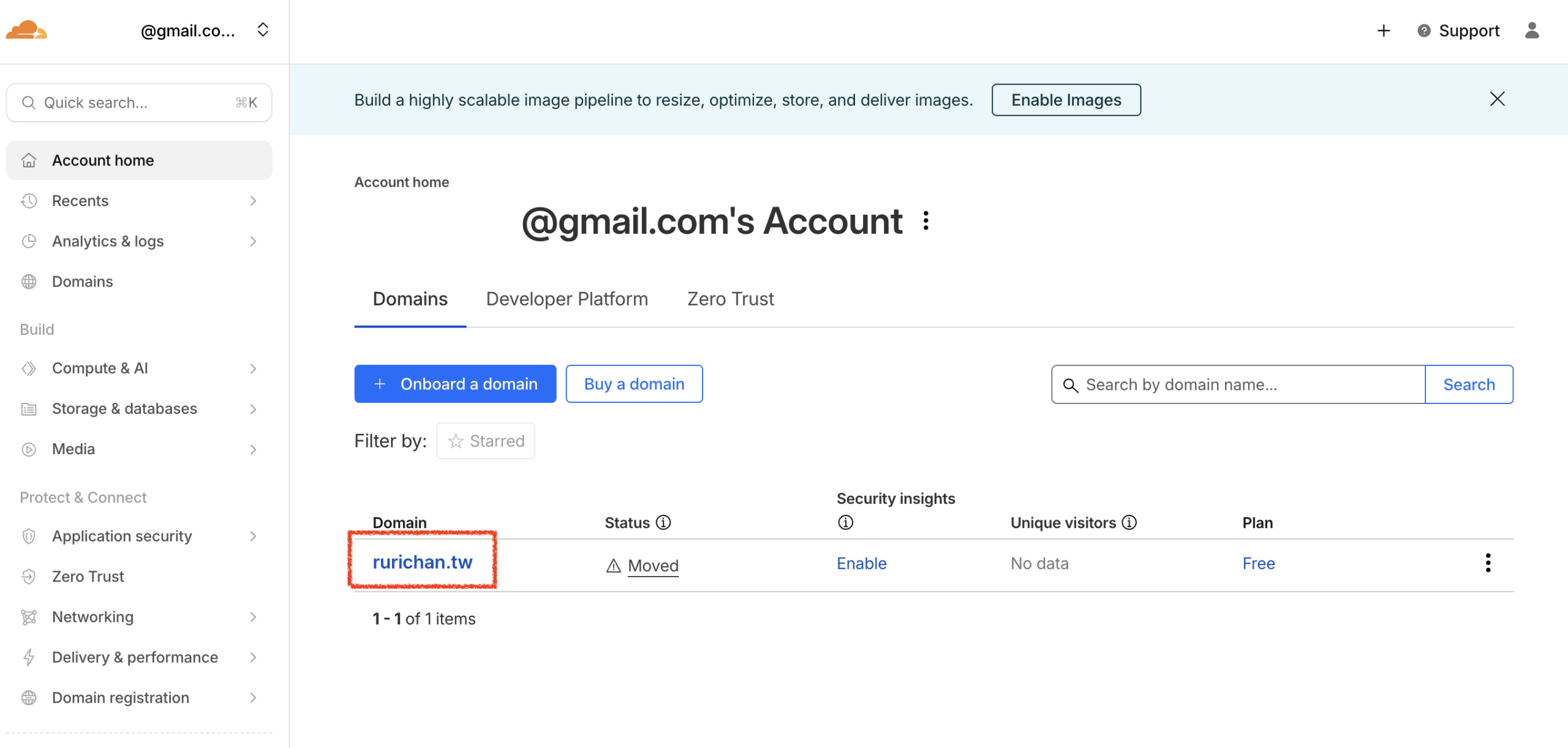
Follow these steps to turn on the Cloudflare Proxy (Orange Cloud) for your domain. Select Domain: Log in to your Cloudflare account. From the main dashboard, click on the domain you wish to configure.
Follow these steps to turn on the Cloudflare Proxy (Orange Cloud) for your domain.
- Select Domain: Log in to your Cloudflare account. From the main dashboard, click on the domain you wish to configure.
- Access DNS Settings: In the left sidebar menu, click DNS, then select Records.
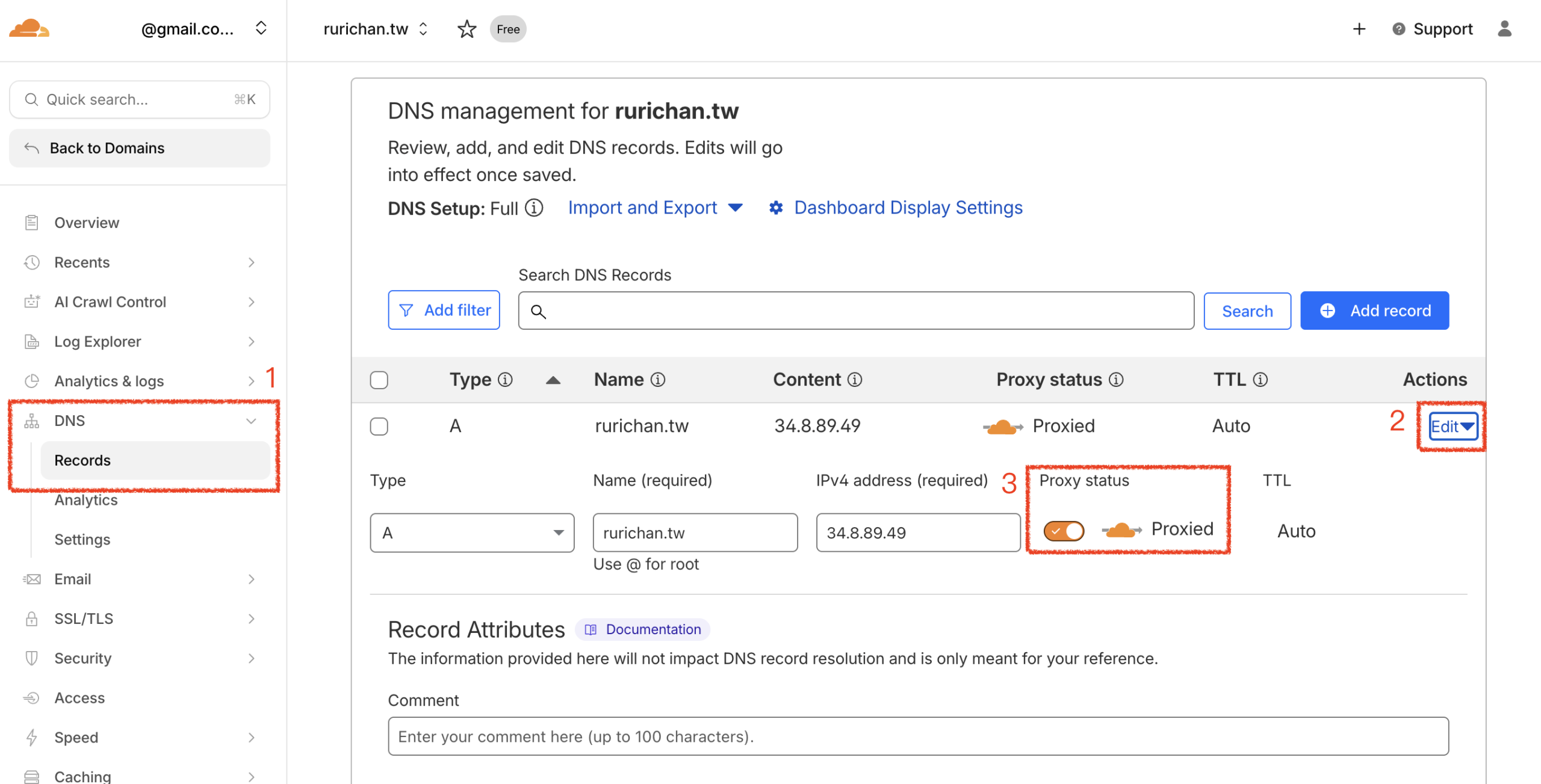
- Enable Proxy:
- Find the A Record that points to lihi.
- Click Edit on the right side of that row.
- Toggle the Proxy status to Proxied (ensure the cloud icon turns orange.)
- Click Save.
Start using lihi for free ⇒ Click Here!