API Integration & Automation
Note: This feature is exclusive to the Enterprise Plan . Our API integration allows you to build intuitive, embedded services within your own systems.
Note: This feature is exclusive to the Buiness Plan.
Our API integration allows you to build intuitive, embedded services within your own systems. You can programmatically create, query, update, or delete short links, making it easier to manage large volumes of branded links without manually editing them one by one in the lihi dashboard.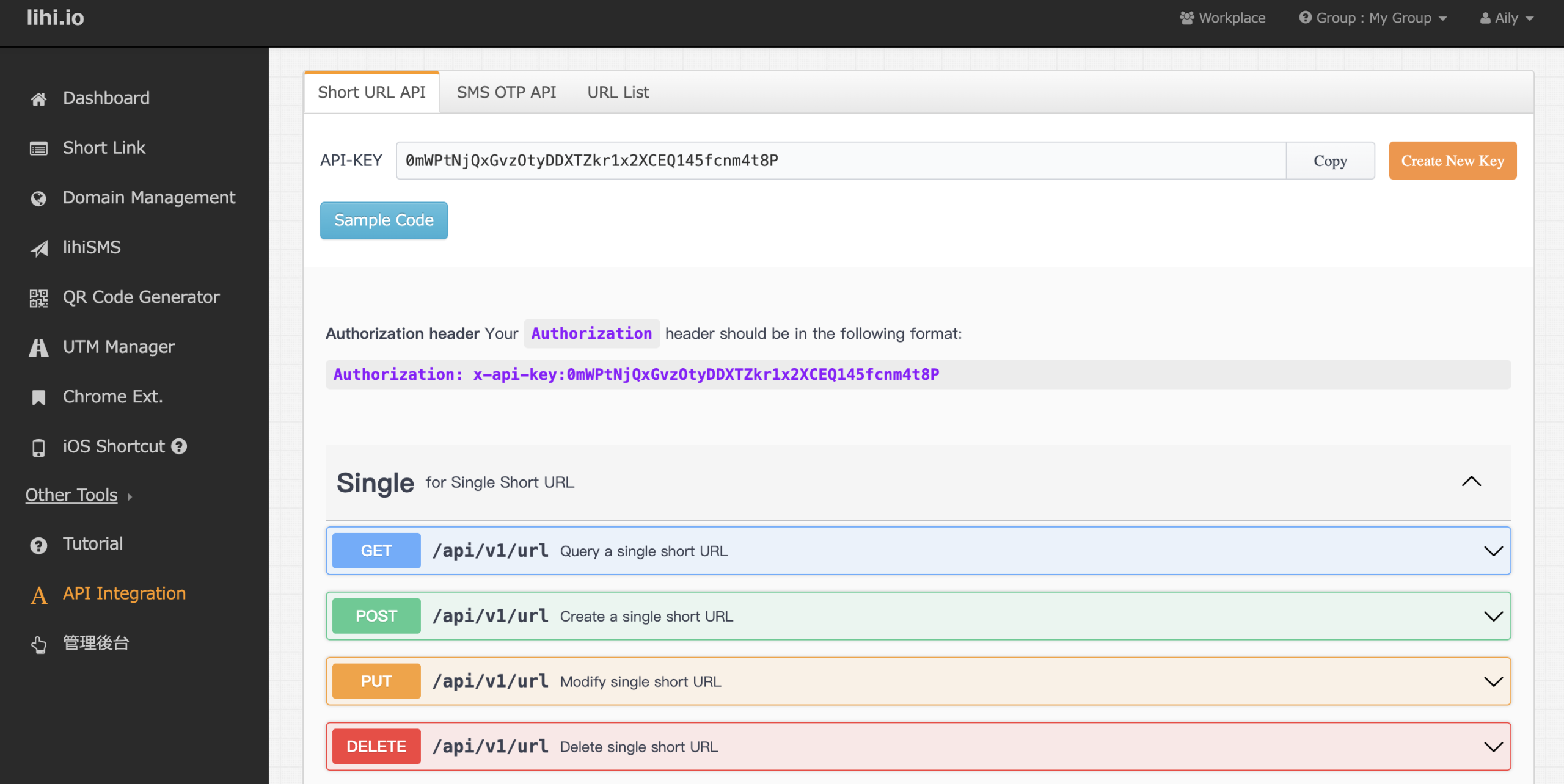
How it Works
Once integrated, your system can automatically generate a branded short link (using your Custom Domain) the moment you publish a new article or page. You have full control to specify:
- Slugs: The custom text path (e.g.,
/news-123). - Tags: Labels for categorization and tracking.
Managing Your API Key
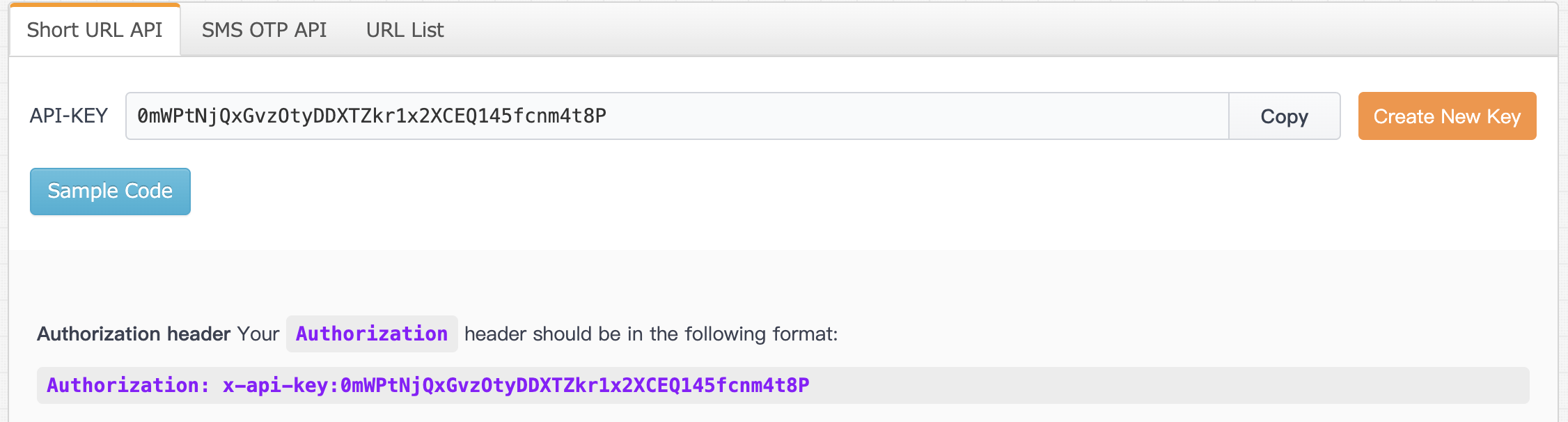
- Retrieve Key: Go to the API section in your dashboard to view and copy your unique API Key.
- Regenerate Key: If your key is compromised or stops working, click Create New Key to create a fresh one.
⚠️ If you click “Create New Key”, you must update the key in your code or application immediately, or your API connection will fail.
Query an Existing Short Link
To retrieve data for an existing short link, use the following endpoint:
GET /api/v1/url?type=short&url=https://domain/slugRequired query parameters:
type=short: Indicates that you are querying a short link.
url=https://domain/slug: The full short URL you want to look up.A successful response may include short link data, destination URL data, and click metrics, such as:
shortUrl: The short link.
click: Total clicks.
repeatClick: Repeat clicks.
longUrls[].url: The current destination URL.
longUrls[].click: Clicks for each destination URL.Note: Do not call
/api/v1/urlwithout query parameters. Iftypeorurlis missing, the API may return a400 validation error.
Viewing API Links
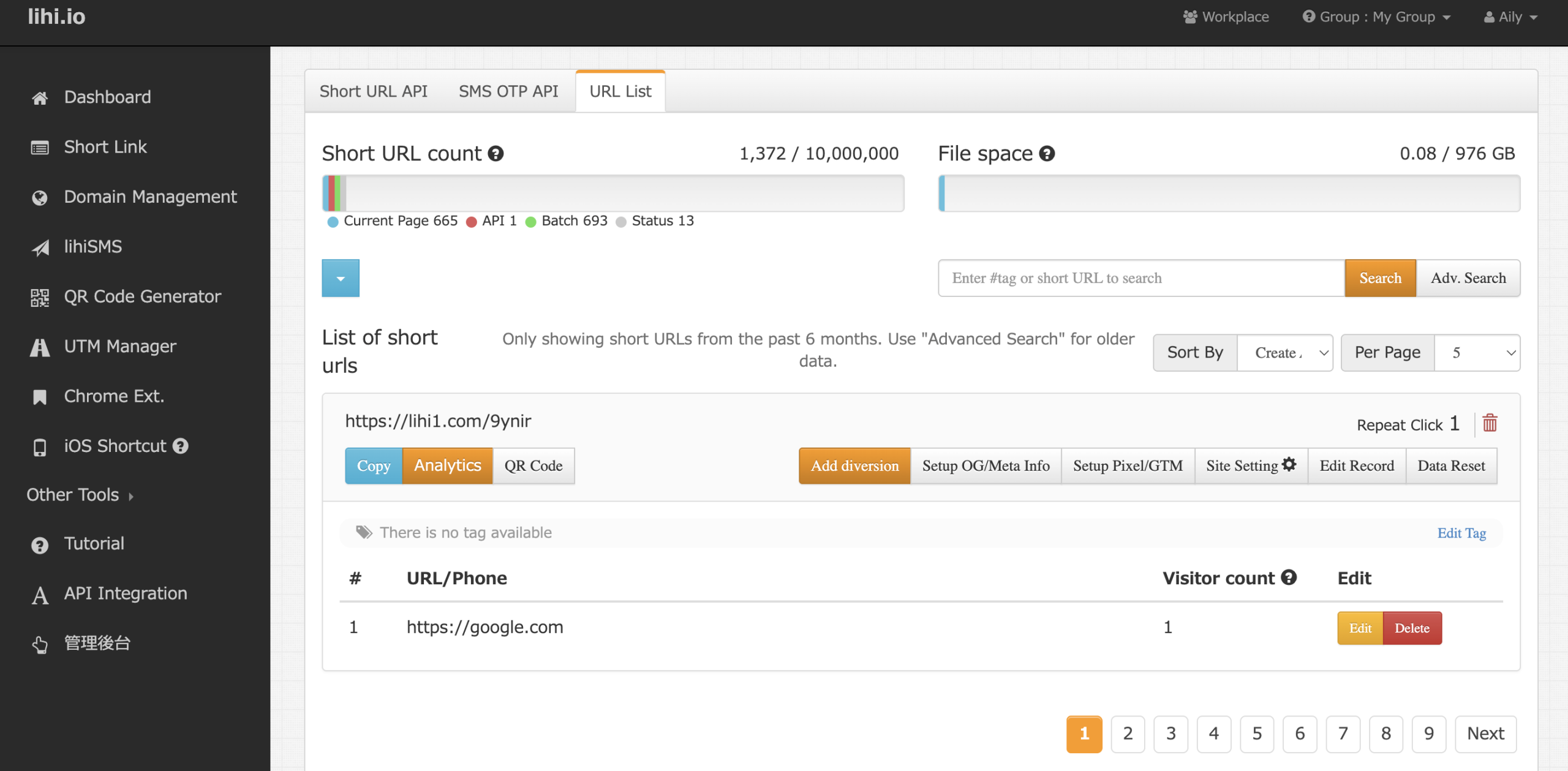
Short links generated via the API will appear in the specific URL List within the dashboard. The interface functions exactly like the main homepage, making it easy to manage and analyze your links.
Update the Destination URL of an Existing Short Link
To update the destination URL of an existing short link, use:
PUT /api/v1/url
Content-Type: application/json
Authorization: x-api-key:YOUR_API_KEY
Request body example:
{
  "shortUrl": "https://domain/slug",
  "longUrl": "https://new-destination.example/"
}
Field descriptions:
-
shortUrl: The existing short link you want to update. -
longUrl: The new destination URL.
If the update is successful, the API will return:
{
  "result": "success"
}
If the API returns 400 or 422, it usually means one of the following:
-
A required field is missing.
-
The URL format is invalid.
-
The short link does not belong to the account or workspace connected to this API key.
Best Practice for Bulk Updates
If you need to update a large number of existing short links, prepare a mapping table such as:
shortUrl → new destination URL
Then use the PUT /api/v1/url endpoint to update the links in batches.
To avoid accidental changes, we recommend testing with 5–10 short links first. After confirming that the destination URLs and redirect behavior are correct, you can proceed with the full batch update.
Related Articles
- How to Batch Create Short URLs
- Custom Domain vs. Generic Short URLs: Why It’s the Secret to Higher CTR
- What are Mappings? How to Fix Broken Links After Printing
- What is a UTM Builder? How to Set Up & Optimize UTMs with lihi
- What is the Parameter Feature and How Do I Set It Up?
- How to Convert URLs to QR Codes with lihi
Developer Integration Examples
Need sample code or request examples? Visit the official lihi GitHub repository to review basic API usage, including how to create short links with your API key.
View GitHub API ExamplesAutomate Short Link Management with lihi
Use lihi API to create, query, update, and manage short links more efficiently. Start using lihi for free, or contact our support team if you need help with API access or setup.