What is a UTM Builder? How to Setup & Optimize UTMs with lihi
Stop guessing which ads work. Learn how to use a UTM builder to track every click, optimize your marketing spend, and create clean branded links using lihi.
You have launched a brilliant campaign. Your ads are live, and your social media posts are buzzing. But then the big question hits: which specific link actually drove the sales?
If you cannot answer that, you are leaving money on the table. This is where a UTM builder becomes your secret weapon for growth, turning every click into trackable, comparable data.
In this guide, you will learn what UTM parameters are and how lihi simplifies your tracking workflow from “confusing” to “crystal clear”.
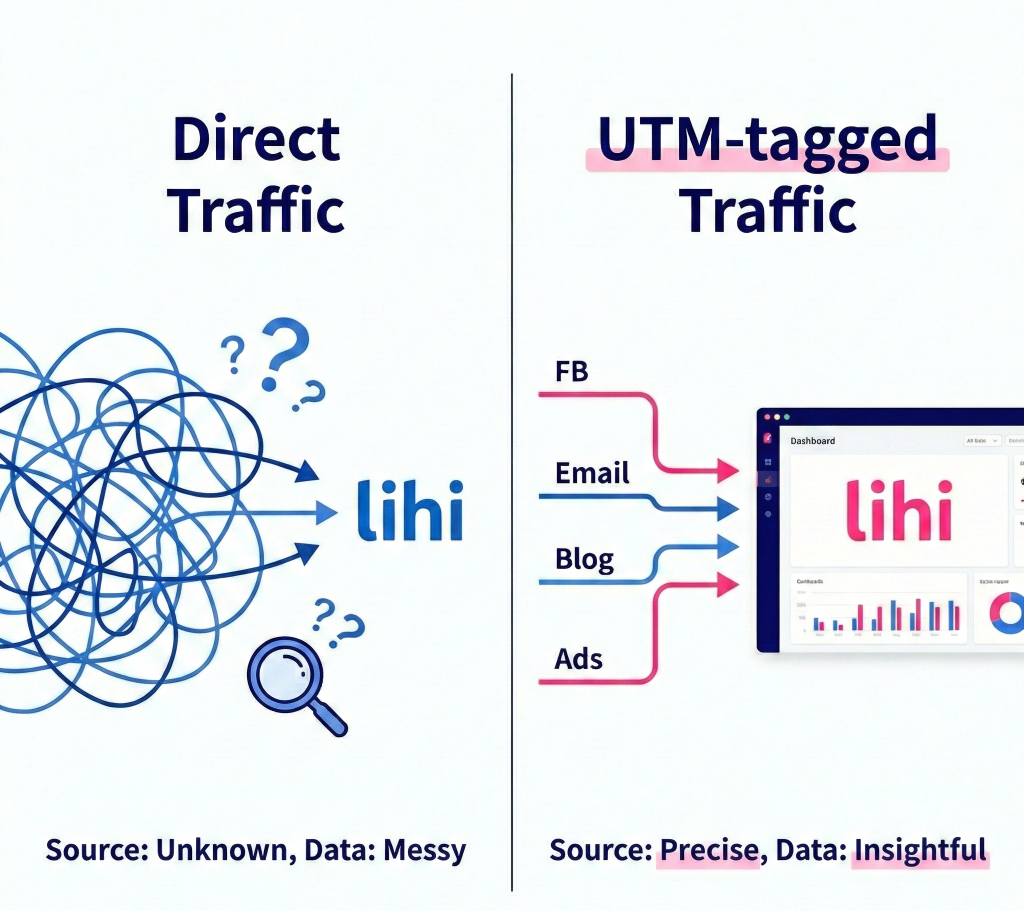
Stop Guessing, Start Tracking
A UTM (Urchin Tracking Module) builder is a tool that adds structured tracking tags to the end of your URLs. This allows platforms like Google Analytics 4 (GA4) to identify exactly where each visit and conversion came from.
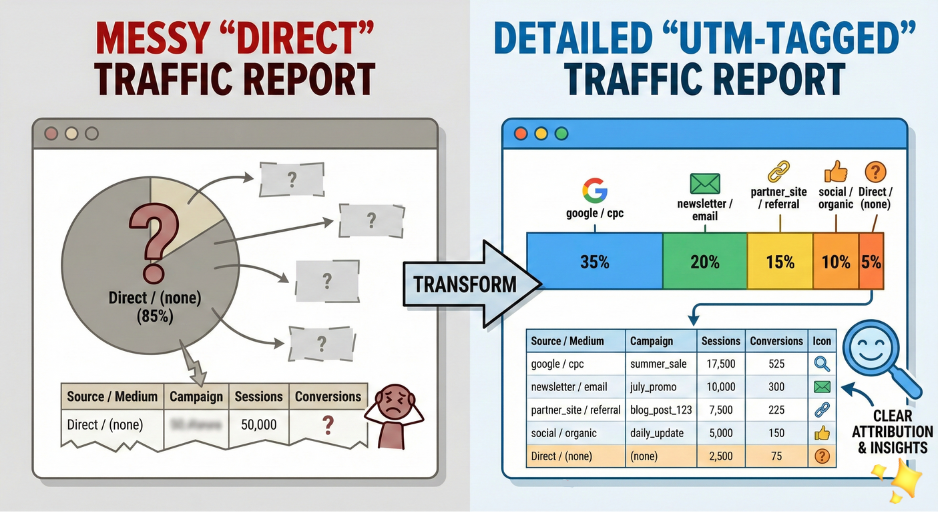
Instead of seeing vague buckets like “Social” or “Direct” in your reports, you get the full picture: the precise source, medium, campaign, and even which specific button or creative a user clicked.
lihi’s UTM Builder is built directly into your short link workflow. You can generate tagged URLs and shorten them in one place—no more messy spreadsheets or manual copy‑pasting across different tools.
[ Google Analytics 4: About Campaign URL Builder]
The 5 Core UTM Parameters You Need to Know
When you create a tracking link, you typically use five parameters. These tags do not change your website’s content, but they change how traffic is classified in your analytics reports.
- utm_source – Who sent the traffic?
Examples:utm_source=facebook,utm_source=newsletter,utm_source=google. - utm_medium – What is the channel type?
Examples:utm_medium=cpc,utm_medium=email,utm_medium=bio_link,utm_medium=social. - utm_campaign – What is the specific promotion?
Examples:utm_campaign=summer_sale_2026,utm_campaign=black_friday,utm_campaign=brand_awareness_q3. - utm_term – (Optional) Which keyword are you targeting?
Commonly used for paid search terms, such asutm_term=lihi-url-shortener. - utm_content – (Optional) Which creative did they click?
Perfect for A/B testing buttons, banners, or ad variations, for exampleutm_content=blue_buttonvsutm_content=pink_banner.
Pro Tip: Always use lowercase and avoid spaces in all parameter values. Tools like GA4 treat Facebook and facebook as two different sources, which fragments your data—stick to consistent, lowercase naming like facebook and use hyphens instead of spaces (for example summer_sale_2026).
How to Set Up Your UTMs with lihi (Step by Step)
Setting up professional tracking should not feel like rocket science. lihi allows you to add UTMs when creating a new link or update existing ones without breaking your active campaigns.
Step 1: Define Your Strategy
Before touching the tool, decide on your naming conventions. Create a simple shared document for your team and define:
- Standard Sources (for example:
facebook,instagram,newsletter,google) - Standard Mediums (for example:
cpc,social,email,bio_link) - A clear Campaign naming pattern (for example:
year_channel_offer, such as2026_summer_sale)
Documenting these rules keeps everyone aligned and prevents one‑off variations that break attribution.
Step 2: Create a New Tagged Short Link
- Log in to your lihi dashboard and go to Create Short URLs.
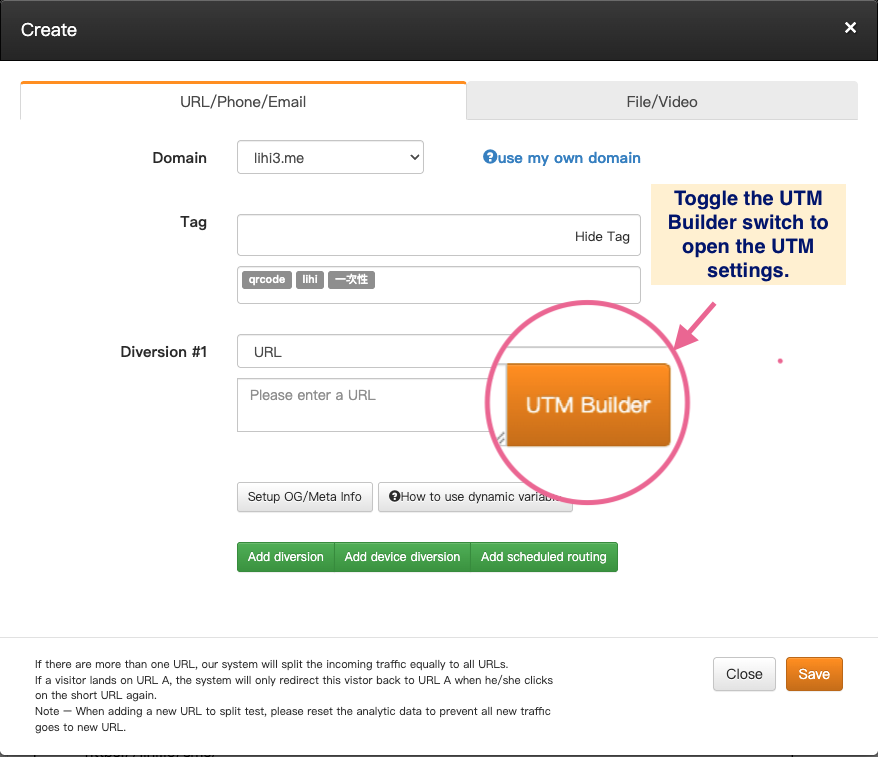
- Paste your destination URL (for example, your landing page or product page).
- Toggle the UTM Builder switch to open the UTM settings.
- Fill in your parameters (Source, Medium, Campaign, and optional Term and Content).
- Click Confirm and then save your short link.
lihi automatically hides that long, ugly UTM string behind a sleek, brand‑safe short link, so users see a clean URL while your analytics receive rich campaign data.
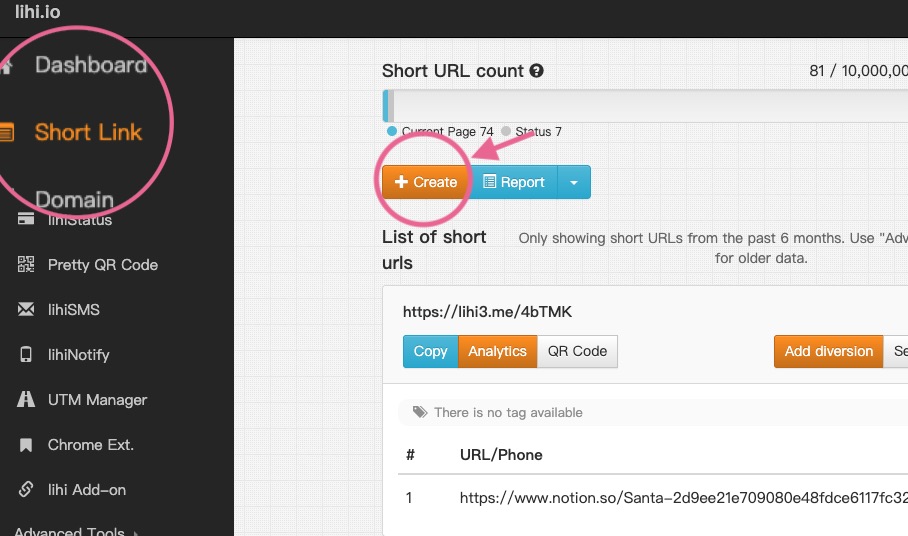
Step 3: Edit UTMs on Existing Links
Did you make a typo, or decide to rename a campaign mid‑flight? You can fix it without changing the short URL your campaigns already use.
- Select your short URL in the lihi dashboard.
- Click UTM Builder and adjust the fields you want to update.
- Save your changes.
The short URL stays exactly the same, but the underlying destination is updated instantly, so you never break links or lose tracking.
Why Pros Choose lihi Over Basic Generators
Most tools just give you a 200‑character URL and leave you to deal with it. lihi is built for performance marketers who need more control, speed, and consistency.
- Branded Presentation
Turn messy UTM strings into trusted links likeyourbrand.co/sale, improving click‑through rates and reinforcing your brand every time someone shares your link. - Centralized Control
Manage your shortening and tagging in one interface instead of juggling a separate UTM generator, sheet, and link shortener. - Future‑Ready Templates (Coming Soon)
Soon, you will be able to save “Facebook Ad”, “Newsletter”, or “Influencer” templates to generate perfectly consistent UTMs in one click for your entire team.
[Internal Link: lihi UTM Builder: 5 Marketing Use Cases to Increase Your ROI]
[External Link: Digital Marketing Attribution: Understanding the User Path]