What is A/B Split Testing? How to Set It Up
What is A/B Split Testing?
A/B Split Testing allows a single short link to automatically distribute incoming traffic evenly across different destination URLs.
- Capacity: Each short link supports up to 12 different destination URLs.
- User Consistency (Stickiness): The system “remembers” the visitor. If a user is directed to Page A the first time, they will see Page A again if they click the link subsequently. You don’t have to worry about users seeing different pages every time they click.
⚠️ Important Rule for Adding New Links: If you add a new split URL to an existing active campaign, you must reset the data. Since the system tries to keep traffic “even,” if you don’t reset, it will direct all new traffic to the new URL until it catches up with the old one’s click count.
How to Set Up A/B Split Testing
- Add Split URLs:
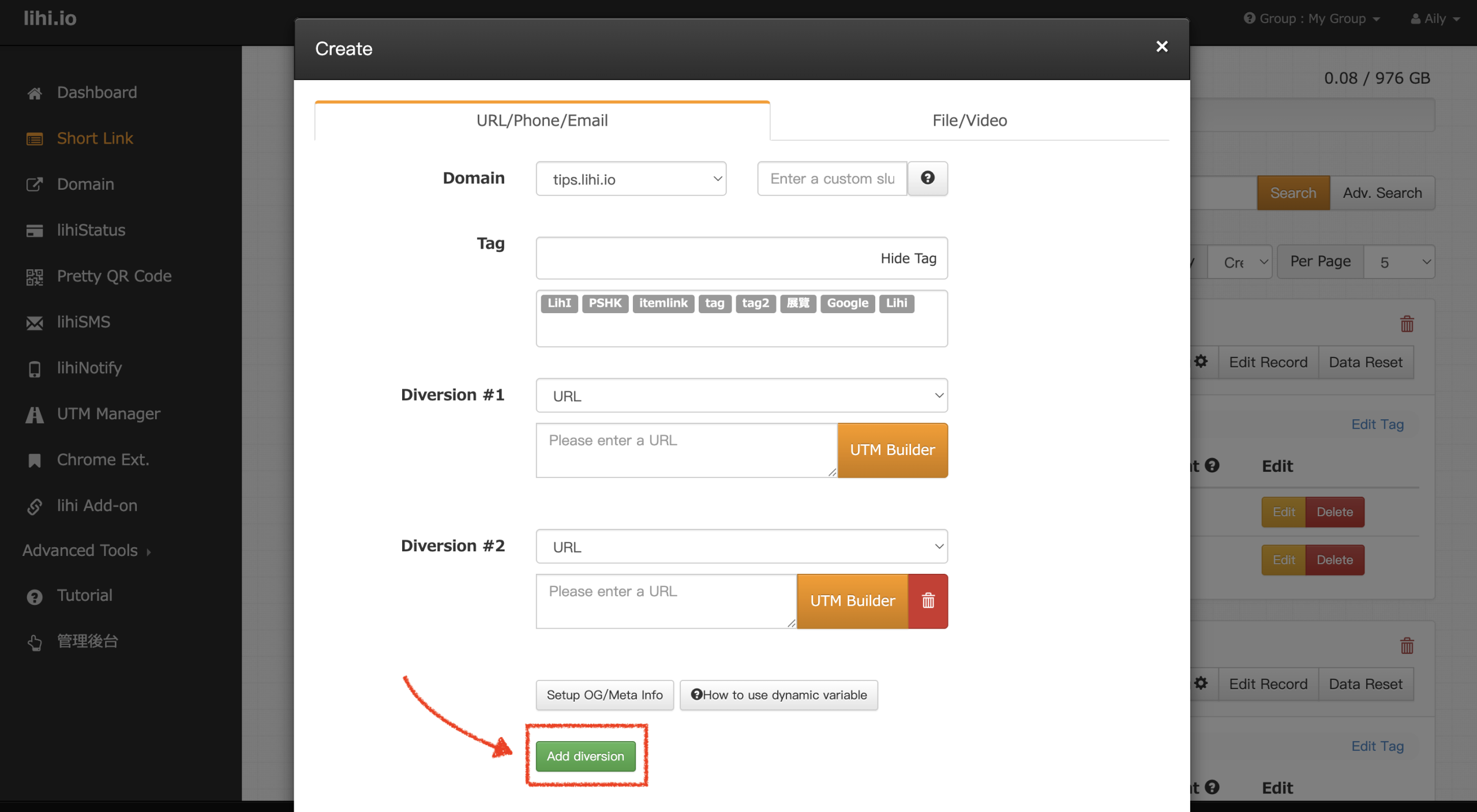
- New Links: When creating a short link, click Add diversion to input multiple destinations (up to 12).
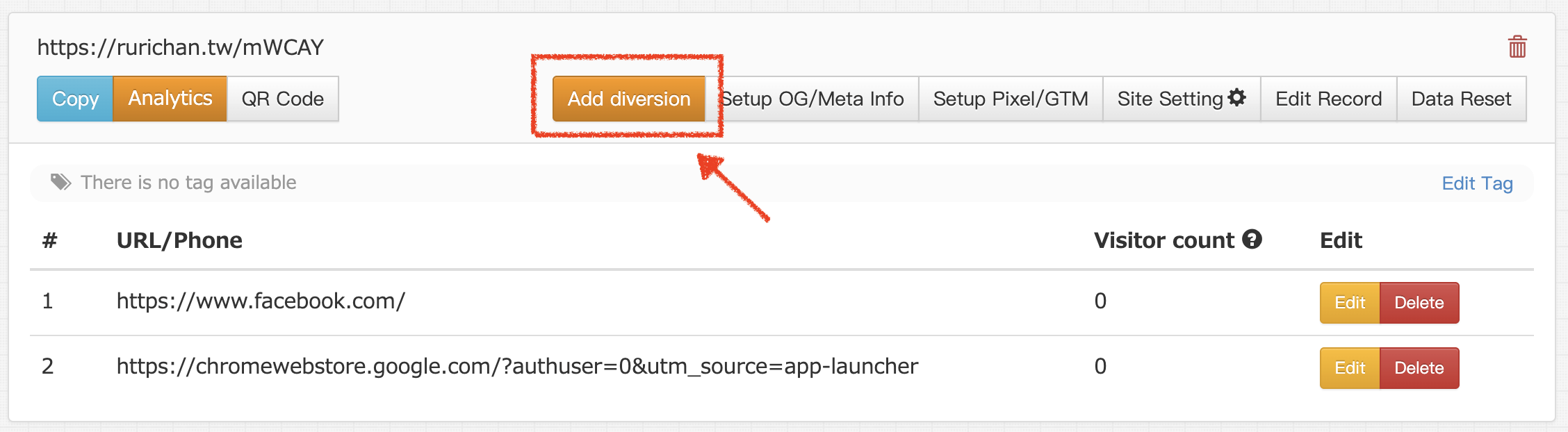
- Existing Links: On the main dashboard, find your link and click the Add diversion button.
- New Links: When creating a short link, click Add diversion to input multiple destinations (up to 12).
- Enter URLs: A window will appear. Paste the destination URL you wish to add into the field. (Note: You can click “Add Another URL” multiple times to add several URLs at once.)
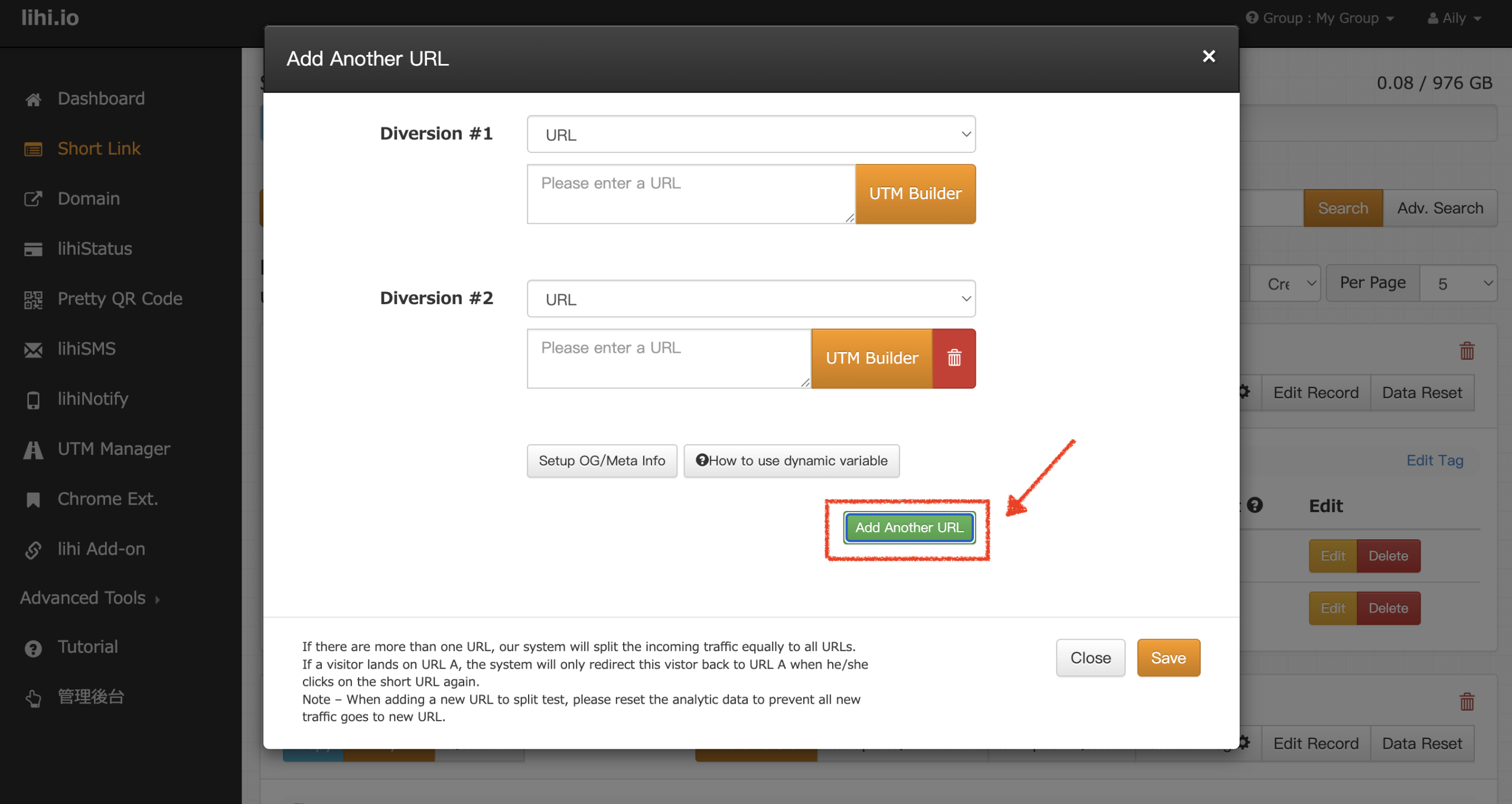
- Save Changes: Click Save. A confirmation popup (“Update Successful”) will appear; click OK to complete the addition.
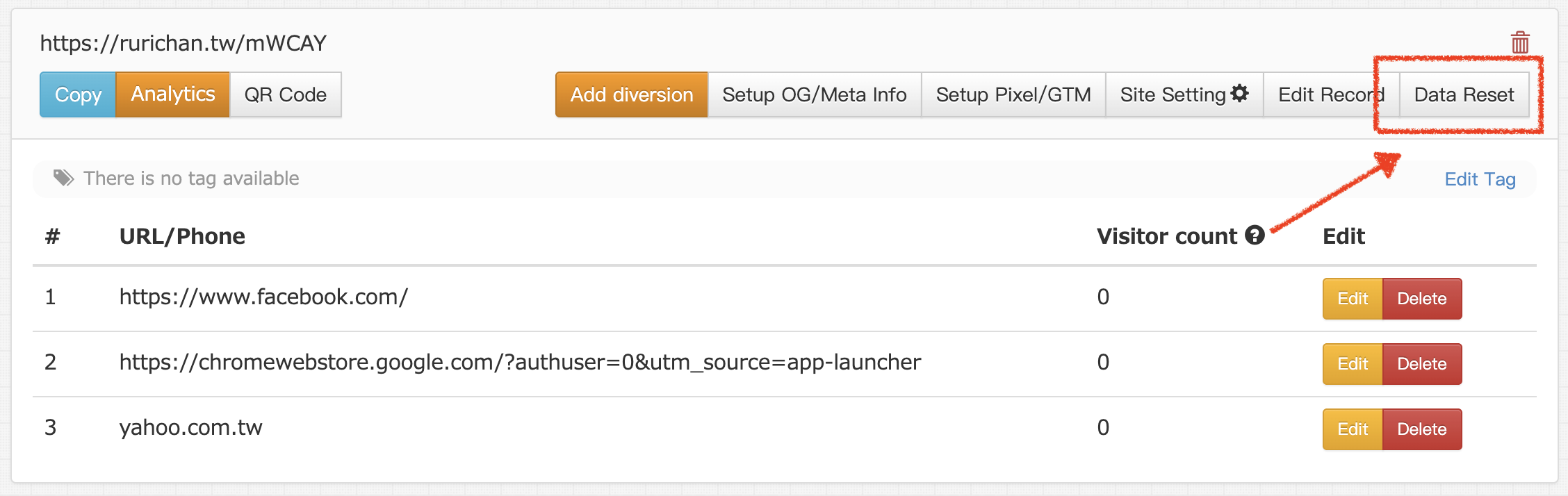
- Reset Data (Crucial Step): After adding the new URL, go back to the dashboard and click “Data Reset”. This ensures the traffic starts distributing evenly between the old and new links right away.
Start using Lihi for free ⇒ Click Here!