How to Set Up A/B Split Testing with lihi: The Complete Guide
Learn how to use lihi A/B Split Testing to distribute traffic across 12 URLs. Features include visitor stickiness and easy setup to boost your campaign ROI.
Master A/B split testing with lihi. Learn how to distribute traffic efficiently, track performance, and optimize your marketing campaigns in just a few clicks.
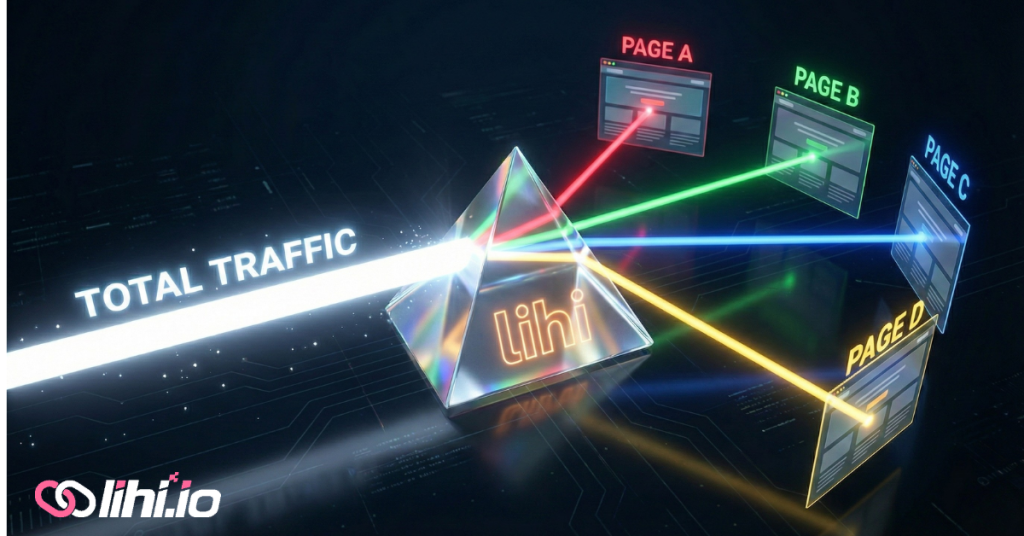
Master Your Campaigns
Stop guessing which landing page works better. In the world of performance marketing, data is king. If you aren’t testing, you’re leaving money on the table. lihi makes A/B split testing incredibly simple, allowing you to split traffic between multiple URLs without any complex coding.
Why A/B Testing is Non-Negotiable for Your Brand
Every click is an opportunity. By using a split testing short link, you can discover which offer, design, or copy resonates most with your audience. With lihi, you don’t just shorten links; you optimize your entire funnel.
How to Set Up A/B Split Testing with lihi
Stop guessing which landing page performs better. In digital marketing, data is the only source of truth. lihi A/B Split Testing allows a single short link to automatically distribute traffic evenly across multiple destination URLs, giving you the power to optimize your funnel in real-time.
Why Split Testing Matters: Understanding CRO
Before diving into the setup, it’s crucial to understand the ultimate goal: Conversion Rate Optimization (CRO). A/B split testing is the cornerstone of any successful CRO strategy. It moves you beyond guesswork, enabling data-driven decisions that directly impact your bottom line.
To deepen your understanding of these industry standards, we recommend exploring the fundamentals of Conversion Rate Optimization (CRO) on Wikipedia. For a specific look at the business value of A/B testing, check out this authoritative guide by industry leader, Optimizely.
Key Features of lihi Split Testing
- Massive Capacity: Each lihi short link supports up to 12 destination URLs, allowing for complex multi-variant testing.
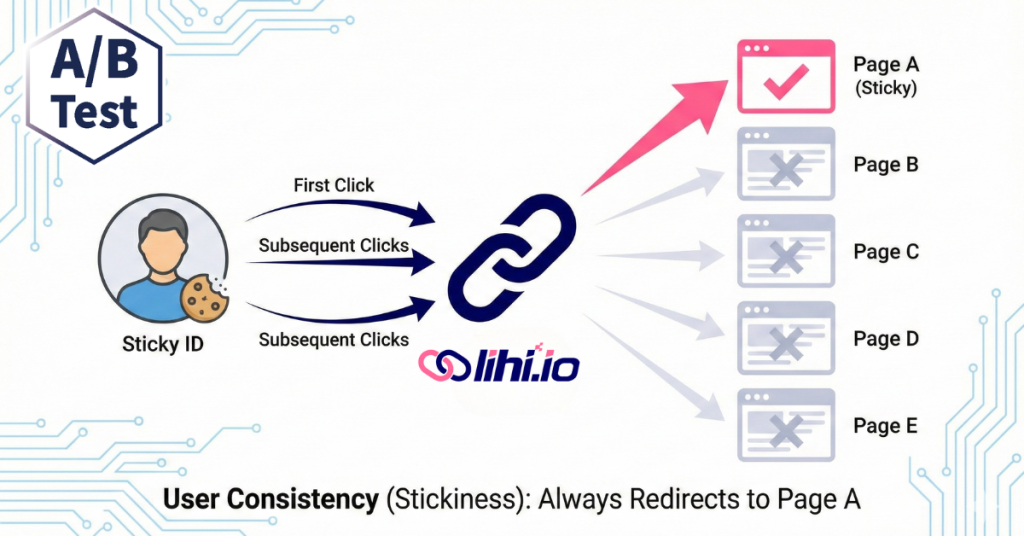
- Visitor Stickiness: Our system “remembers” your visitors. If a user is directed to “Page A” on their first click, they will consistently see “Page A” when they click again later. This ensures a seamless user experience and prevents data corruption from users seeing different offers.
Step-by-Step Setup Guide
1. Add Split URLs
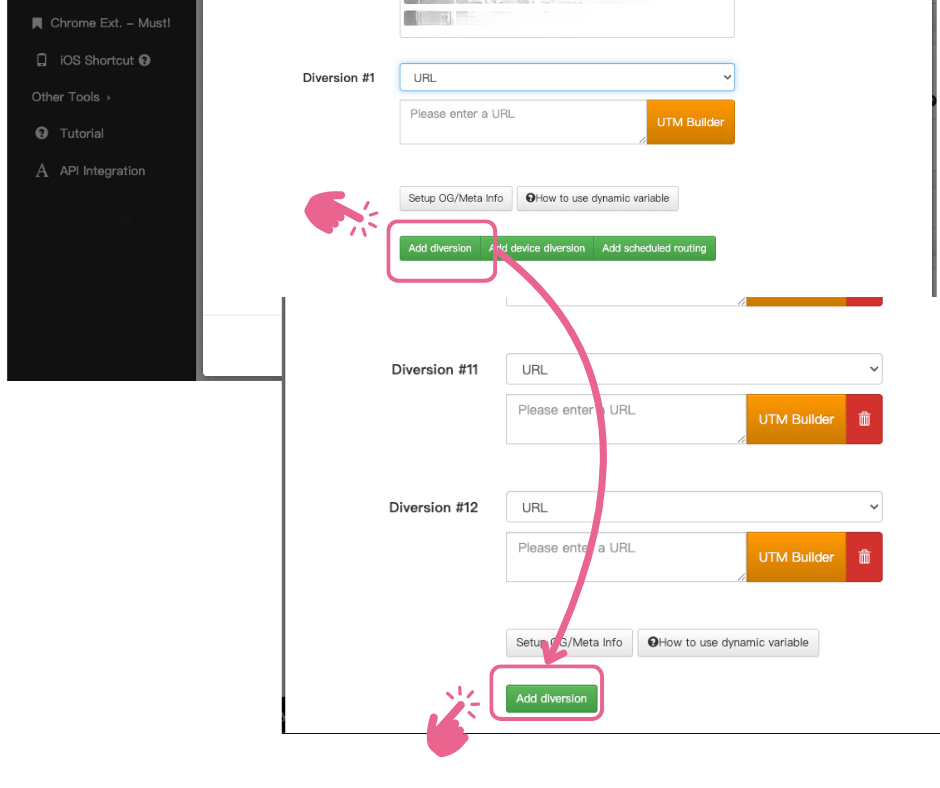
- For New Links: When creating a new short link, click the “Add Diversion” button to input multiple destinations.
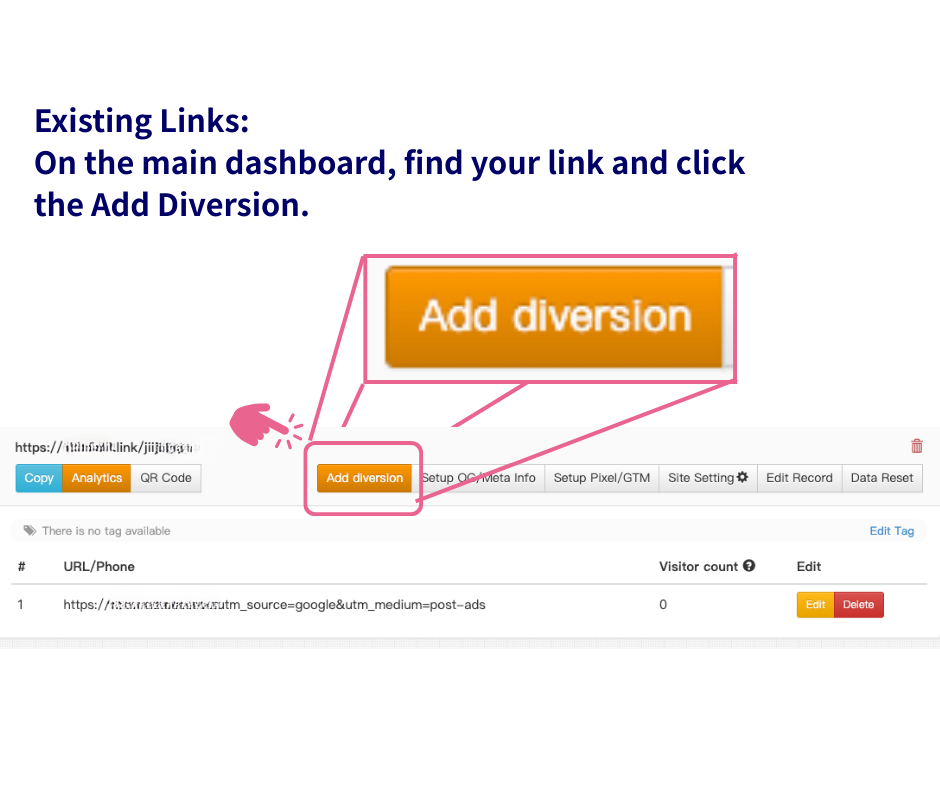
- For Existing Links: On your dashboard, locate the link you wish to edit and click the “Add Diversion” icon.
2. Enter Your Destination URLs
A window will appear. Paste the URL you wish to add into the field. You can click “Add Diversion” multiple times to add up to 12 variants at once.
3. Save Changes
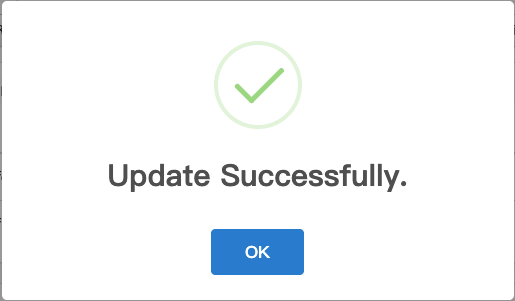
Click “Save”. Once the “Update Successfuliy” pop-up appears, click OK to finalize the process.
4. The Crucial Step: Reset Data
This is the most important rule for active campaigns. If you add a new URL to an existing link, you must click the “Data Reset” button on the dashboard.
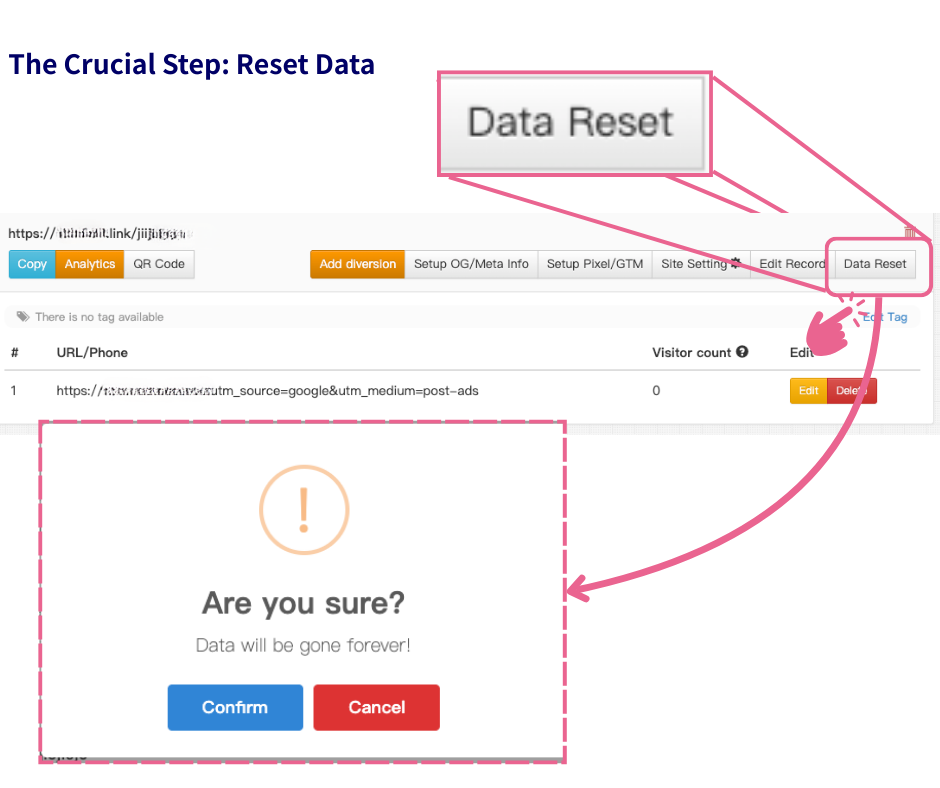
⚠️ Important Rule for Active Campaigns: If you add a new split URL to an existing link, you must reset the data. Since the system automatically balances traffic, failing to reset will cause it to direct all new visitors to the new URL until its click count catches up with the existing URLs. Resetting ensures that the “even distribution” logic applies to everyone immediately.
Ready to Supercharge Your Marketing?
A/B testing is just the beginning. From powerful pixel integration to custom domains, discover why thousands of marketers choose us by checking out the lihi Product Advantages. Start optimizing your campaigns with more precision today!
Start using lihi for free ⇒ [Click Here!]