How to Enable Cloudflare Proxy
Follow these steps to turn on the Cloudflare Proxy (Orange Cloud) for your domain.
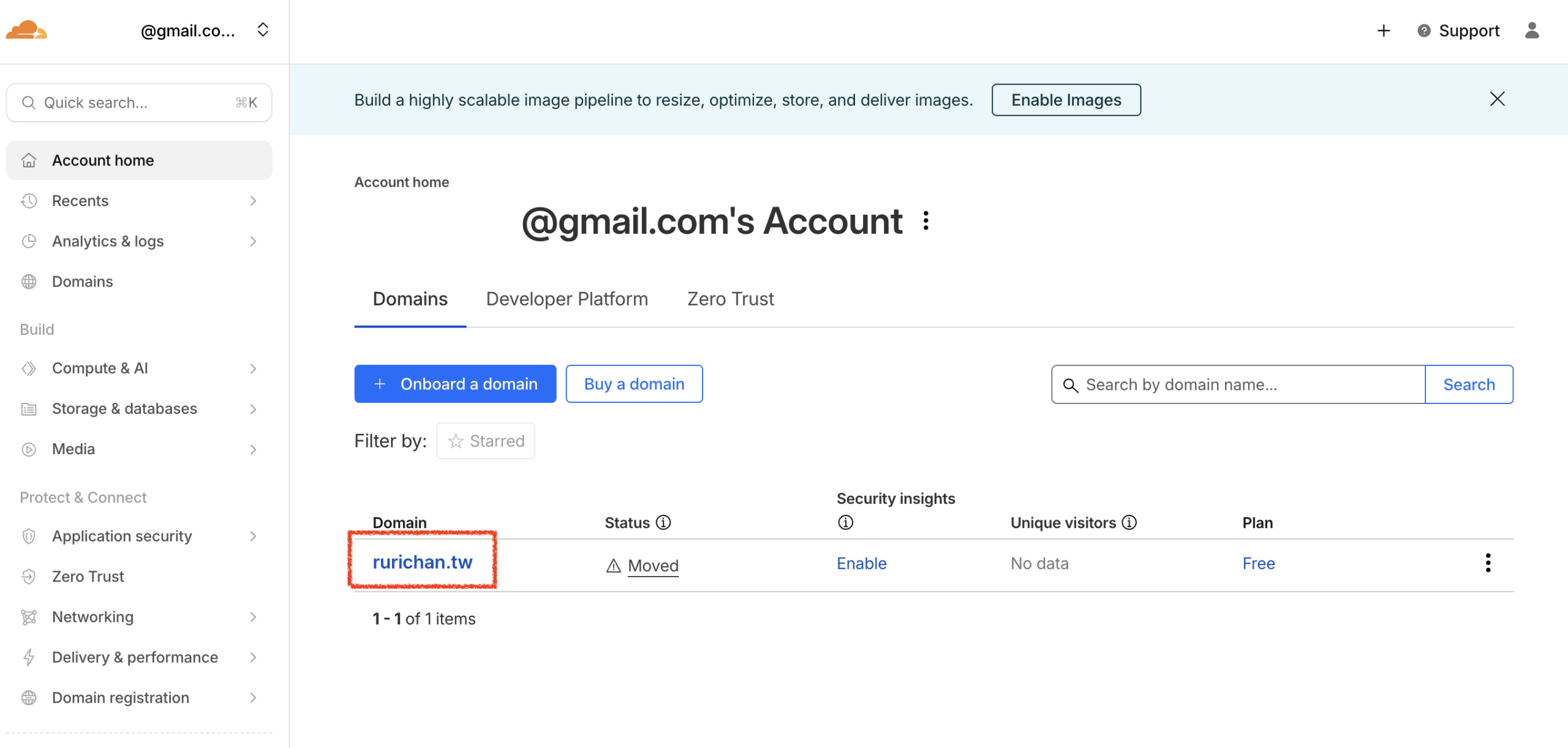
- Select Domain: Log in to your Cloudflare account. From the main dashboard, click on the domain you wish to configure.
- Access DNS Settings: In the left sidebar menu, click DNS, then select Records.
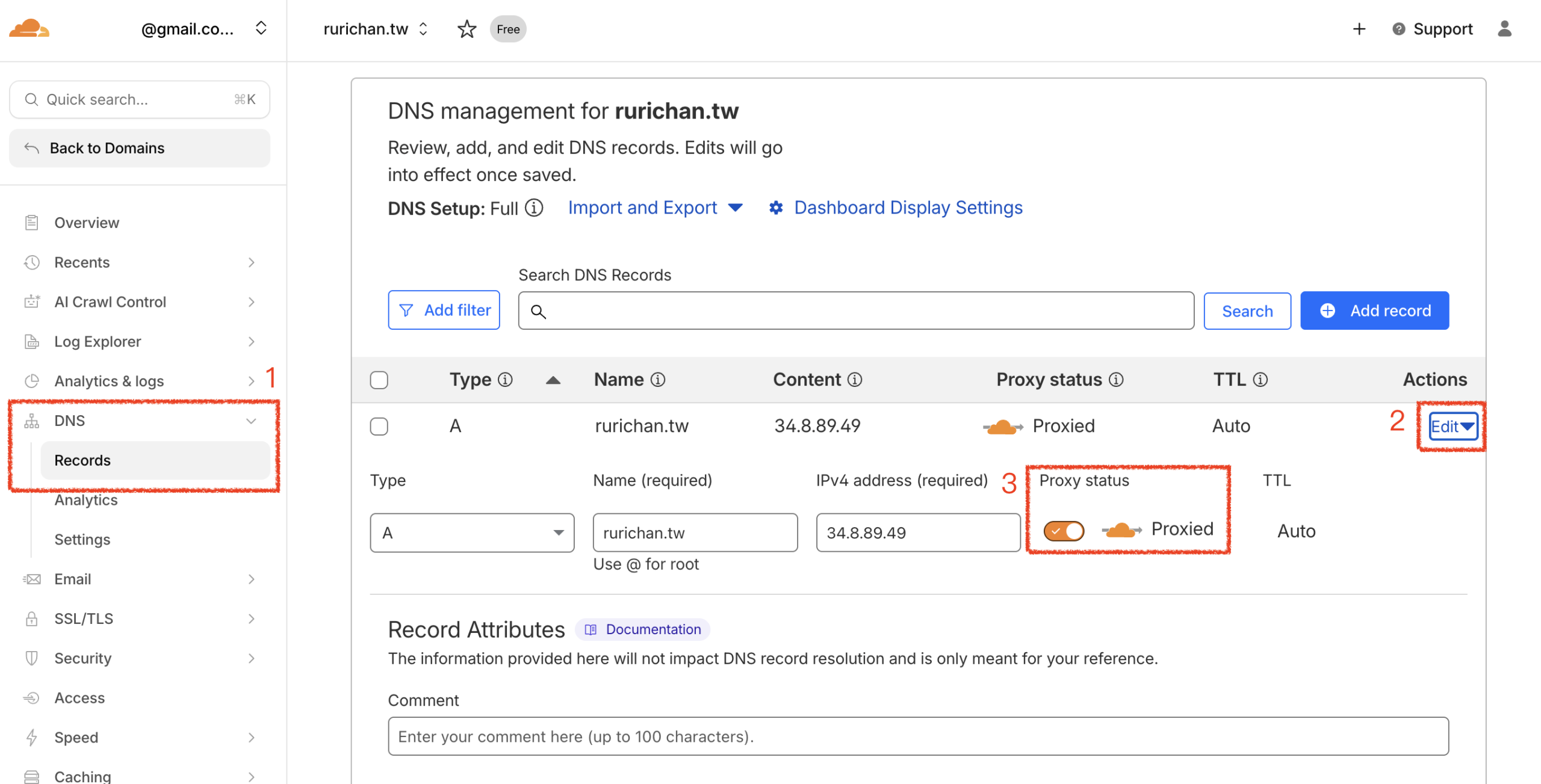
- Enable Proxy:
- Find the A Record that points to lihi.
- Click Edit on the right side of that row.
- Toggle the Proxy status to Proxied (ensure the cloud icon turns orange.)
- Click Save.
Start using lihi for free ⇒ Click Here!