What is the Workplace Feature? How to Set It Up?
The Workplace feature is designed for team collaboration. It allows a Master Account to create and manage multiple Sub-accounts for team members.
Through the Master Account, you can oversee all short links created by your team members, centrally manage permissions, and analyze data across the entire team, making management significantly easier.
How to Set Up a Workplace
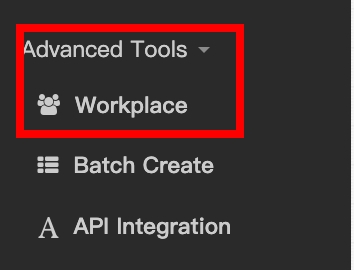
- Access Settings: Click on Advanced Tools in the menu, select Workplace, and then click the Create Account button.
- Select Account Type & Configure: Choose one of the following methods to add a team member:
- Create Account: Select this if the user does not have a lihi account yet.Join an existing account: Select this if the user already has an existing lihi account.
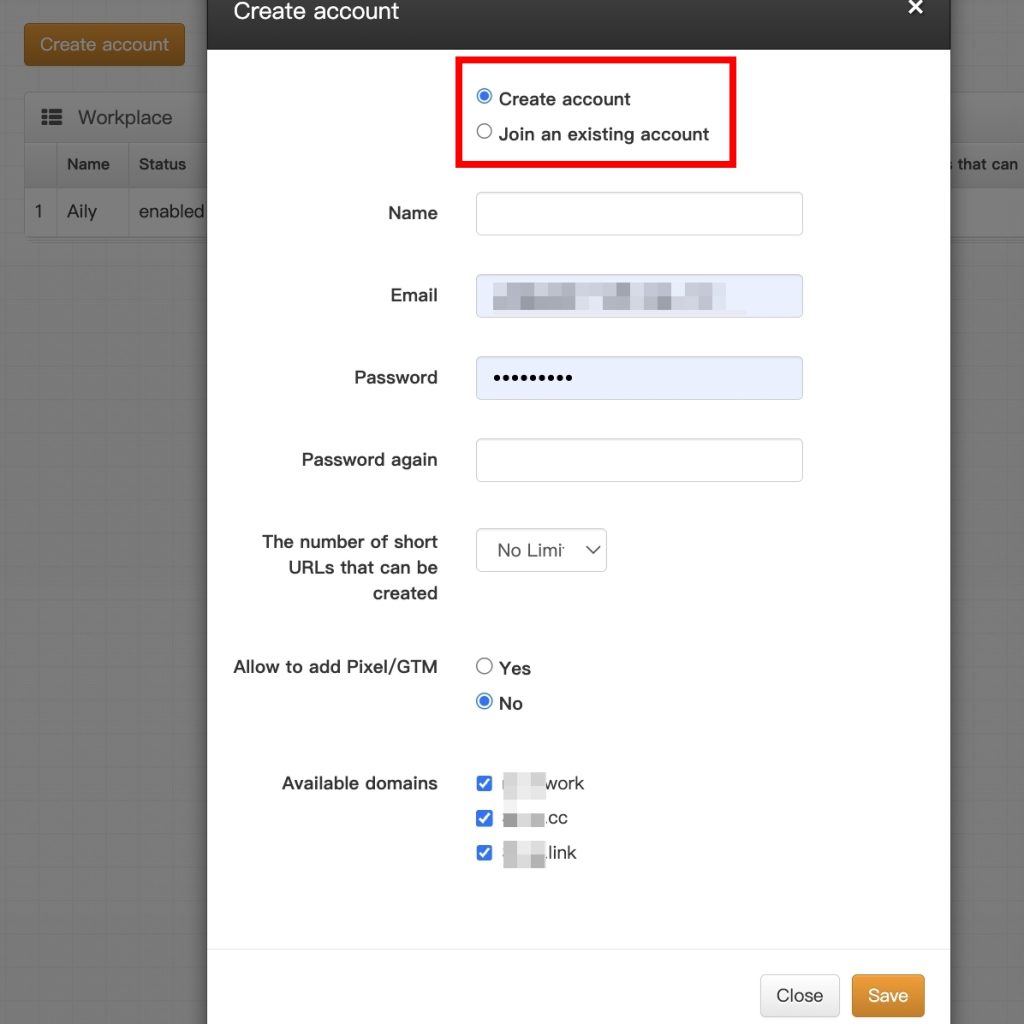
- Save & Verify: Once saved, the new team member will appear in your Workplace list, showing their current status and permissions.
- Edit Permissions: You can click the Edit button on the right side of any account to adjust their permissions at any time.

Start using lihi for free ⇒ [Click Here!]