What is the Pixel/GTM Integration?
Google Tag Manager (GTM) acts as a centralized hub that integrates various tracking resources. It allows for “one-stop management” of multiple tracking codes—such as Google Analytics (GA), Meta Pixel, and Google Ads—without needing to modify code manually for every campaign.
How to Install Pixel/GTM on Your Links
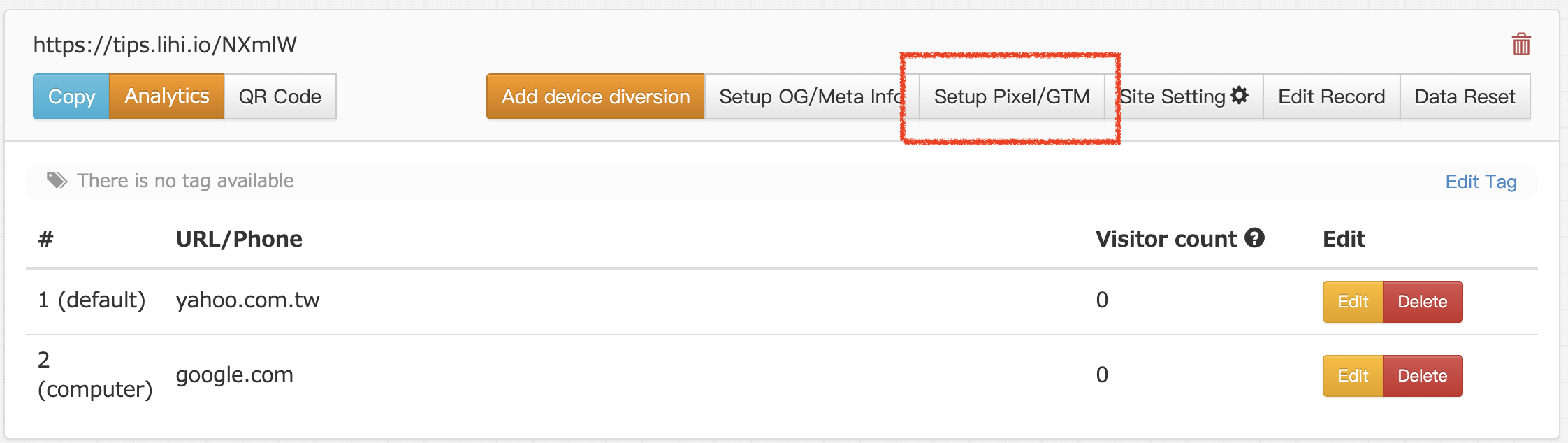
- Access Settings: From the main dashboard, click on the Setup Pixel/GTM button.
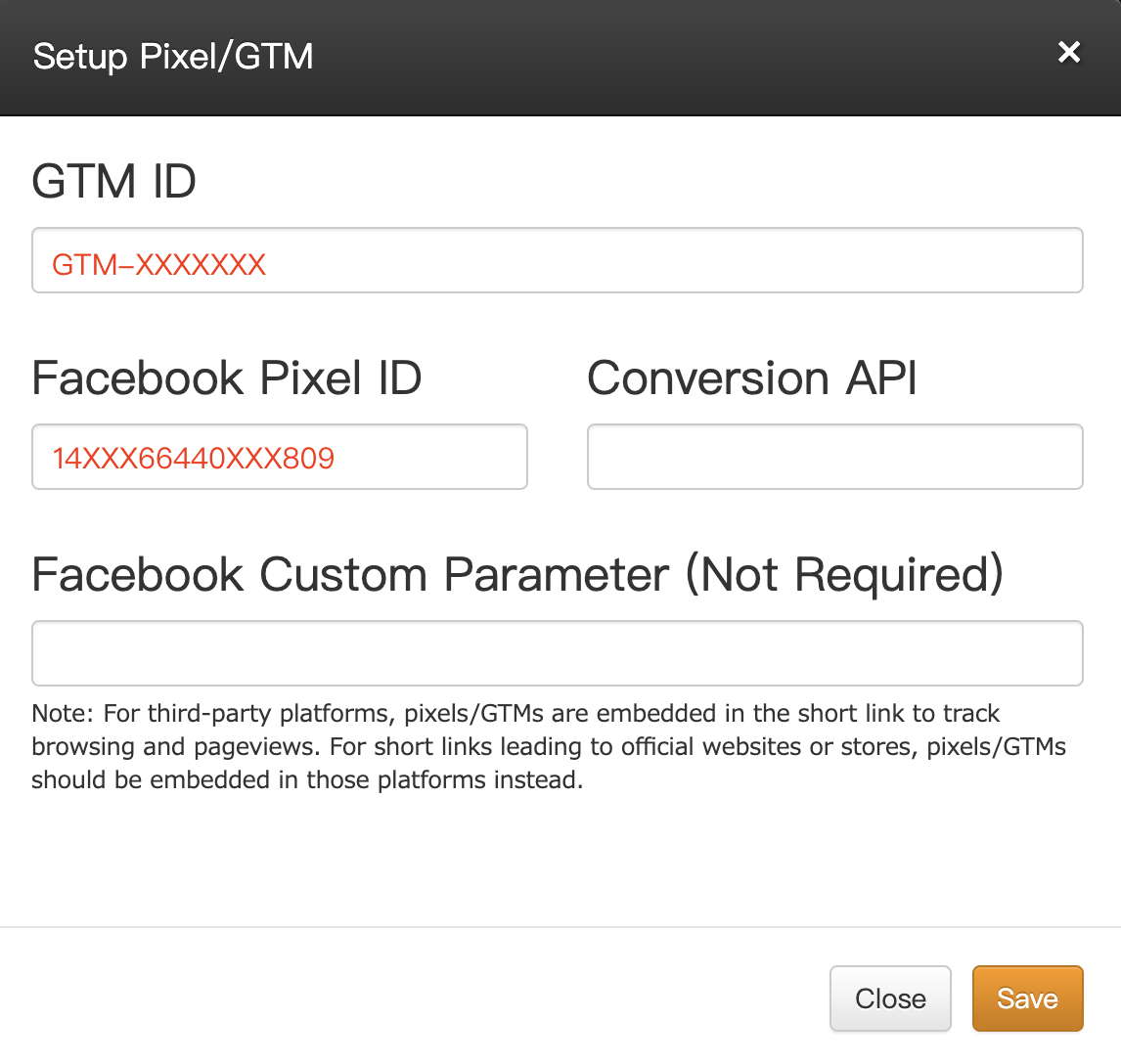
- Enter IDs: Input your Pixel ID or GTM ID into the respective fields and click Save to complete the setup.
💡 Pro Tip for Custom Domain Users
If you own a Custom Domain, you can streamline your workflow by setting up defaults. 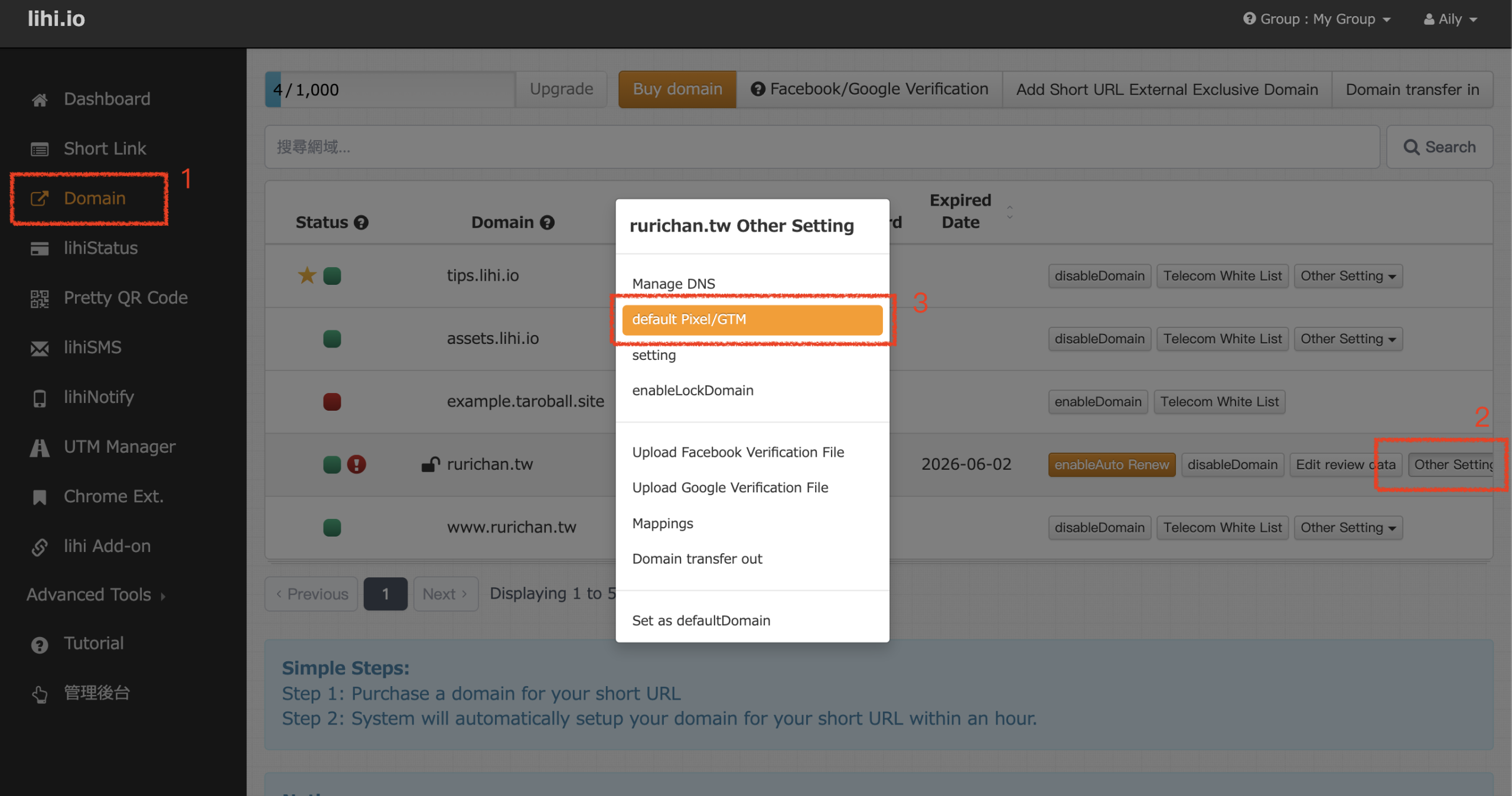
- How: Go to the Domain menu and click Other Setting > click Default Pixel/GTM.
- Benefit: Once configured, every new short link created under this domain will automatically include these tracking codes. You won’t need to manually enter the IDs every time you create a link!
- Related Guide: How to Get Your Meta Pixel ID
Start using lihi for free ⇒ Click Here!