What is the Parameter feature and how do I set it up?
What is the Parameter feature?
The Parameter feature allows you to track and distinguish traffic sources from different platforms without needing to create multiple separate short URLs. By simply appending a custom tag to the end of your existing short link, you can categorize your traffic effortlessly.
How it Works
Instead of generating a new link for every channel (e.g., one for Facebook, one for Instagram), you use the same base link and add a suffix.
- Base Link:
https://lihi.cc/sample - Facebook Post:
https://lihi.cc/sample/fb - Newsletter:
https://lihi.cc/sample/email
Important Data Counting Rule
To ensure data accuracy, if the same user (from the same IP address) clicks the same short link with the same parameter multiple times, the system will record it as only one unique click.
Naming Best Practices
We strongly recommend avoiding Chinese characters in your parameters.
- Reason: Not all operating systems or platforms (e.g., YouTube, WeChat) support Chinese URLs correctly. Using Chinese characters may cause links to break or negatively affect search engine indexing.
- Recommendation: Please use English letters and numbers only (e.g.,
/promo01,/summer-sale).
How to Add Parameters
- Create or Select a Link: Take an existing short URL you have already created.
- Add the Parameter Manually: You do not need to log in to the dashboard to create a parameter. Simply paste your short URL into a browser or text editor and type
/followed by your custom parameter at the end.- Example: If your link is
https://lihi.io/123, just typehttps://lihi.io/123/ABCto track clicks from source “ABC”.
- Example: If your link is
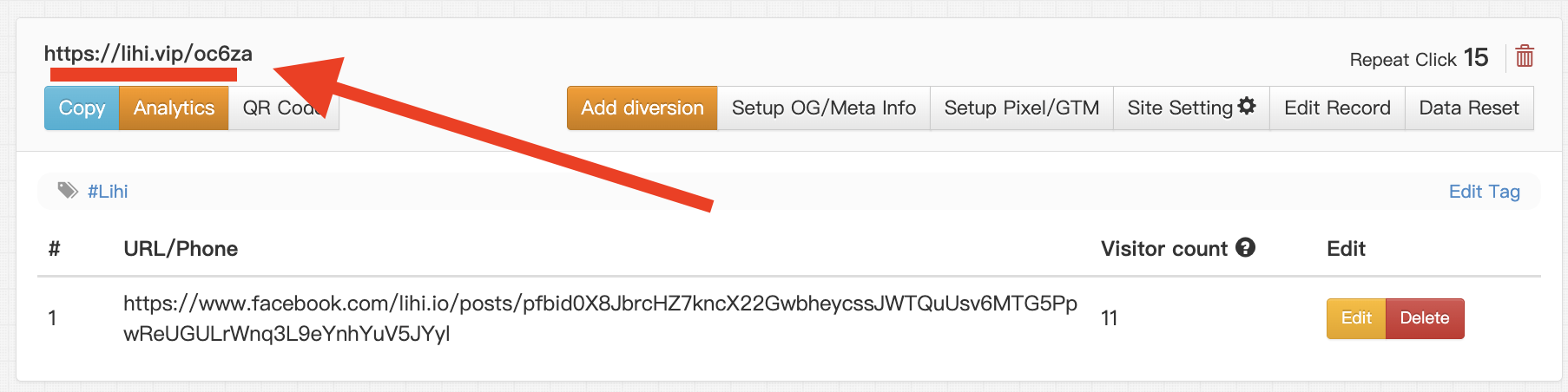

How to View Parameter Data
- Go to your Dashboard.
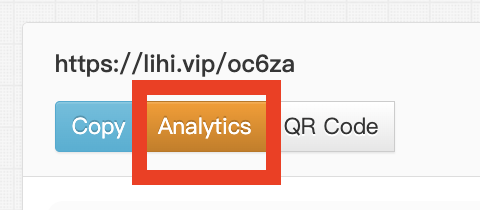
- Find the short link you used and click the Analytics (Graph icon) button.
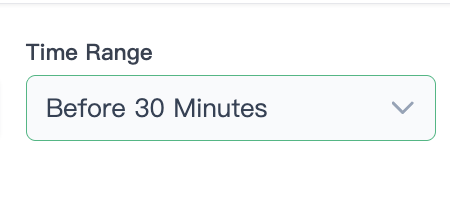
Select time interval
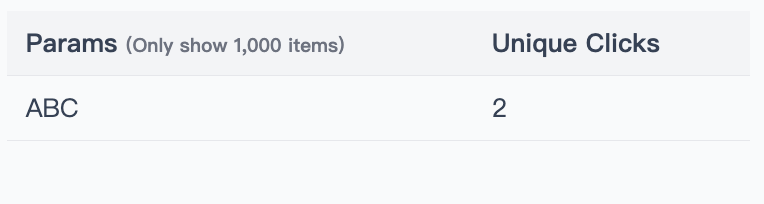
In the detailed report, you will see a breakdown of clicks categorized by the specific parameters you added. This allows you to compare the performance of different channels side-by-side.
Start using lihi for free
Join thousands of marketers and optimize your links today.