What are Meta Custom Parameters?
Meta Custom Parameters allow you to categorize your short links using specific keywords (tags).
In the past, creating a Custom Audience required manually pasting every single URL you wanted to track. With Custom Parameters, you can simply use tags to capture traffic efficiently!
Example Scenario
Suppose you have 10 short links in total:
- 5 links with the parameter
dog - 4 links with the parameter
fish - 1 link with the parameter
cat
When creating a Custom Audience in Meta Ads Manager, you can select the lihiClicks event and filter by the parameter value dog. This instantly groups all traffic data from those 5 “dog-tagged” links into a single audience.
Benefit: This allows you to bulk-create audiences without needing to enter individual URLs one by one.
💡 Pro Tip: We highly recommend using English for your parameter values to ensure maximum compatibility and stability within Meta’s system.
How to Set Up Custom Parameters
- Navigate to Settings: In your lihi dashboard, click on Setup Pixel / GTM.
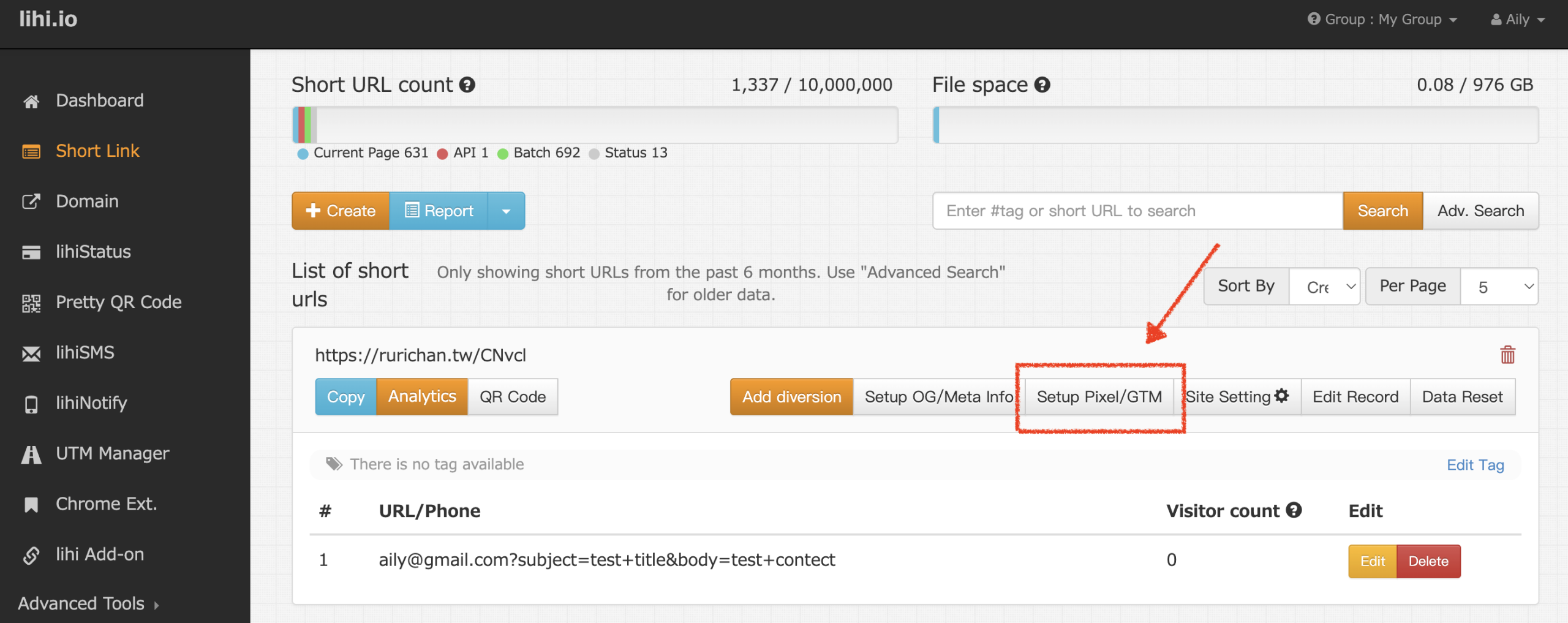
- Enter Parameter: Input your desired parameter value (e.g.,
dog) and click Save.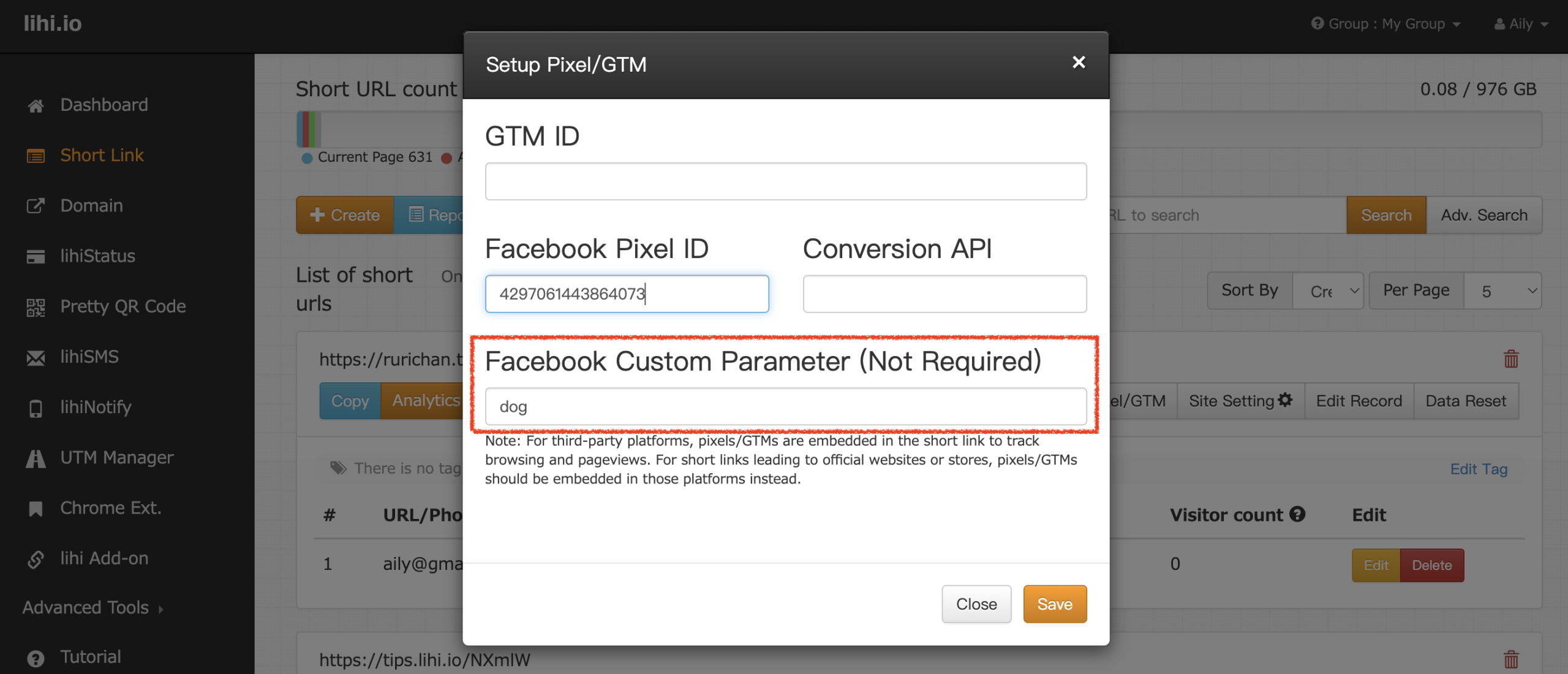
- Verify Setup: Use Meta’s Test Events tool. Click your short link and check if the
lihiClicksevent appears along with your configured parameter.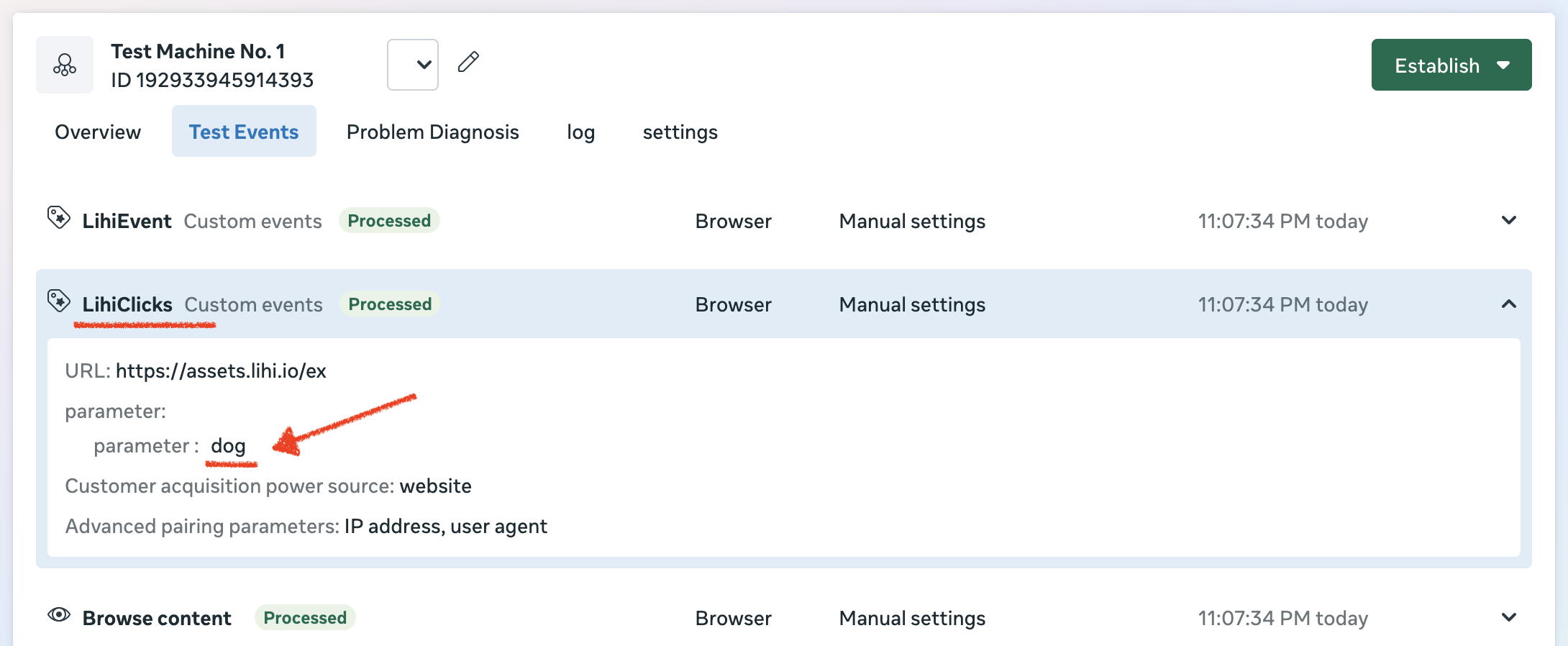
(Note: Once set up, you can select this specific parameter directly when building your Custom Audience in Meta.)
FAQ: What is “lihiEvent”?
Q: What is the purpose of the lihiEvent custom event?
A: While lihiClicks tracks specific parameters/tags, lihiEvent is designed to capture all traffic that has clicked on any short link within your account.
- Use
lihiClickswhen you want to target specific campaigns (e.g., just the “dog” campaign). - Use
lihiEventwhen you want to retarget everyone who has ever clicked on any of your links.
Start using lihi for free ⇒ Click Here!