How to Create URLs to Custom QR Codes: A Step-by-Step Guide with lihi
Stop wasting money on static QR codes. Learn how lihi helps you create dynamic, trackable, and mass-produced QR codes for videos, images, and digital business cards.
What Can lihi’s One-Click QR Code Service Do for You?
Imagine this: You’ve just printed 5,000 flyers for a massive campaign. Suddenly, you realize the promotional video link is broken. In the past, this was a disaster. Today, with lihi, it’s a 10-second fix.
lihi isn’t just a link shortener; it’s a bridge between the physical and digital worlds. Whether you are managing a single digital business card or thousands of store-specific posters, here is how you can master the lihi QR Code ecosystem.
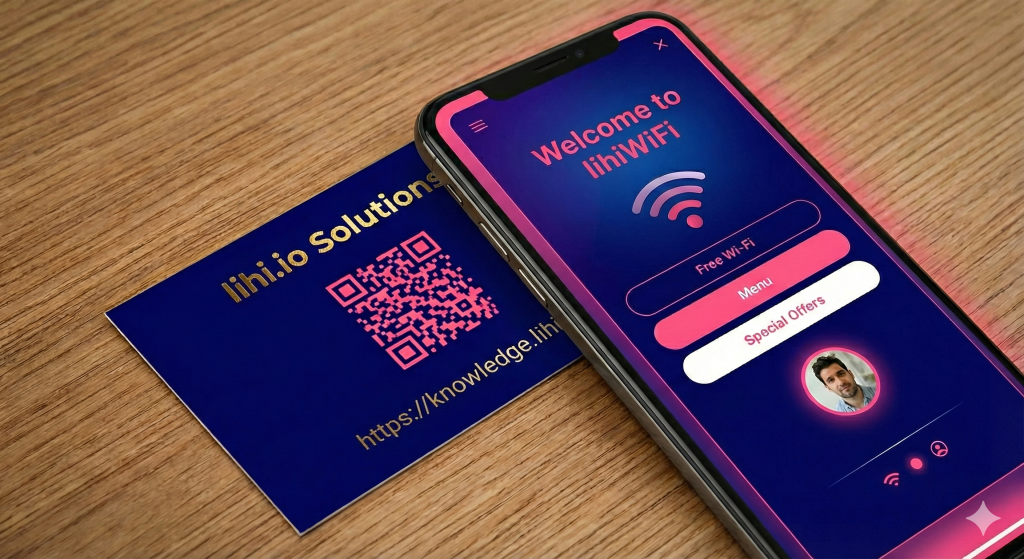
The Power of Dynamic Links: Never Reprint Again
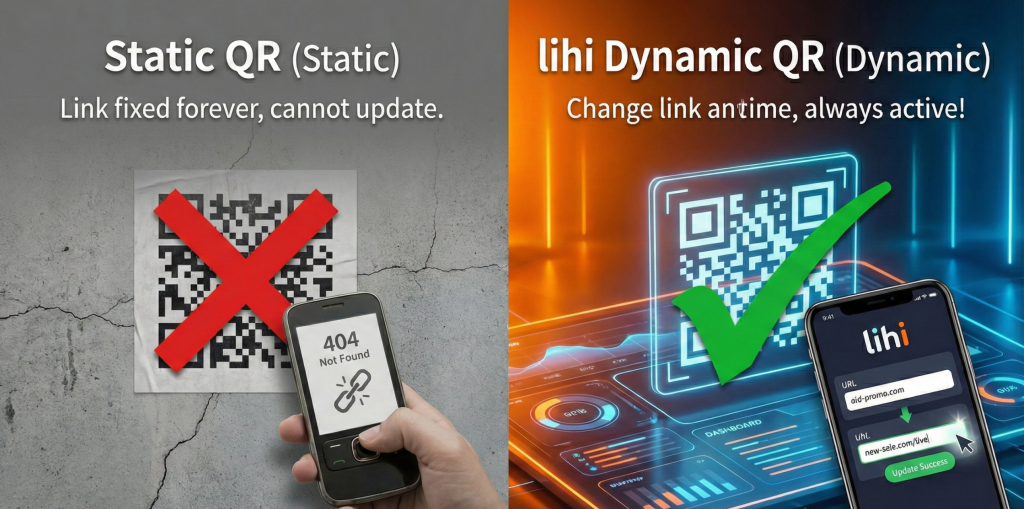
Most QR codes are “Static.” Once they are printed, the destination is set in stone. lihi uses Dynamic Links.
Because the QR code redirects through a lihi short link first, you can update the destination URL, video, or image in your dashboard at any time. The physical code stays exactly the same, but the content it delivers is always fresh.
Pro Tip: Use this for restaurant menus or seasonal promotions to save thousands in printing costs.
Versatility in One Click: Beyond Just URLs
With lihi, you aren’t limited to web pages. You can instantly convert complex information into professional QR codes:
- Instant Wi-Fi Access: Stop forcing customers to type in long, complex passwords. Generate a Wi-Fi QR Code that allows guests to join your network instantly with one scan. Perfect for cafes, hotels, and modern offices.
- Multimedia: Direct links to Videos and Images for immersive storytelling.
- Communication: Phone numbers (with extension support) and Emails to lower the barrier for customer inquiries.
- Social Power: One-click access to your Instagram, TikTok, or YouTube channels.
lihi QR Code: The “Print First, Set Up Later” Revolution
Are you still manually creating individual QR codes for every single staff member or store branch? Or worse, are you still struggling with messy Excel templates to bulk-generate codes?
That ends today.
lihi‘s Mass QR Code service is designed for high-volume marketing. Whether you need unique tracking for 100 employee business cards or 50 different retail posters, we’ve eliminated the “manual labor” of traditional QR generation.
Why the lihi QR Code Service is a Game Changer:
- Print Now, Define Later: You can send your designs to the printer immediately. You don’t need to finalize the destination URL or parameters until you’re ready to go live.
- No More Excel Headaches: Reduce reliance on CSV files or complex template. lihi handles the heavy lifting, generating multiple unique tracking codes in seconds.
- Centralized Analytics: Instead of checking 50 different dashboards for 50 different links, you manage everything under one single short link.
How to Create Your First lihi QR Code
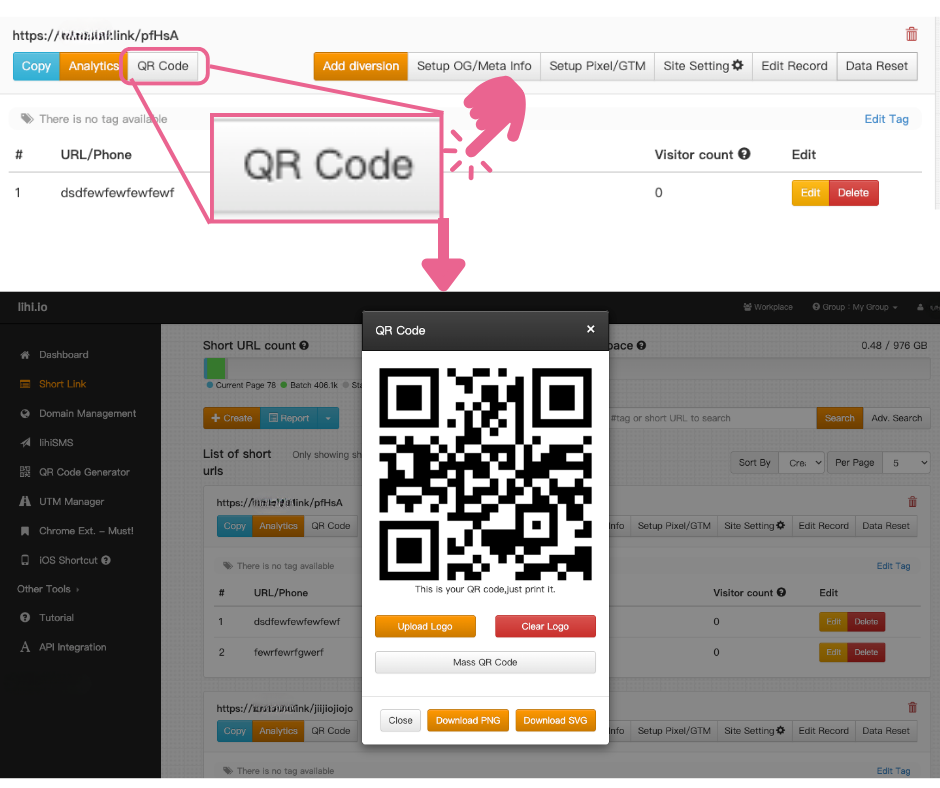
- Select Feature: Click “Short Link” or “QR Code Generator” in your lihi Dashboard.
- Generate: Find your link or content and click the QR Code icon.
- Customize (Crucial):
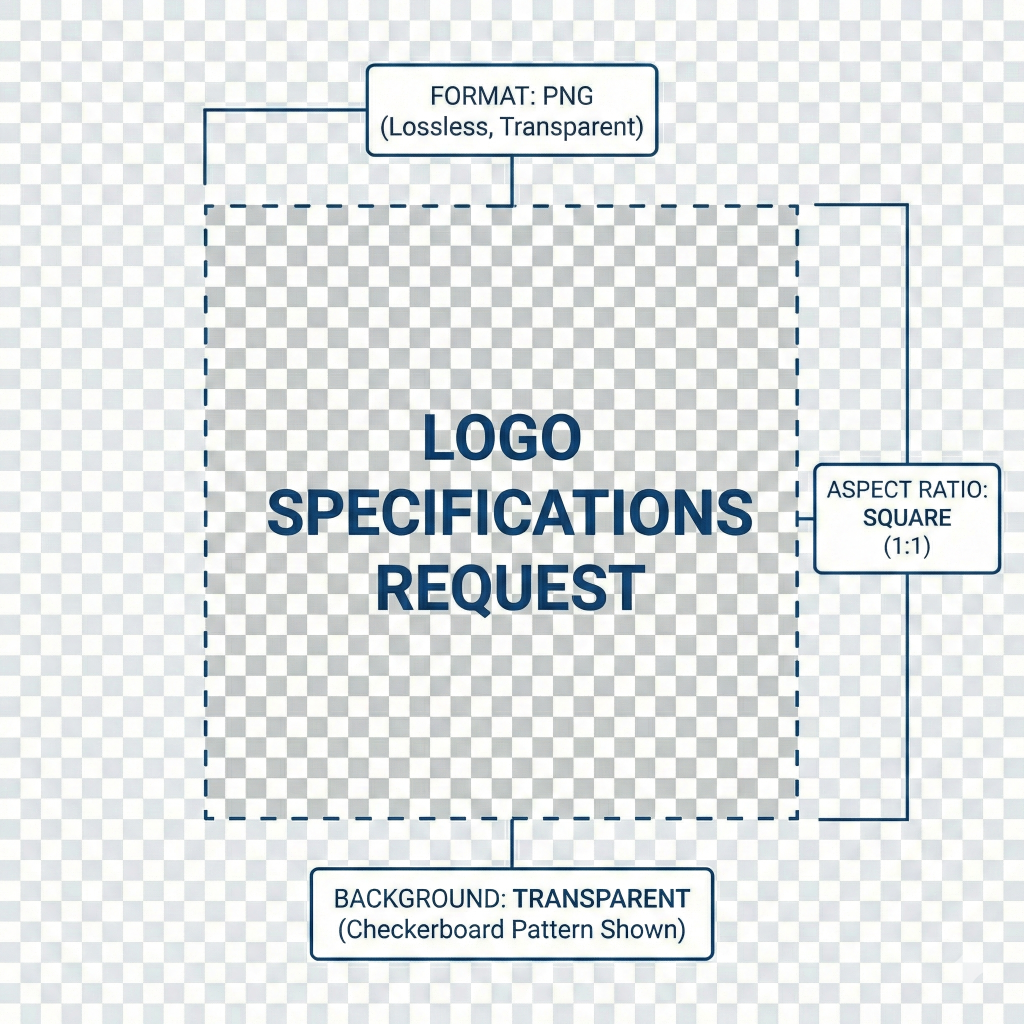
Branding: Upload your logo (PNG format, square recommended). - Download: Save in high resolution and share it with your designer or print vendor.
How to Bulk Create Branded Mass QR Codes with lihi
Scaling your offline marketing shouldn’t mean sacrificing your brand identity. With lihi, you can generate hundreds of unique, trackable QR codes that all share the same consistent, professional look in just a few clicks.
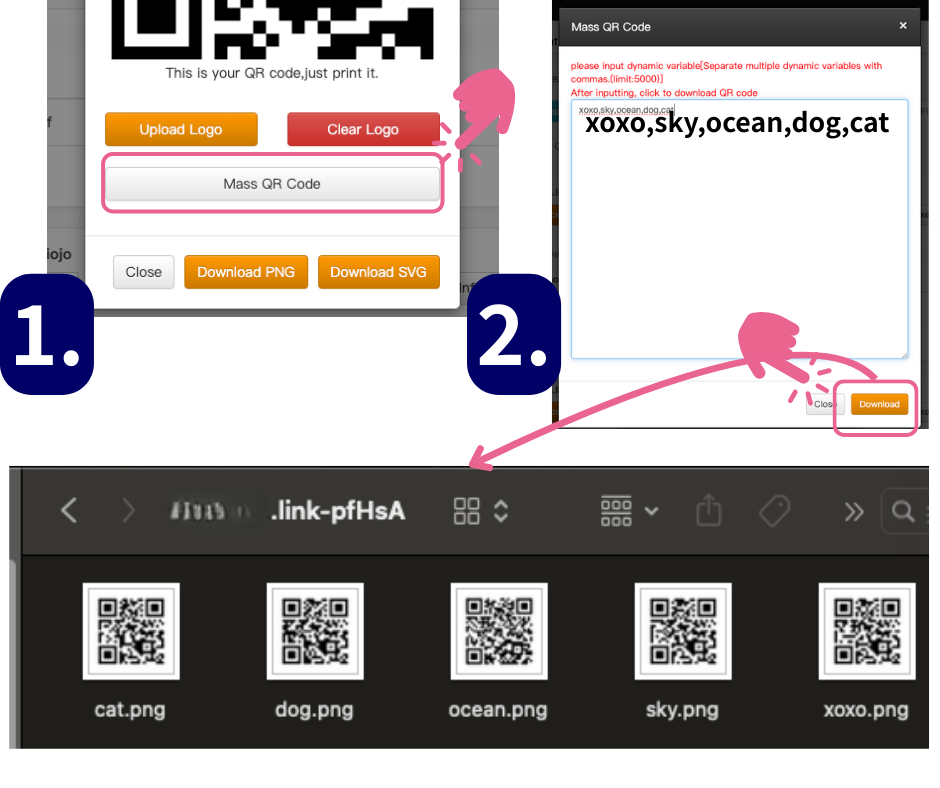
Step 1: Initiate mass generation
Log in to your lihi dashboard and open the short link or campaign you want to scale.
Click the “Mass QR Code” button – this is your gateway to high-volume production without the manual work.
Step 2: Define your parameters (tracking sources)
Instead of creating links one by one, you define your parameters here.
For example, if you are printing business cards for 50 employees, enter their names or ID numbers as parameters. lihi will instantly prepare a unique QR code for each entry, all tied back to the same master short link for easier management and analytics.
Step 3: Add your logo and brand colors
To build trust and increase scan rates, always brand your codes.
Click the “Add Logo” option and upload your logo (PNG format, square image recommended) so it aligns cleanly in the center of the code, then adjust your brand colors to match the rest of your campaign assets.
How to Monitor Your Multi-Source Data
You no longer need to jump between pages to see which branch is performing best.
- Navigate to your primary lihi Short Link.
- Click on “Analytics”.
- Scroll down to the “Parameters” section.
Here, you’ll see a clean, unified breakdown of scan rates for every specific parameter you’ve set—whether it’s “Branch_A,” “Business_Card_John,” or “Poster_Main_Entrance.” It’s total visibility with zero extra effort.
Did You Know? The Tech Behind the Scans
The QR Code (Quick Response Code) was invented in 1994 by Masahiro Hara at Denso Wave. Inspired by the board game “Go,” it was designed to hold more data than barcodes and be scanned from any angle (360-degree scanning).
Why QR Codes are perfect for marketing:
- Error Correction: They still work even if the print gets slightly dirty or damaged.
- High Capacity: They store videos, contacts, and complex URLs effortlessly.
Start using lihi for free
Join thousands of marketers and optimize your links today.