How to Set Up A Record
Note: Interfaces vary by registrar. Contact support if unsure. (GoDaddy example shown)
* Finding the lihi IP address: Dashboard > Left Menu > Domains > Notice
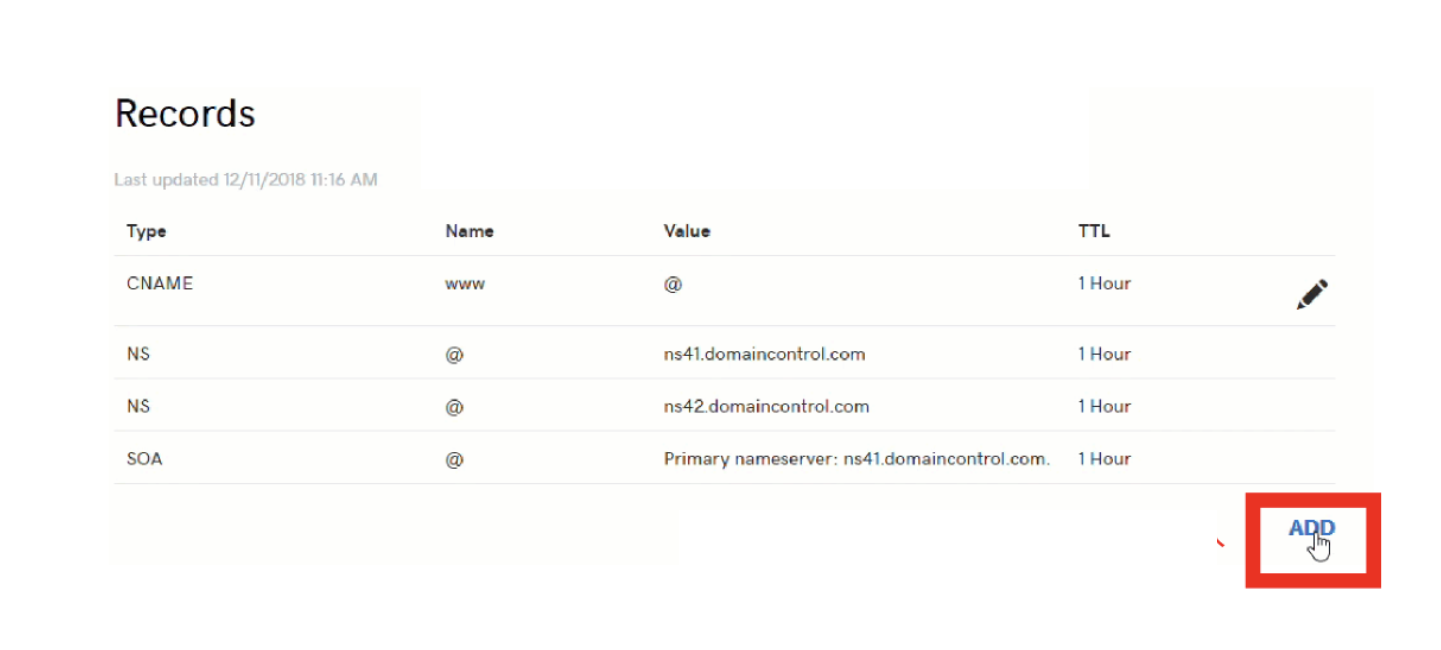
1. Go to DNS Management and click ADD
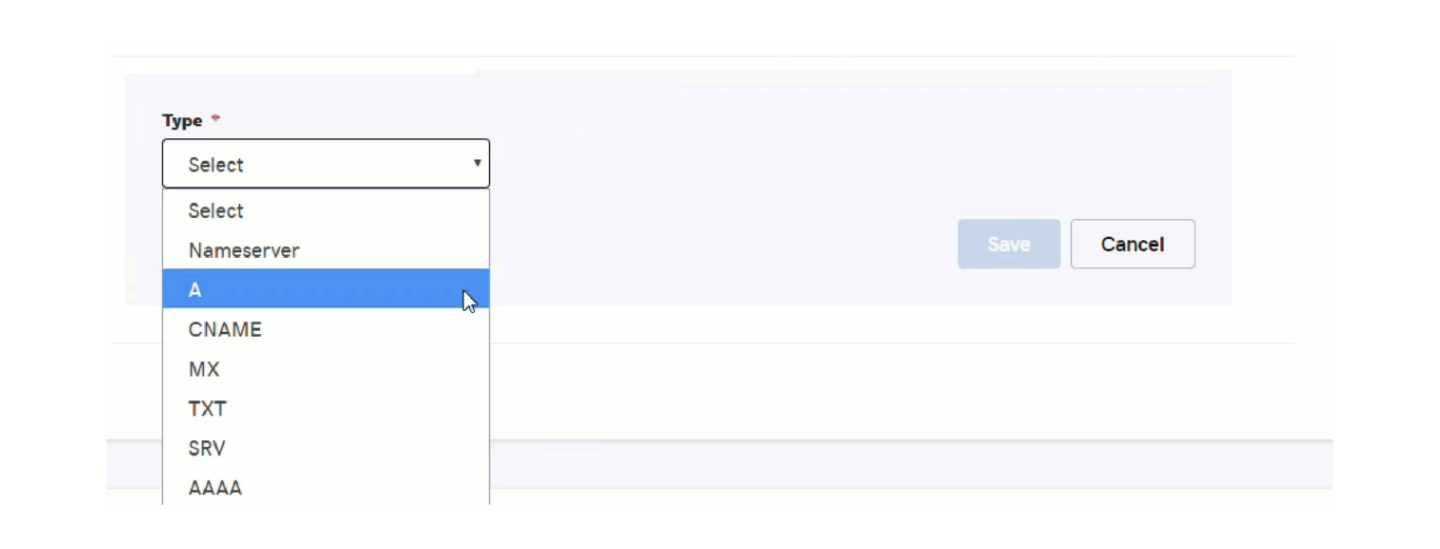
2. Select A for Record Type
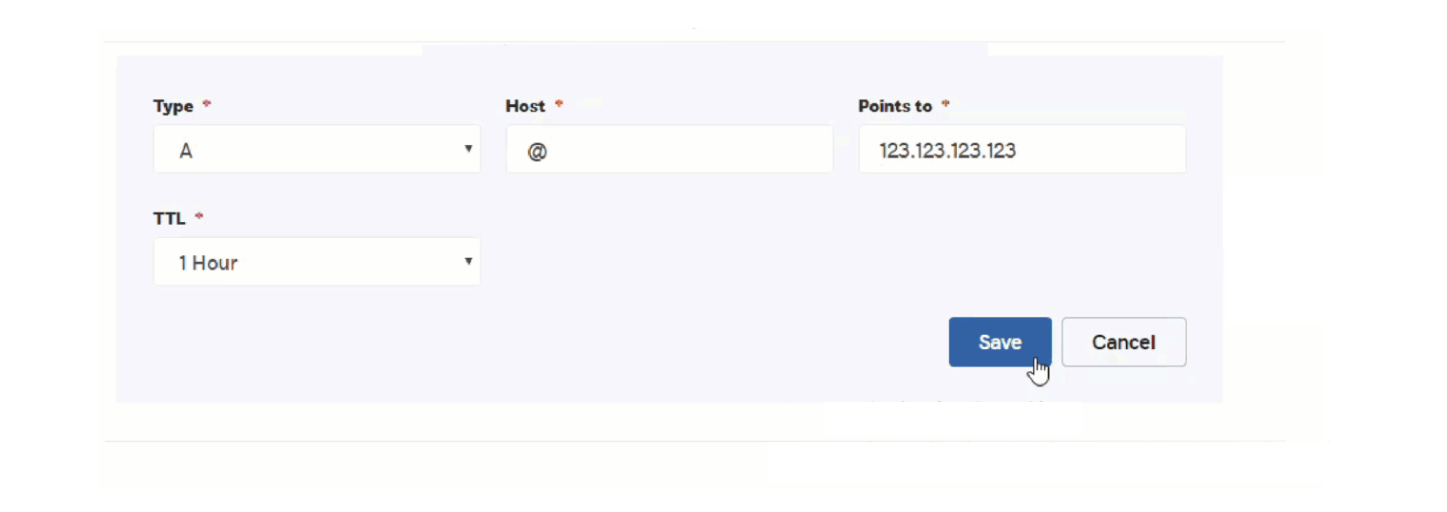
3. Enter @ or leave blank for Host
4. Enter the lihi IP address in ‘Points to’ and click Save
 5. Success! Propagation may take 60 minutes to 48 hours to activate.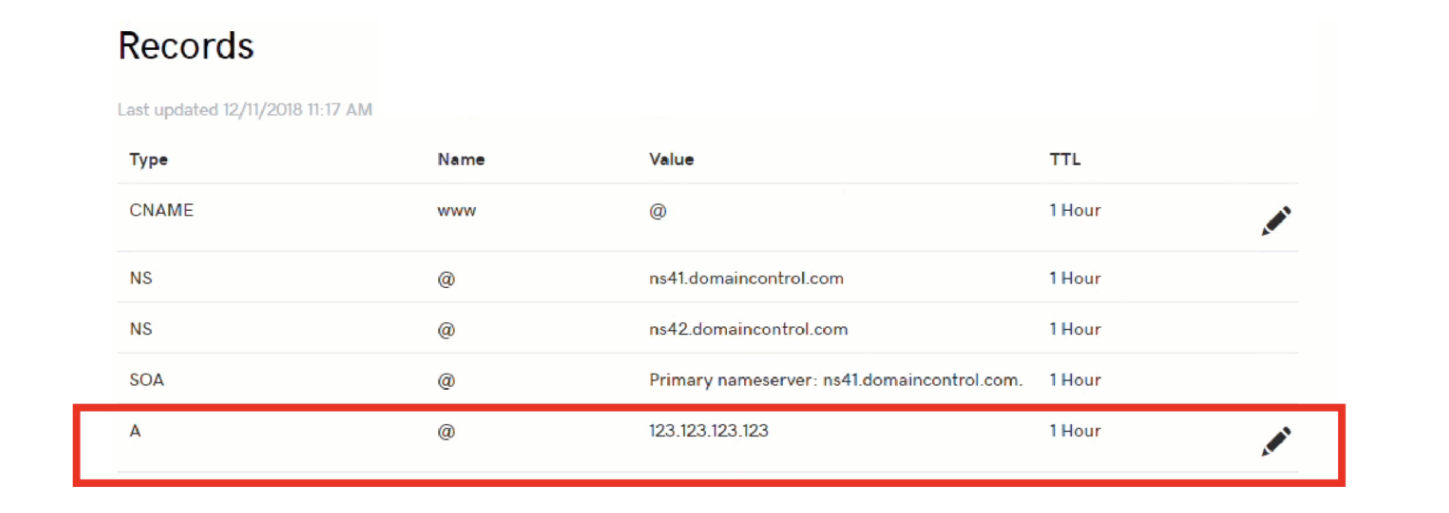
Start using lihi for free ⇒ Click Here!