How to Purchase a Custom Domain
Follow these steps to buy a branded domain directly through the lihi dashboard.
- Search for a Domain:
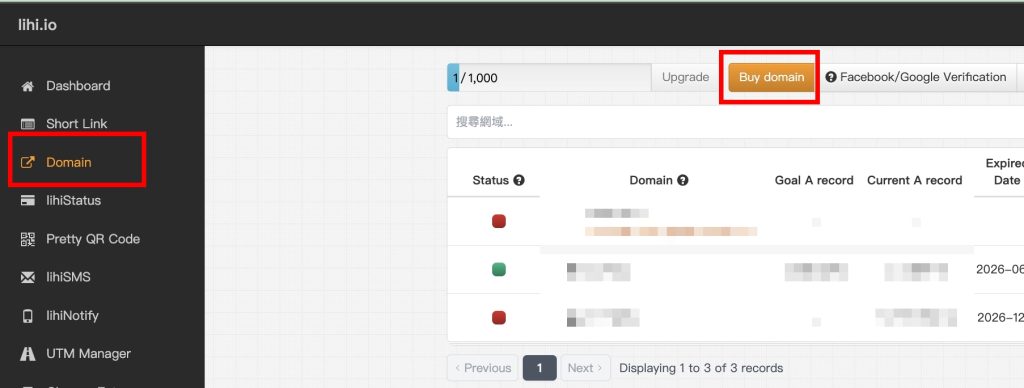
- In the left sidebar menu, click Domain and then select Buy domain.
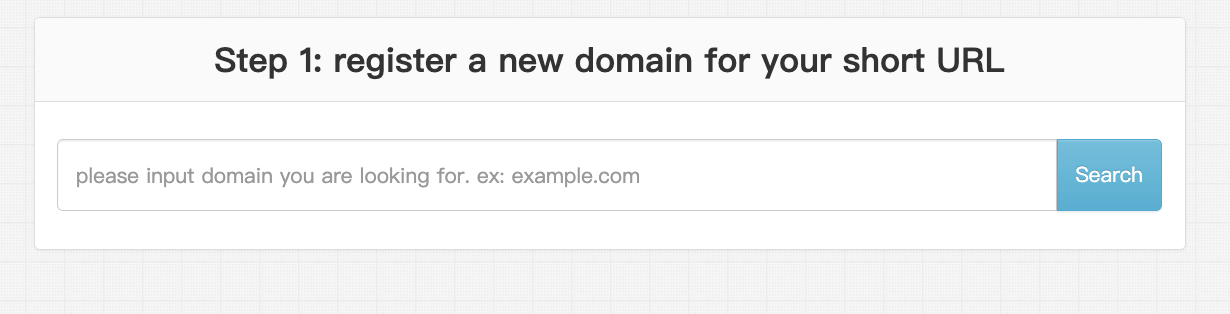
- Enter your desired domain name in the search bar and click Search.
- The system will show if the domain is available. If it’s taken, a list of similar available domains will be suggested.
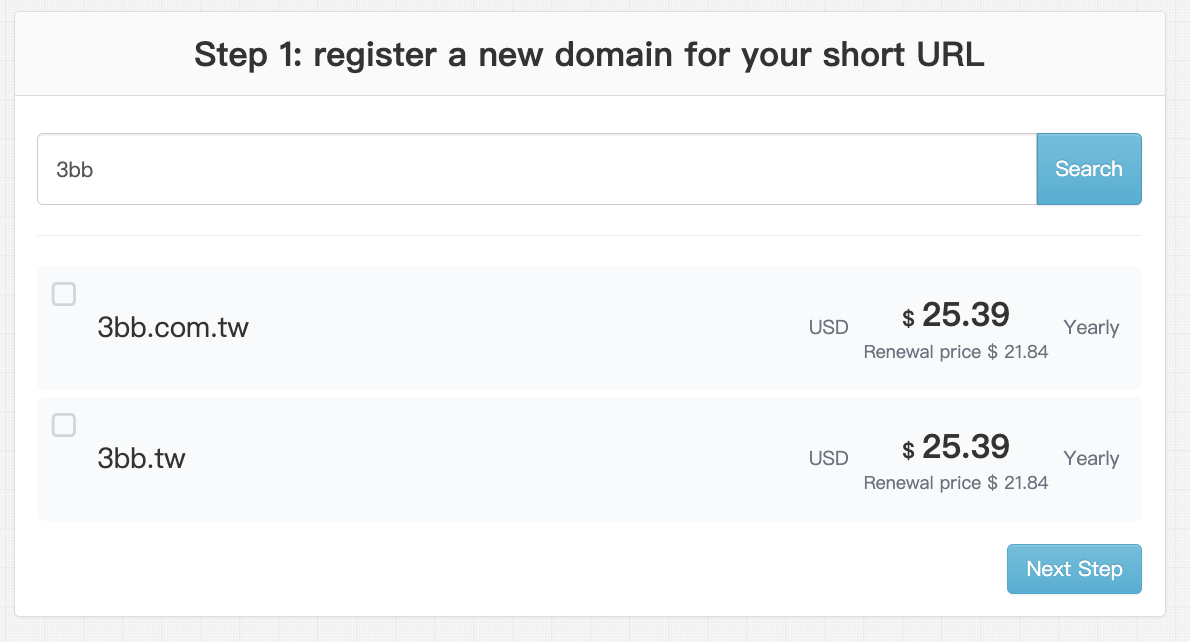
- Select Domain: Choose the domain you wish to purchase from the list and click Next Step.
- Configure Term & Discounts:
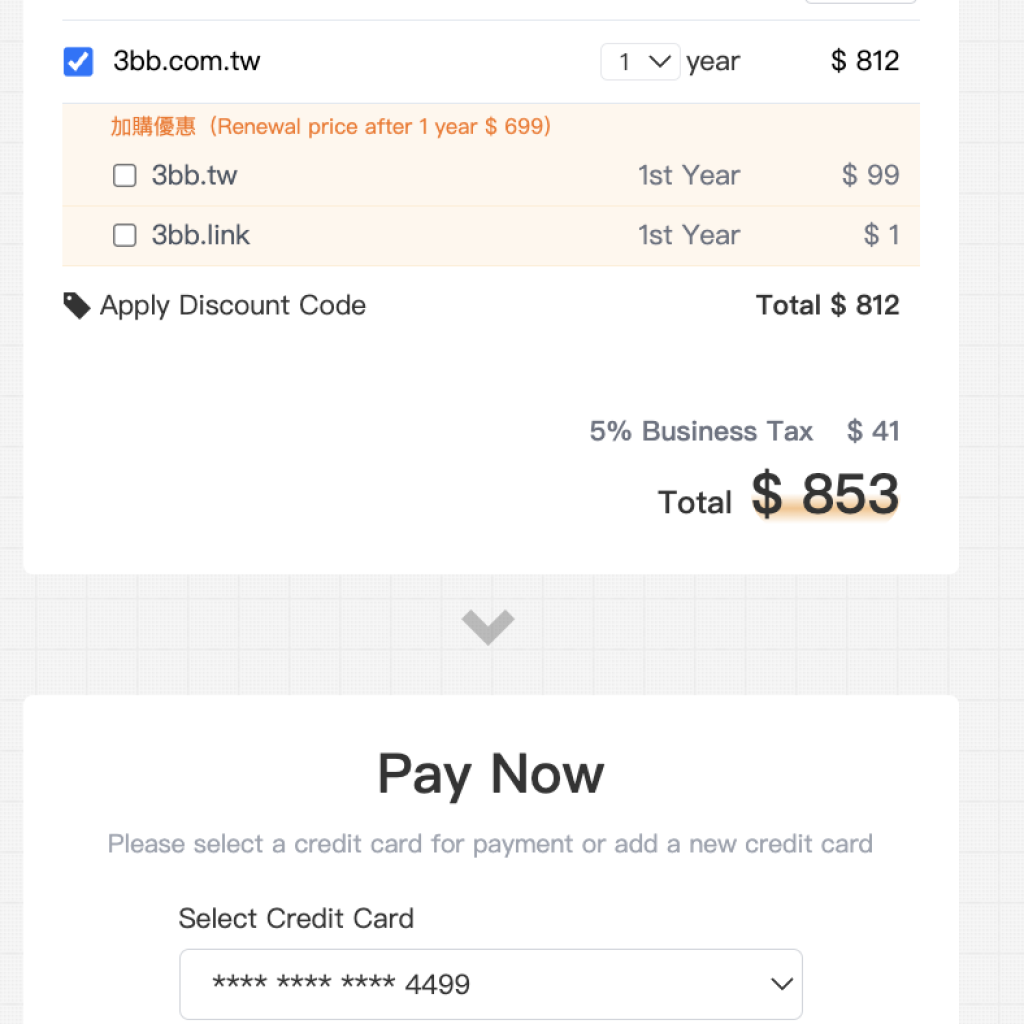
- Verify: Double-check that the domain name is spelled correctly.
- Select Term: Choose your registration period (default is 1 year, up to a maximum of 5 years).
- Apply Discount: Scroll down. If you have a promo code, click Apply Discount Code and enter it at this stage.
- Payment & Verification:
- Enter your payment details.
- Click the button to proceed to 3D Secure verification.
- You will be redirected to your bank’s verification page. Enter the OTP code you receive and click Submit.
- Invoice Settings (Optional):
- Once payment is successful, you will see a “Thank You” page.
- For Business Users: If you need a tax invoice for reimbursement, fill in your Taiwanese Tax ID (GUI Number) and Company Title in the invoice section at the bottom.
- Activate Domain:
- Click Confirm to return to the main dashboard.
- Go back to Domain in the left menu.
- Find your newly purchased domain and click Enable Domain to start using it.
Start using lihi for free ⇒ [Click Here!]