How to Get Your Meta Pixel ID
Follow these steps to create a new Pixel and retrieve its ID for tracking.
- Access Events Management tools : Log in to Meta Business Manager and click on Events Management tools.
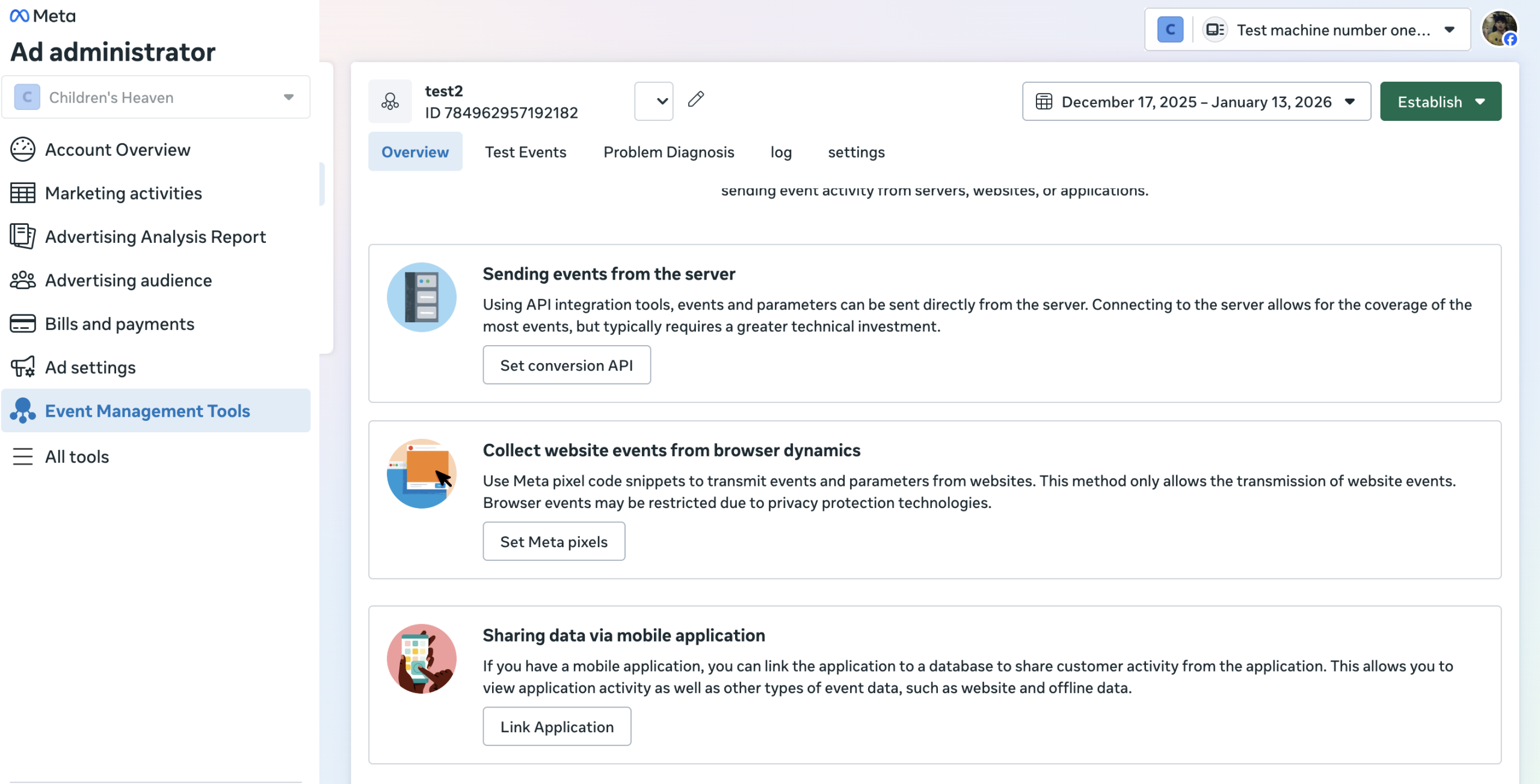
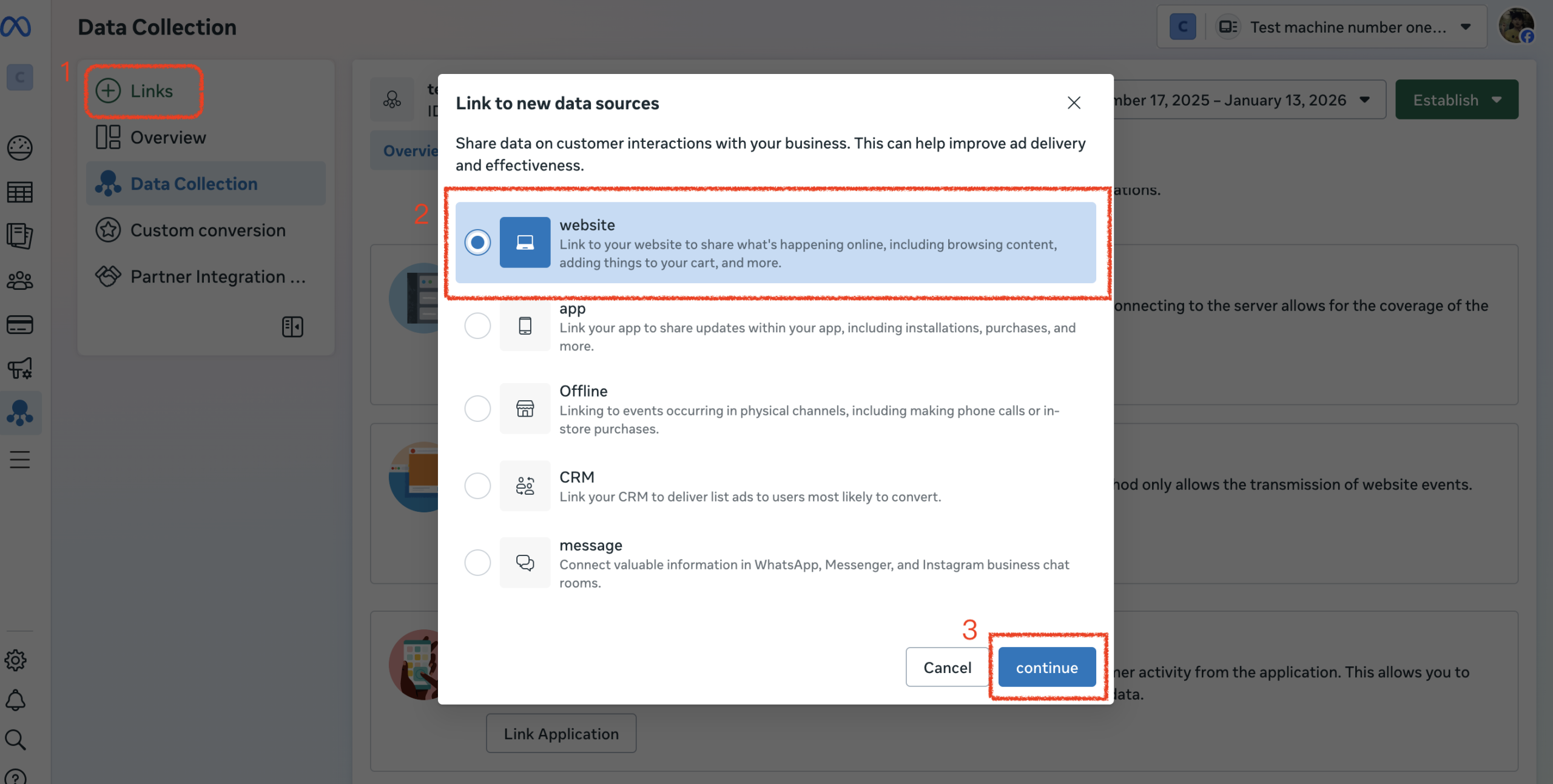
- Start Connection: Click Links (usually a green plus icon).
- Select Website: Select website from the options and click continue.
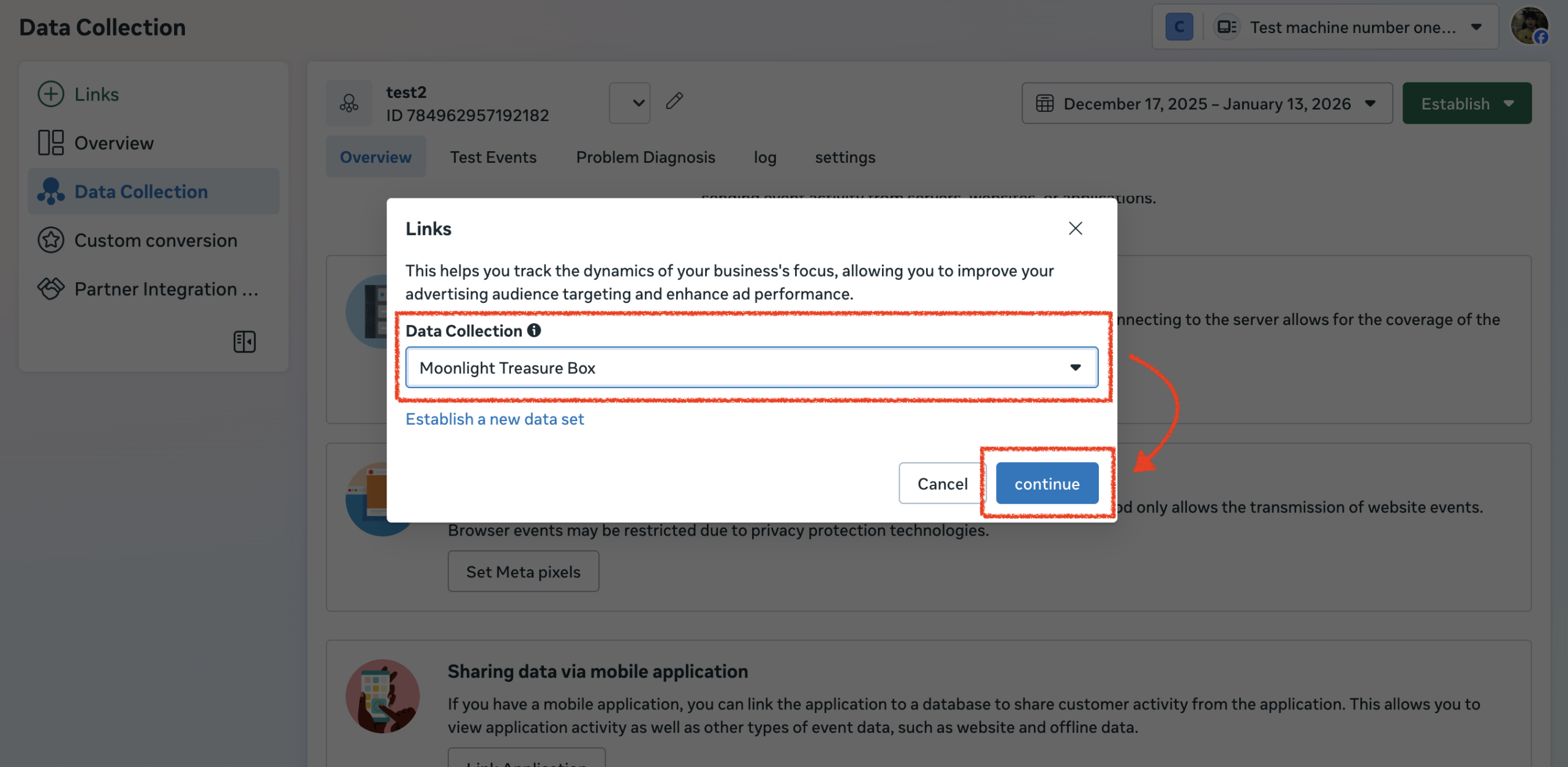
- Choose Data Collection: Select a Data Collection or Establish a new data set, and click continue.
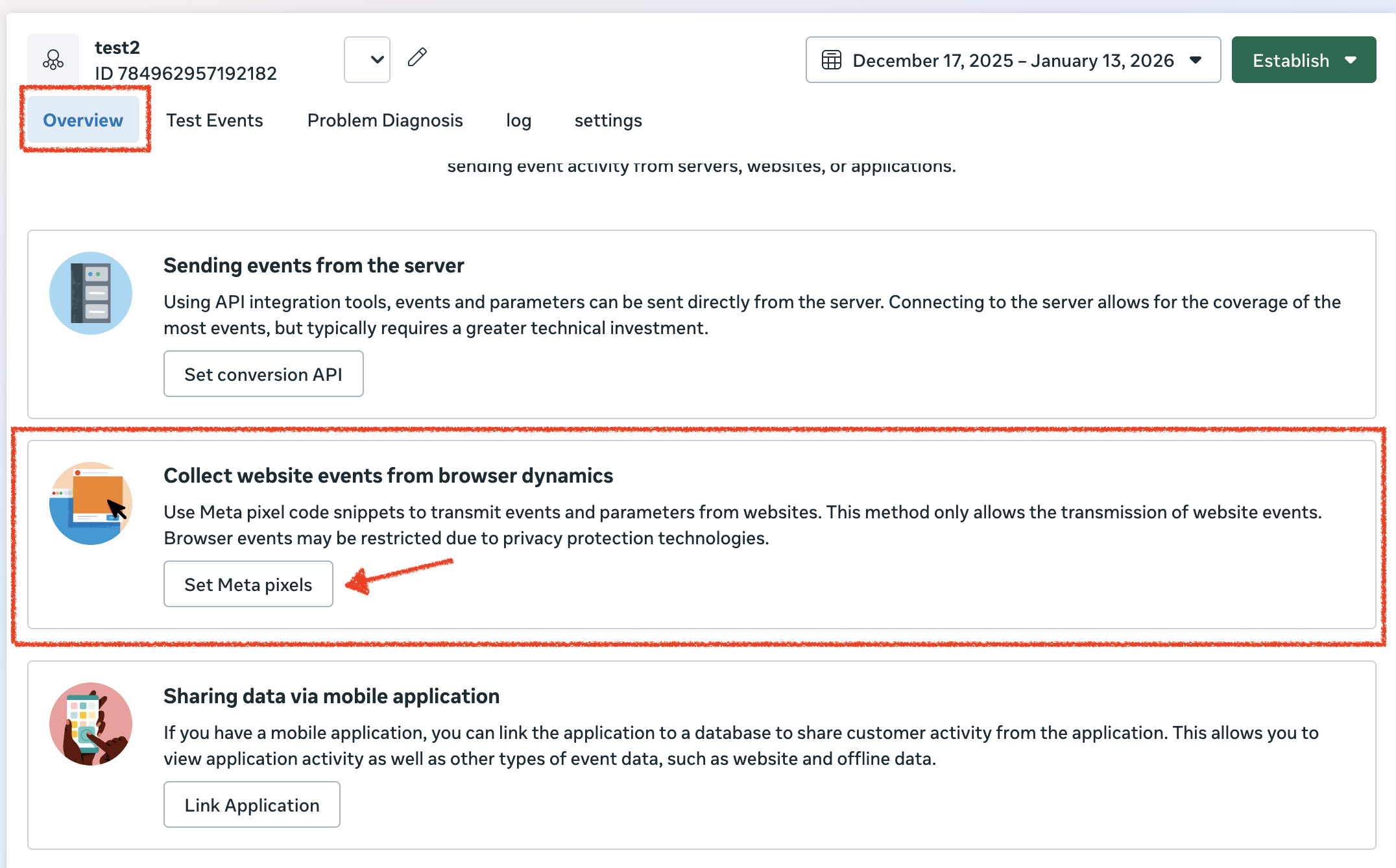
- Set Meta pixels: In the overview, click “Set Meta pixels“.
- Get ID: Select the option to Send via email (bottom right)
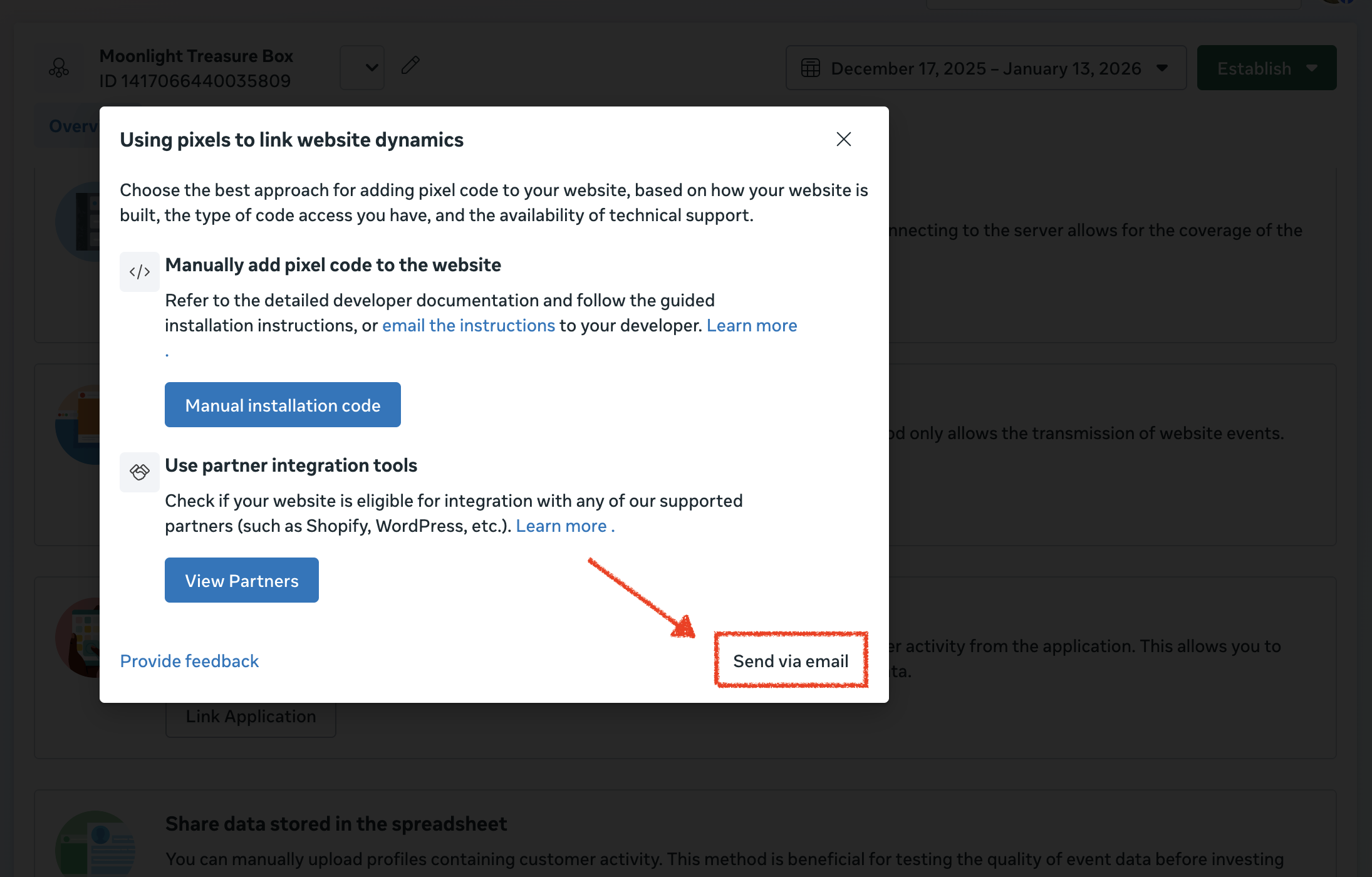
- Final Step:
- Copy the Pixel ID (a long string of numbers) displayed in the Events Manager.
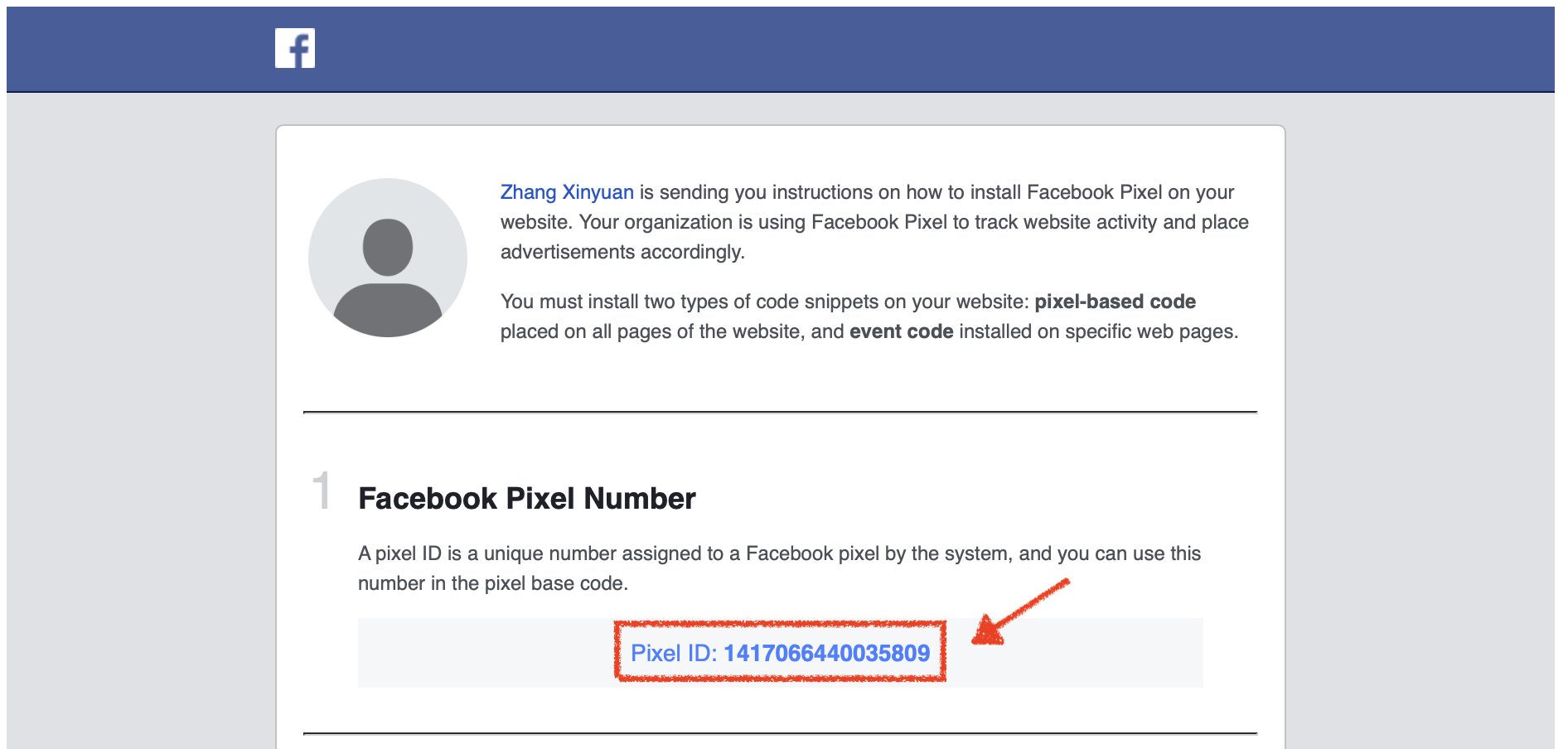
- Go to your lihi dashboard, navigate to Install Pixel / GTM, and paste the ID into the Meta Pixel ID field.
- Copy the Pixel ID (a long string of numbers) displayed in the Events Manager.
Start using lihi for free ⇒ Click Here!