How to Fix Cloudflare Error 526 (Invalid SSL Certificate)
If you encounter Error 526 (Invalid SSL Certificate), it usually means there is a mismatch in the encryption settings. Follow these steps to adjust your SSL mode in Cloudflare.
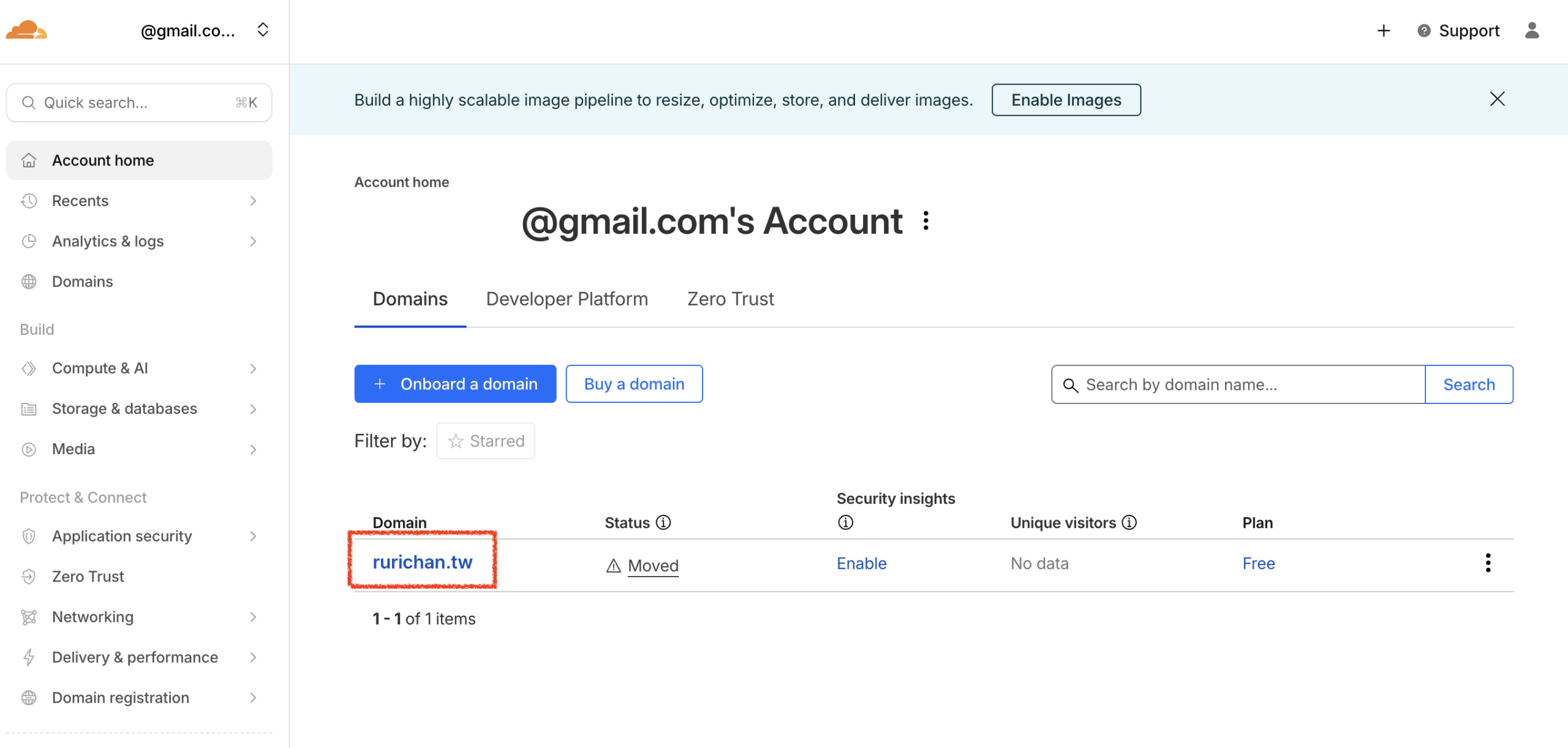
- Select Domain: Log in to Cloudflare From your dashboard, click on the domain you wish to configure.
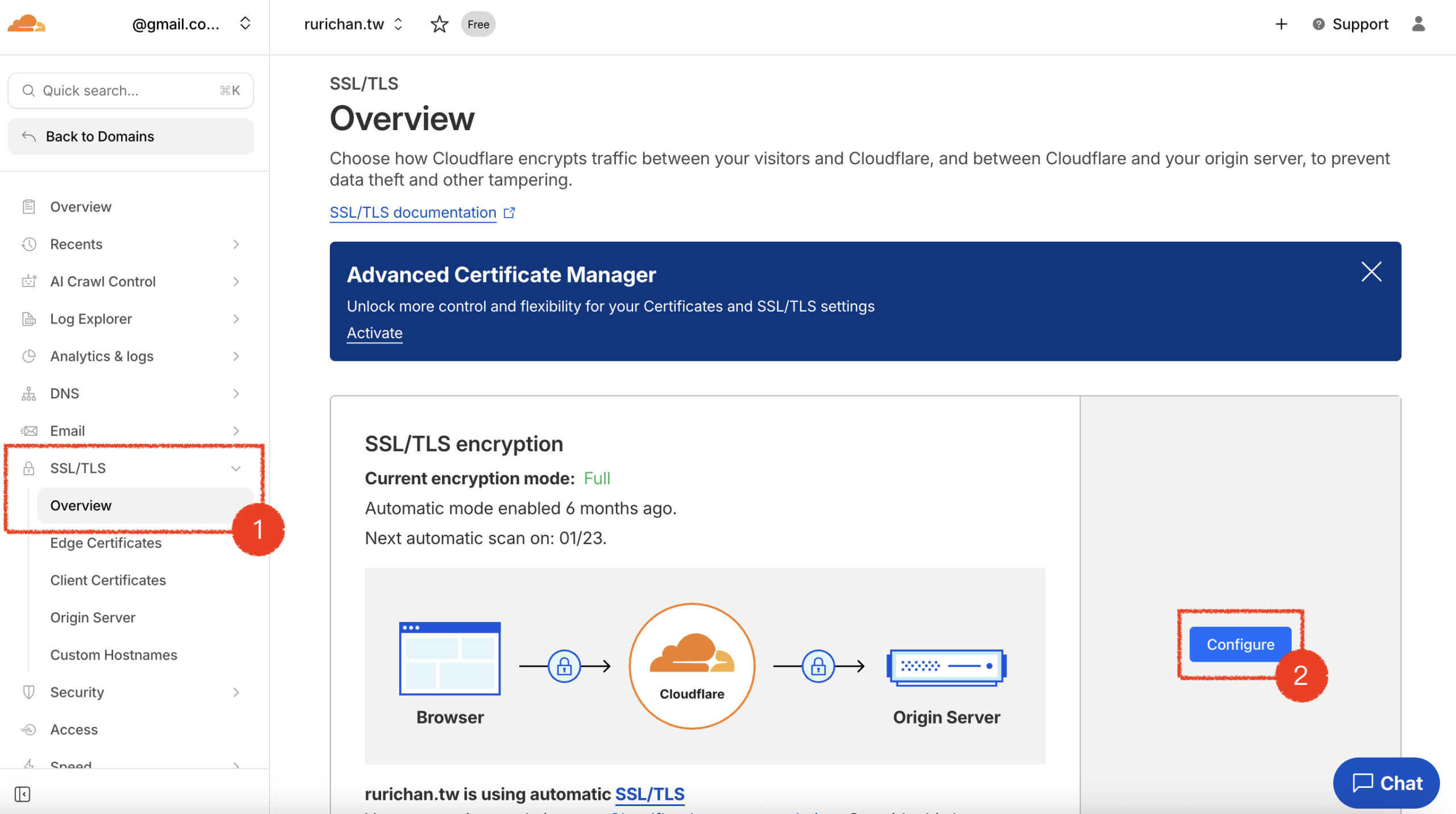
- Navigate to SSL Settings: Click SSL/TLS on the left sidebar, then click Overview and select Configure.
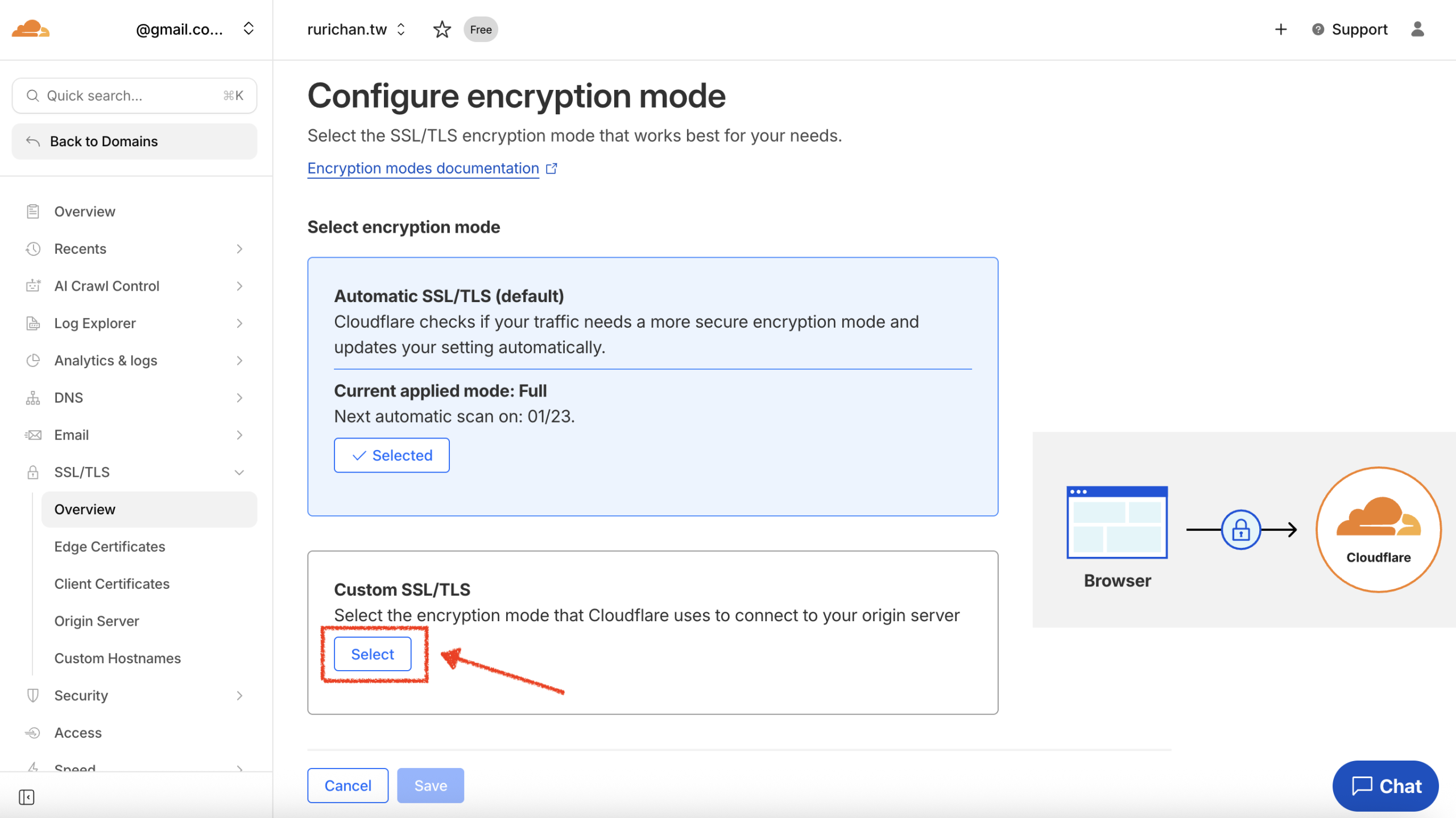
- Configure Encryption Mode: Locate the encryption mode settings (Custom SSL/TLS)and click to Select.
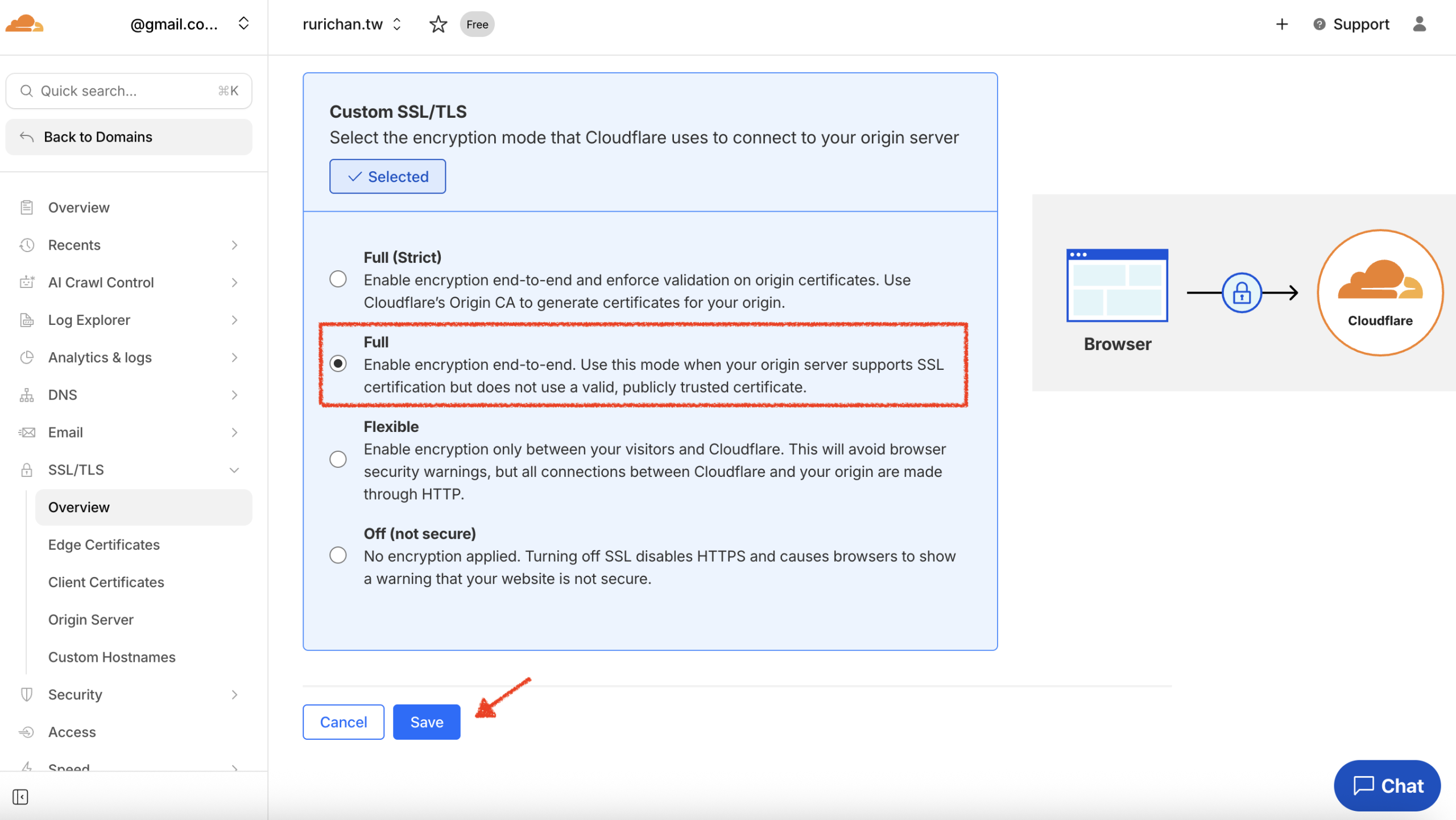
- Select “Full”: Change the SSL/TLS encryption mode to Full, then click Save to complete the setup.(Note: Do not select “Full (Strict)” if you are encountering this error).
Start using lihi for free ⇒ Click Here!