How to Create an Email Short Link (Mailto)
This feature allows you to create a short link that, when clicked, automatically opens the user’s email app with the recipient, subject, and content pre-filled.
Basic Setup
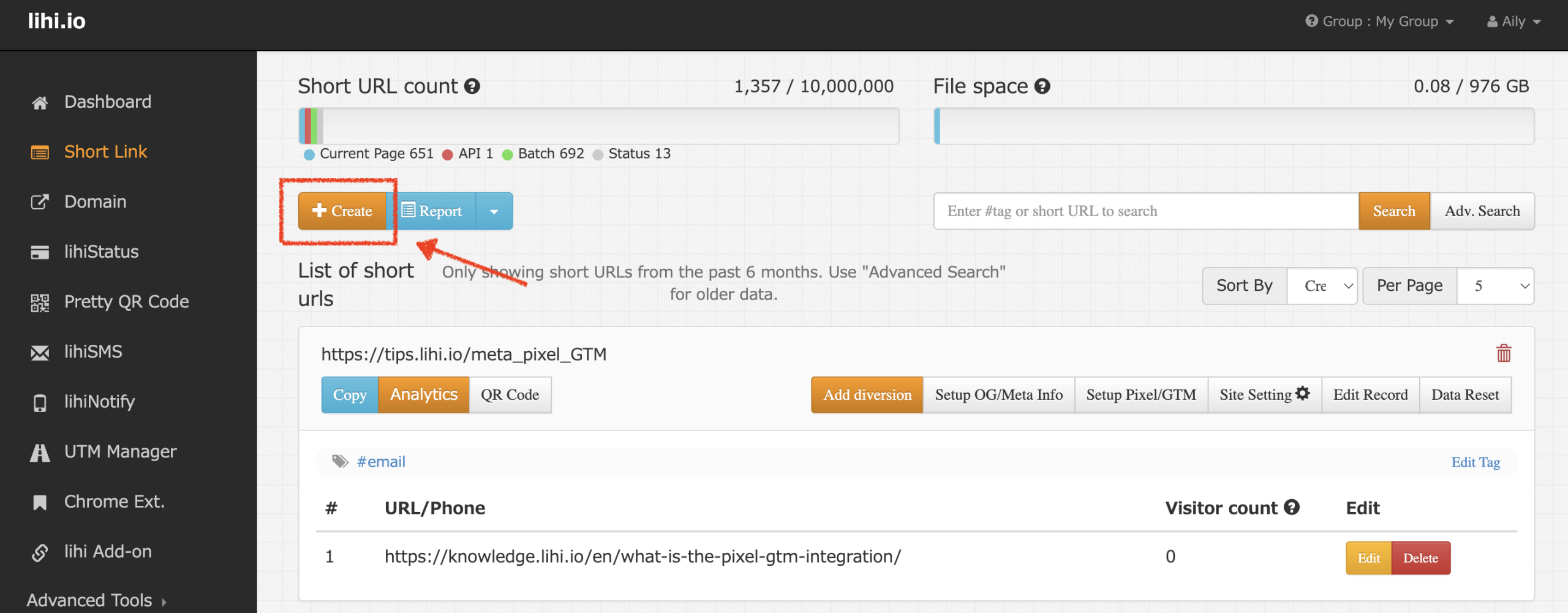
- Select Type: Click “Create” and select the Email tab.
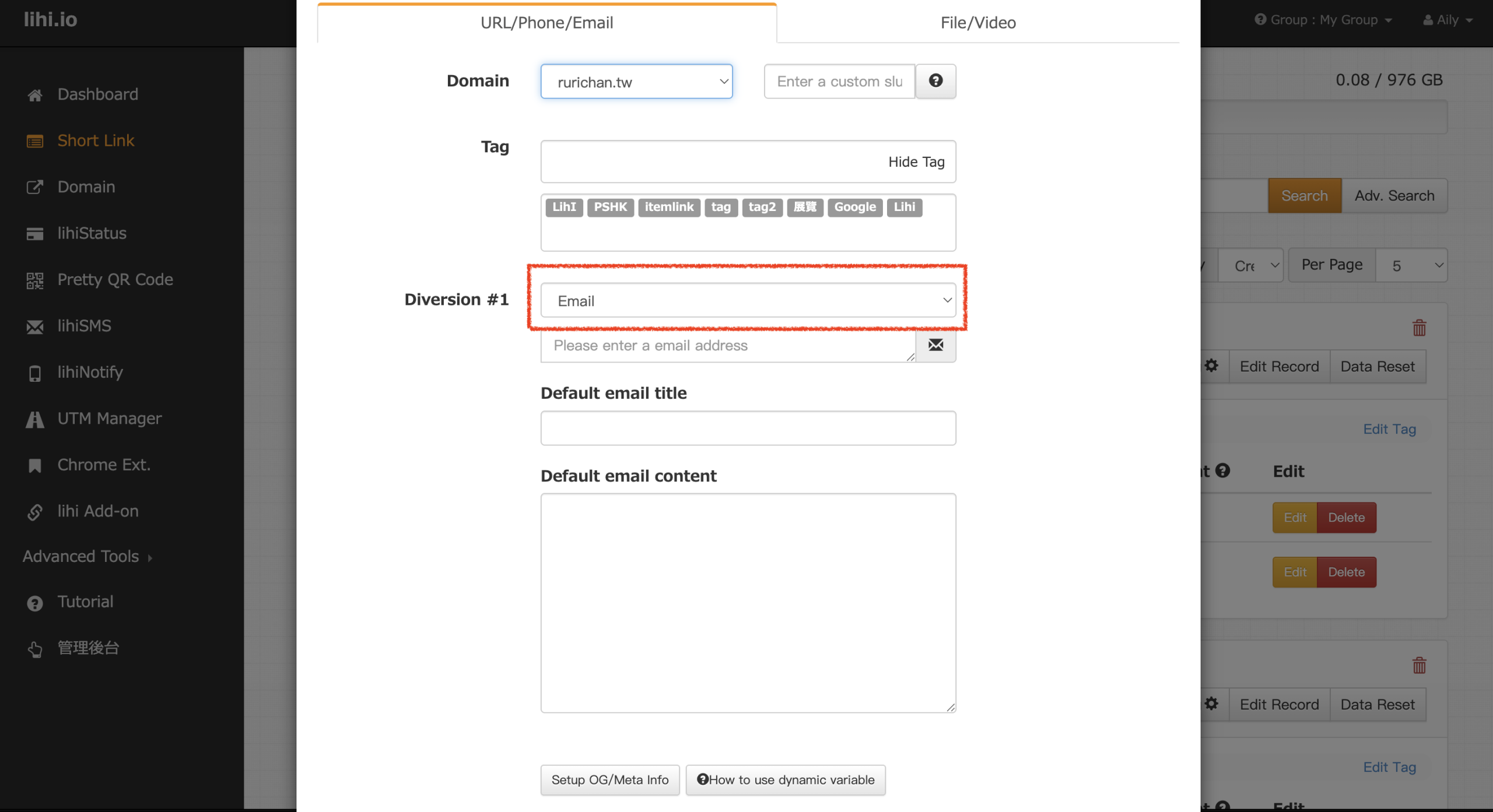
- Enter Details: Fill in the Email address, title, and content in order. Click Save at the bottom right to generate the link.
Advanced: How to add CC, BCC, or Multiple Recipients
If you need to send carbon copies (CC), blind carbon copies (BCC), or send to multiple people, follow these steps:
- Edit Link: Find the short link you just created on your dashboard and click the Edit button.
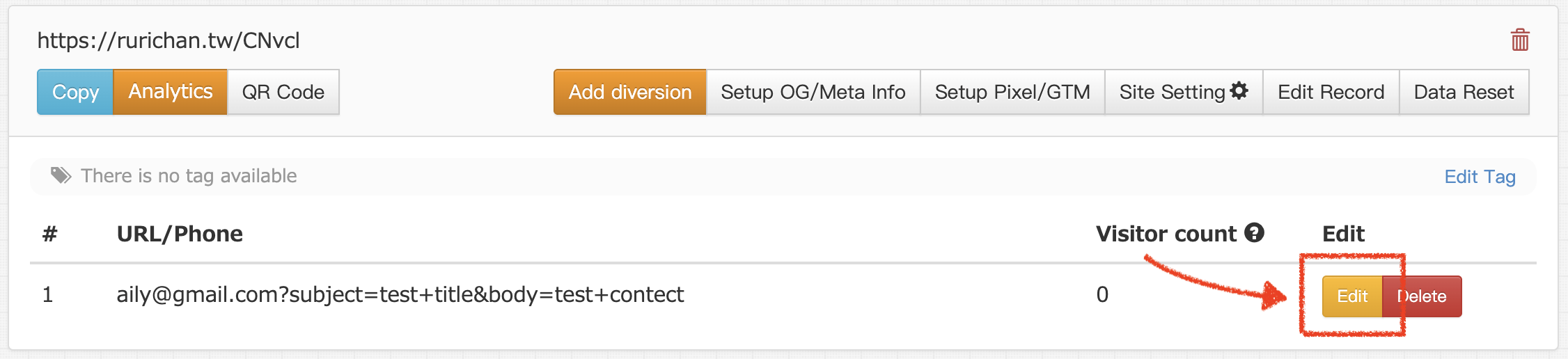
- Modify URL Syntax: In the Destination URL field, you will need to manually append code to the end of the existing string. Always start with an
&symbol when adding new parameters.
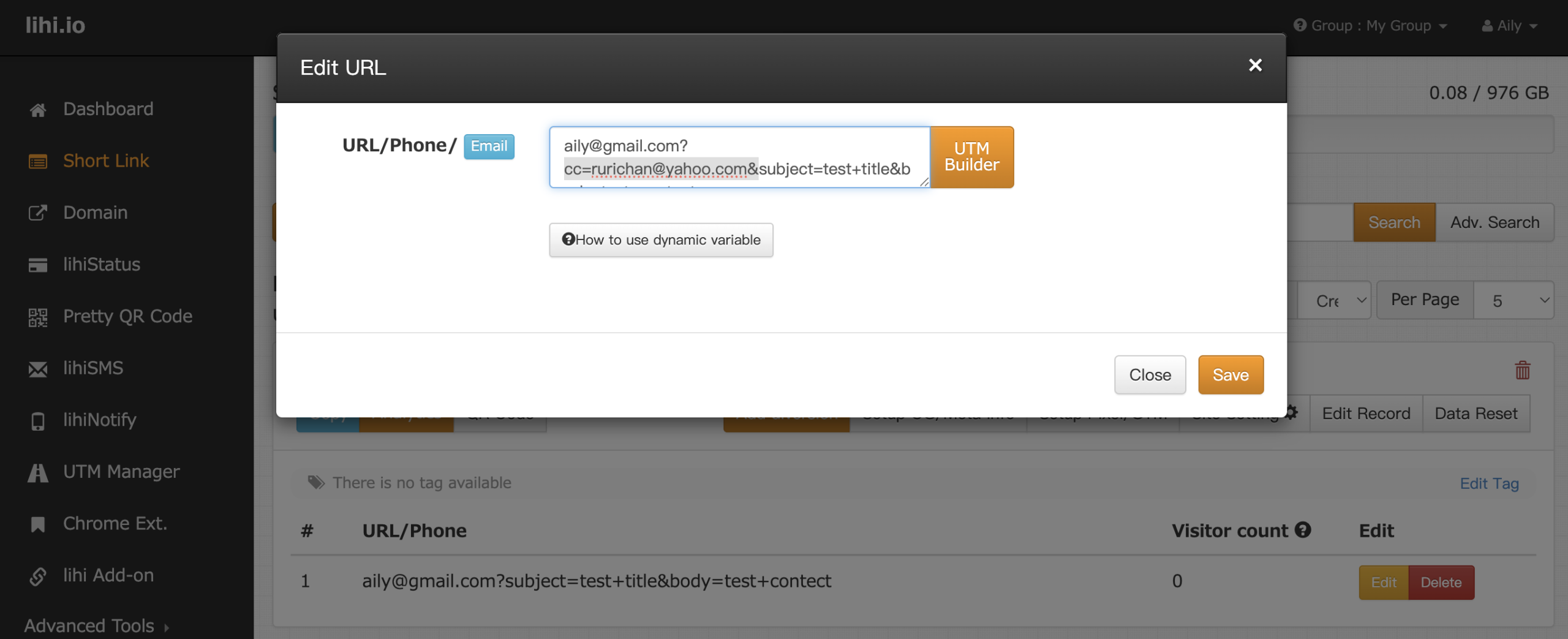
- For CC: Add
&cc=email@example.com - For BCC: Add
&bcc=email@example.com - For Multiple Recipients: Separate email addresses with a comma (
,).
Example: To CC
boss@example.com, add this to the end of your URL:&cc=boss@example.com(Click Save once you have finished editing.)
- For CC: Add
Start using lihi for free ⇒ Click Here!