How to Create a Custom Audience from Short Link Clicks
Follow these steps to retarget users who have clicked on your pixel-enabled short links.
- Access Audiences: Go to Meta Ads Manager, open the “All Tools” menu, and select Advertising audience.
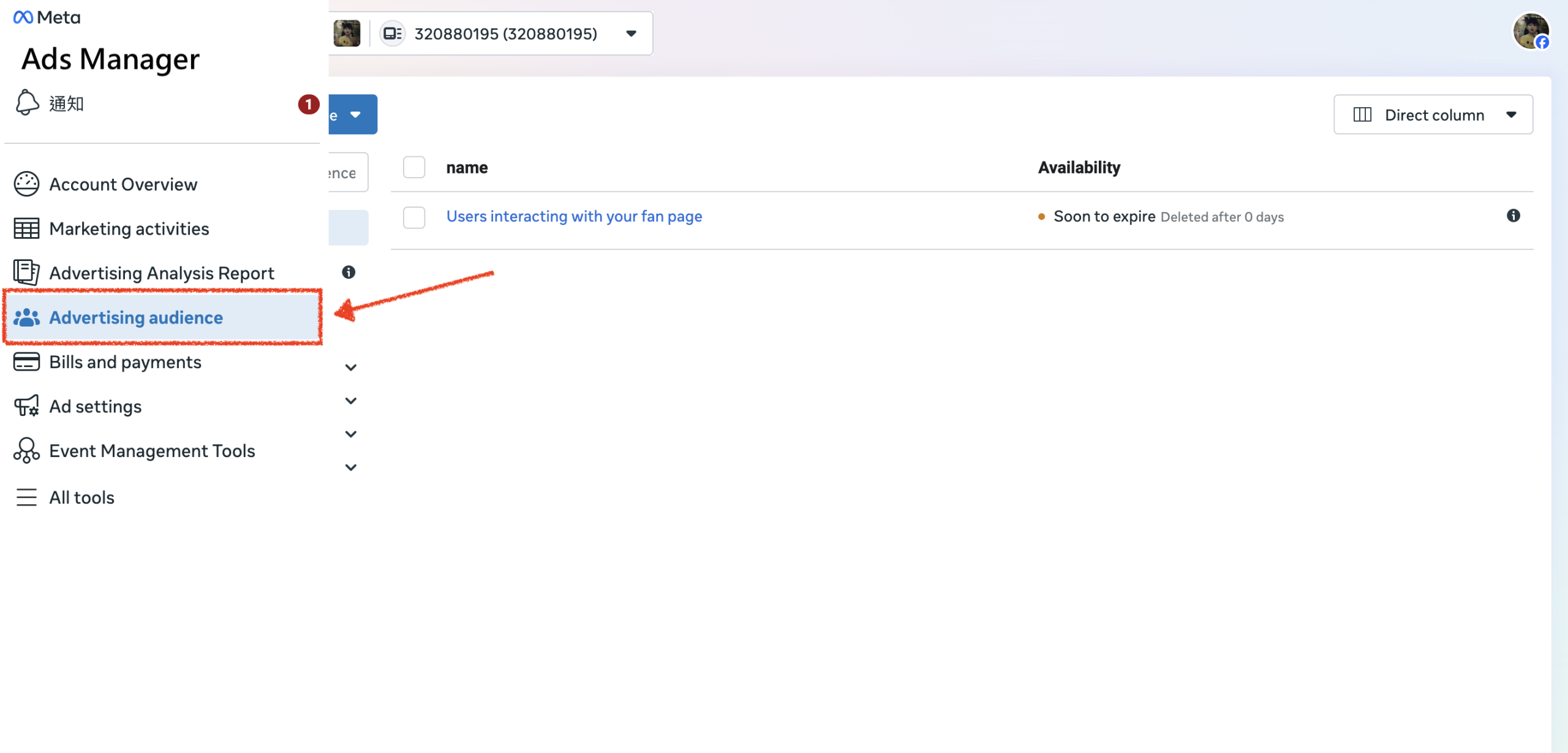
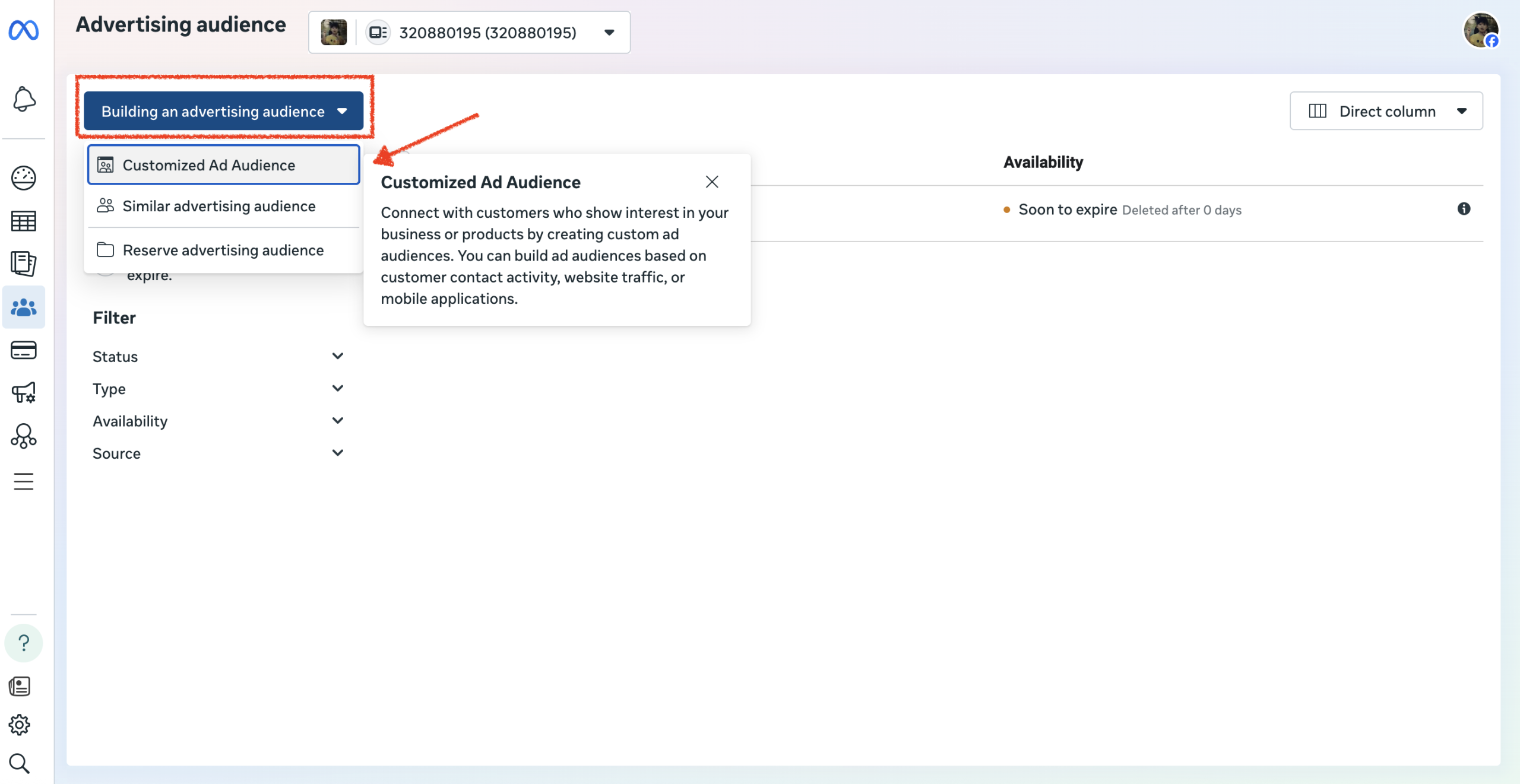
- Start Creation: Click the Building an advertising audience button and select Customized Ad Audience.
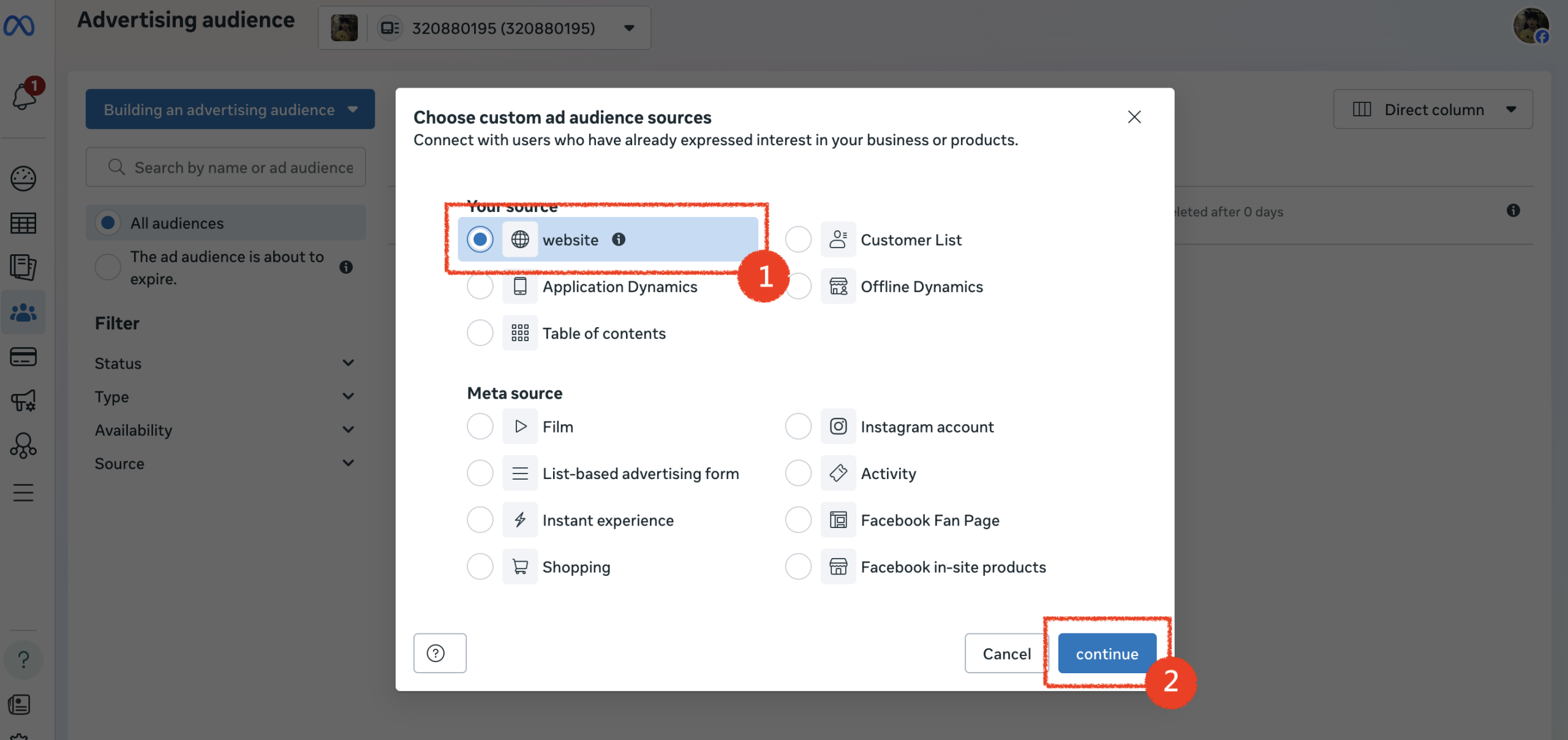
- Select Source: Choose Website as your source and click Continue.
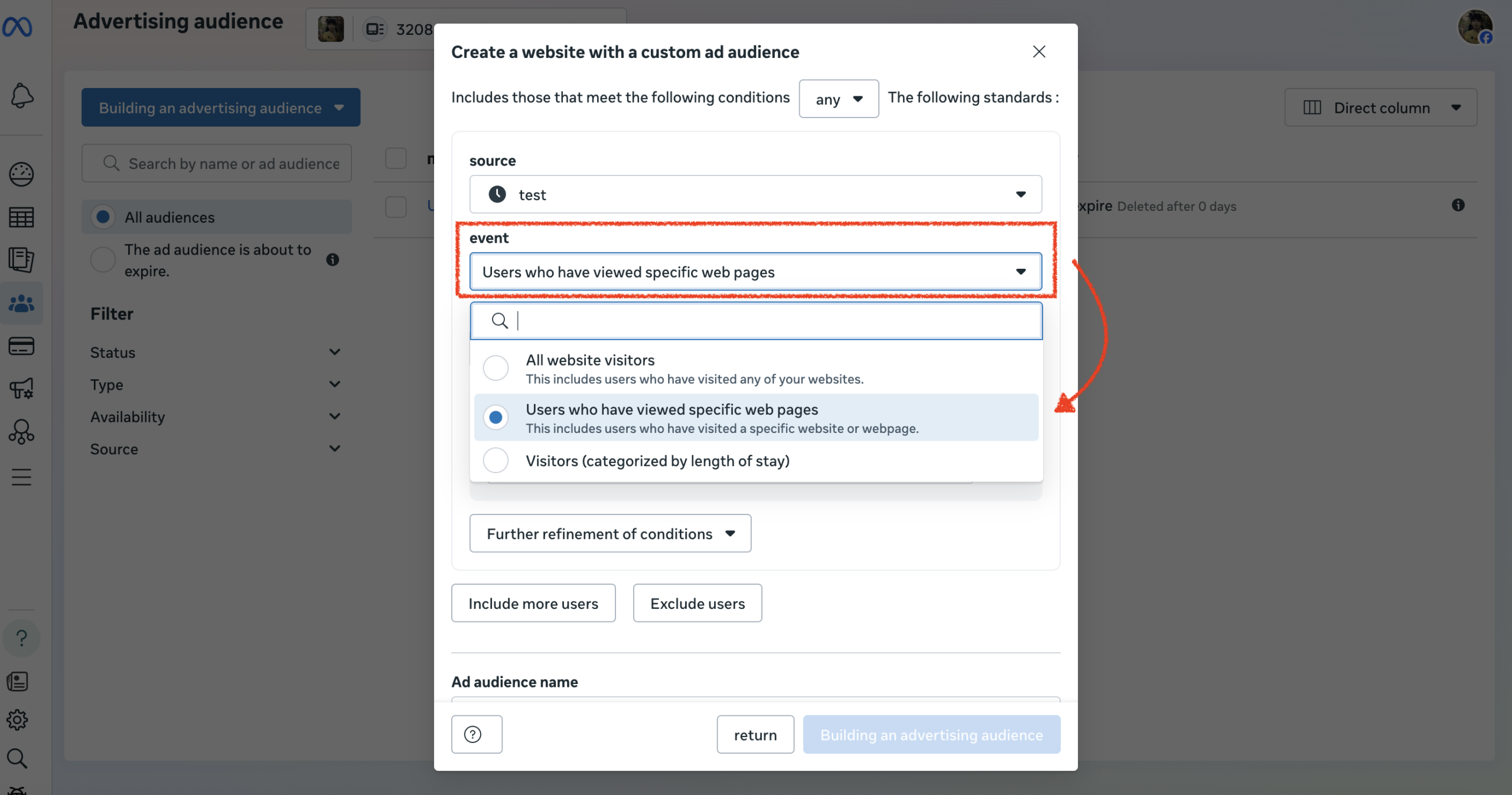
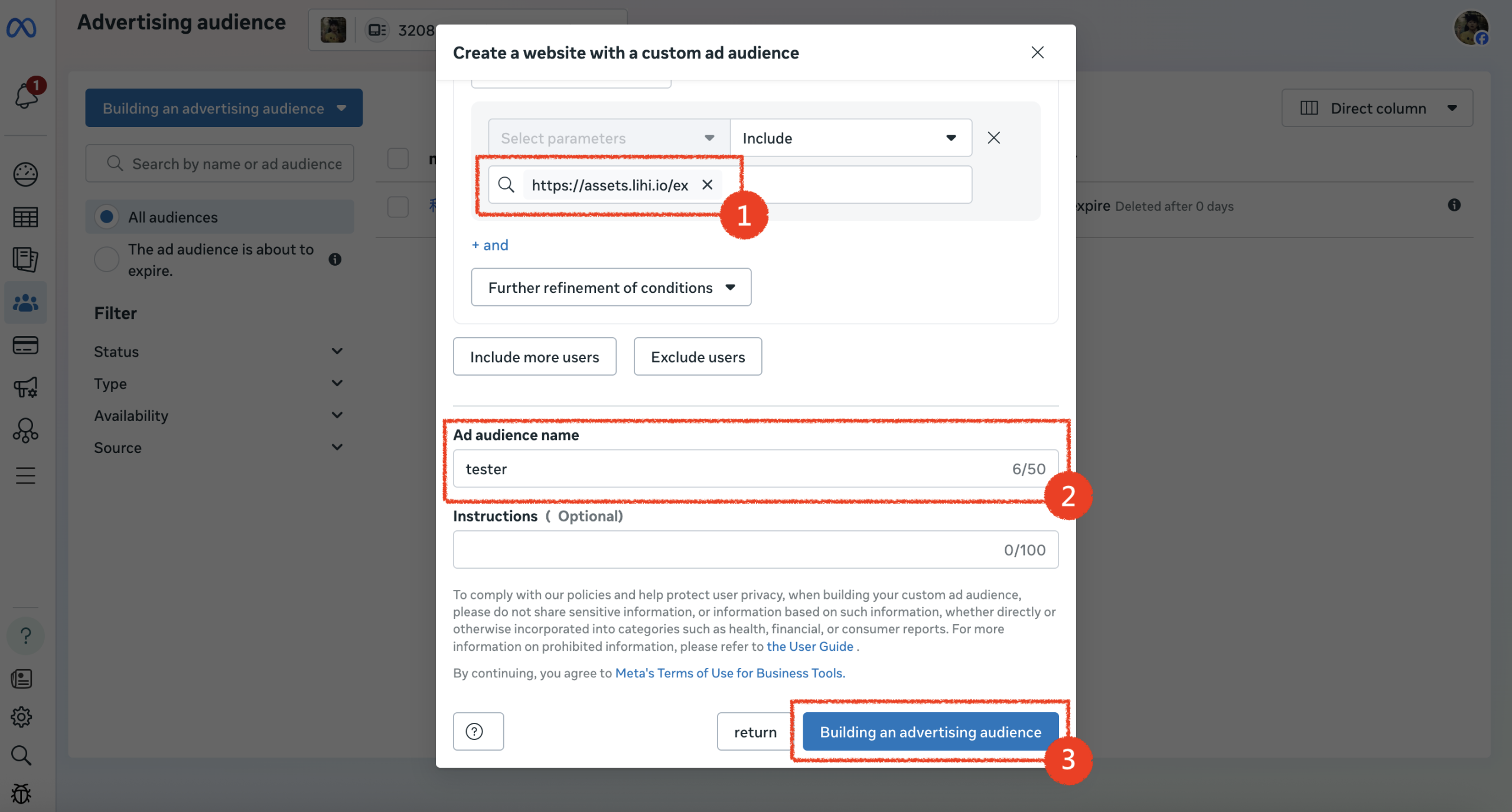
- Define Rules: In the setup window, change the dropdown menu from “All website visitors” to “Users who have viewd specific web pages.”
- Input URL:
- In the URL field (Contains), paste the lihi short link that has the pixel installed.
- Give your audience a descriptive name.
- Click Building an advertising Ad Audience.
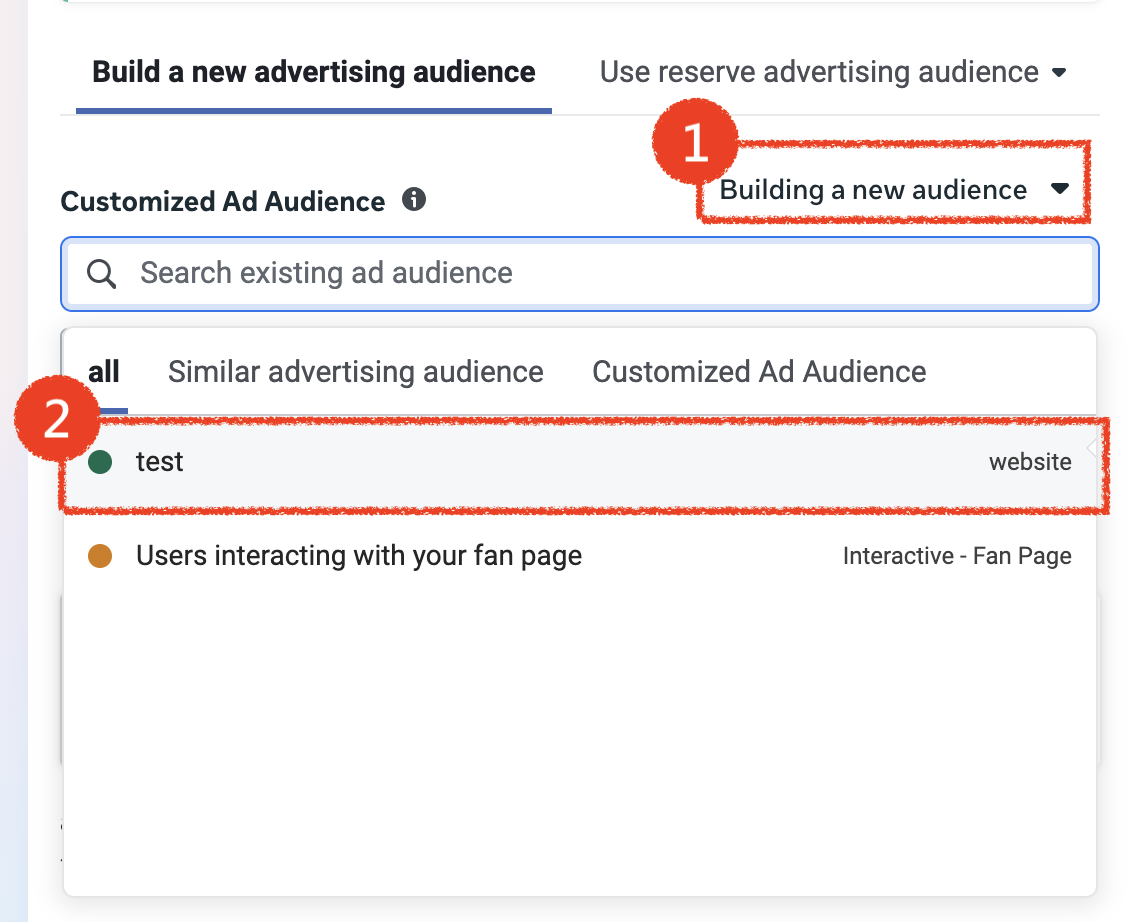
- Apply to Campaign: When setting up a new ad campaign, go to the Ad Set level. Under the Building a new audiences section, search for and select the audience you just created. (You can now serve ads specifically to potential customers who have previously visited your page via your short link!)
Need Help?
If you have any questions while using lihi, or if you have complex data requirements and aren’t sure how to configure them, please feel free to contact the lihi Meta Page. Our dedicated support team is ready to assist you.
Start using lihi for free ⇒ Click Here!