How to Clean Up Unused Short Links in lihi
Step 1: Access your Profile settings
First, navigate to your personal settings to find the management tools.
-
Log in to your lihi dashboard.
-
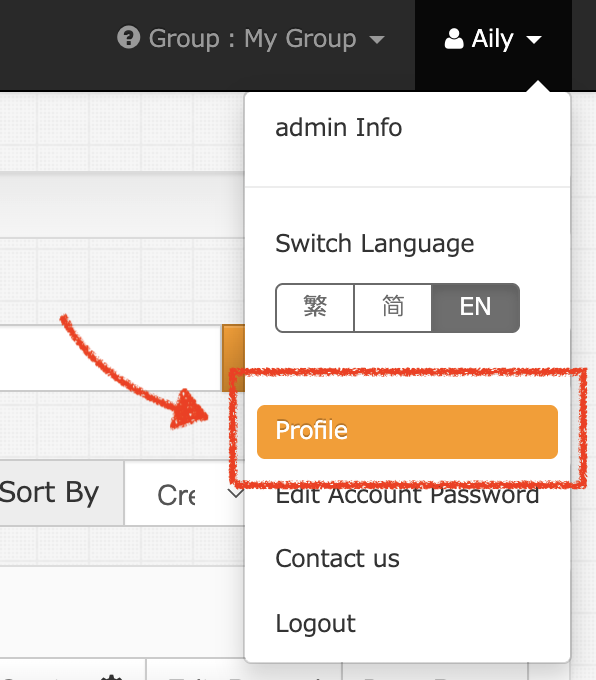
Click the dropdown menu in the top-right corner of the main screen.
-
Select Profile from the list.
Step 2: Open the Account Cleanup tool
Once you are in your profile, look for the organization features.
-
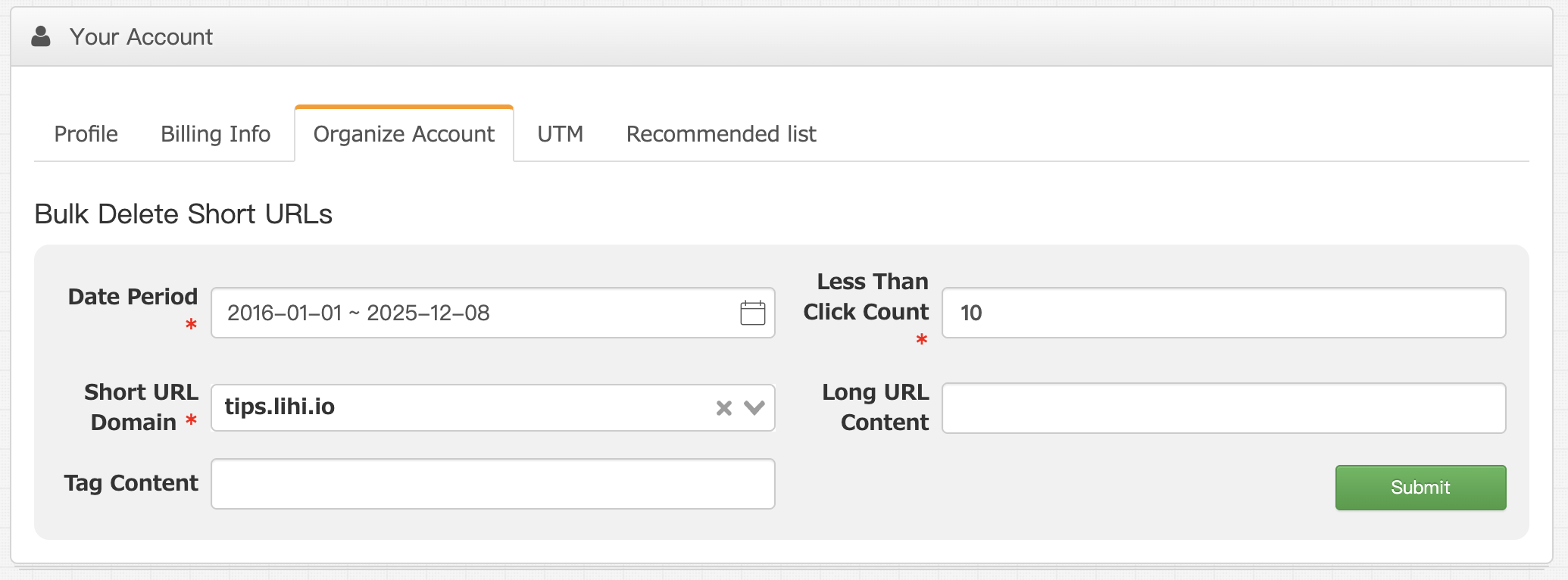
Locate and click on the Organize Account tab.
Step 3: Filter and delete low-traffic URLs
This is where the magic happens. Instead of checking links one by one, you can filter them in bulk.
-
Set your filters: You can filter links that were created more than one month ago and have fewer clicks than your specified threshold.
-
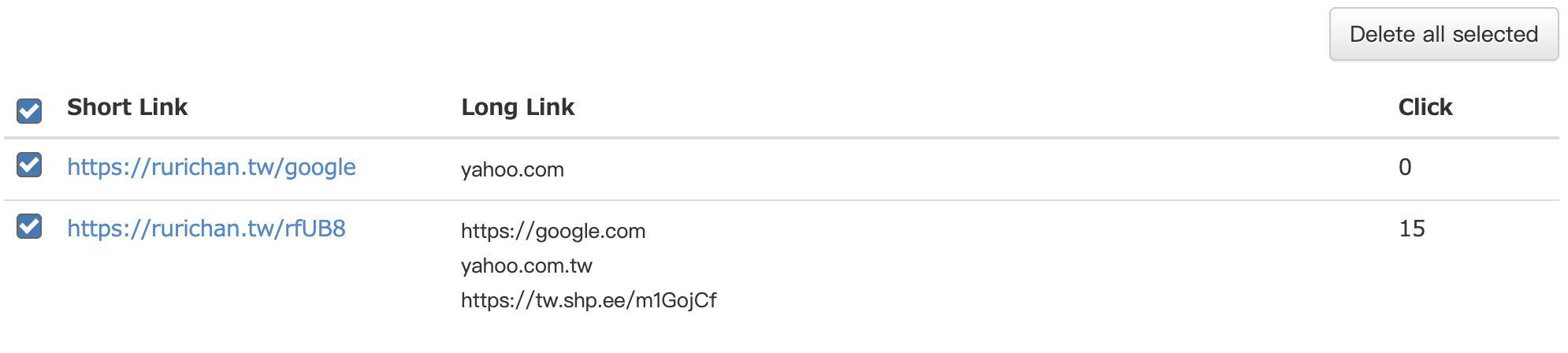
Review the list: lihi will generate a list of links matching your criteria.
-
Select and Delete: Check the boxes for the URLs you want to remove, then click Delete all selected .
Pro Tip: We recommend doing this once a quarter to ensure your workspace stays professional and easy to navigate!
Ready for a fresh start?
Cleaning up your account only takes 60 seconds but can save you hours of frustration down the road. Go ahead and try the Account Cleanup tool now!
Start using lihi for free ⇒ Click Here!