How to Change Your Plan or Billing Cycle
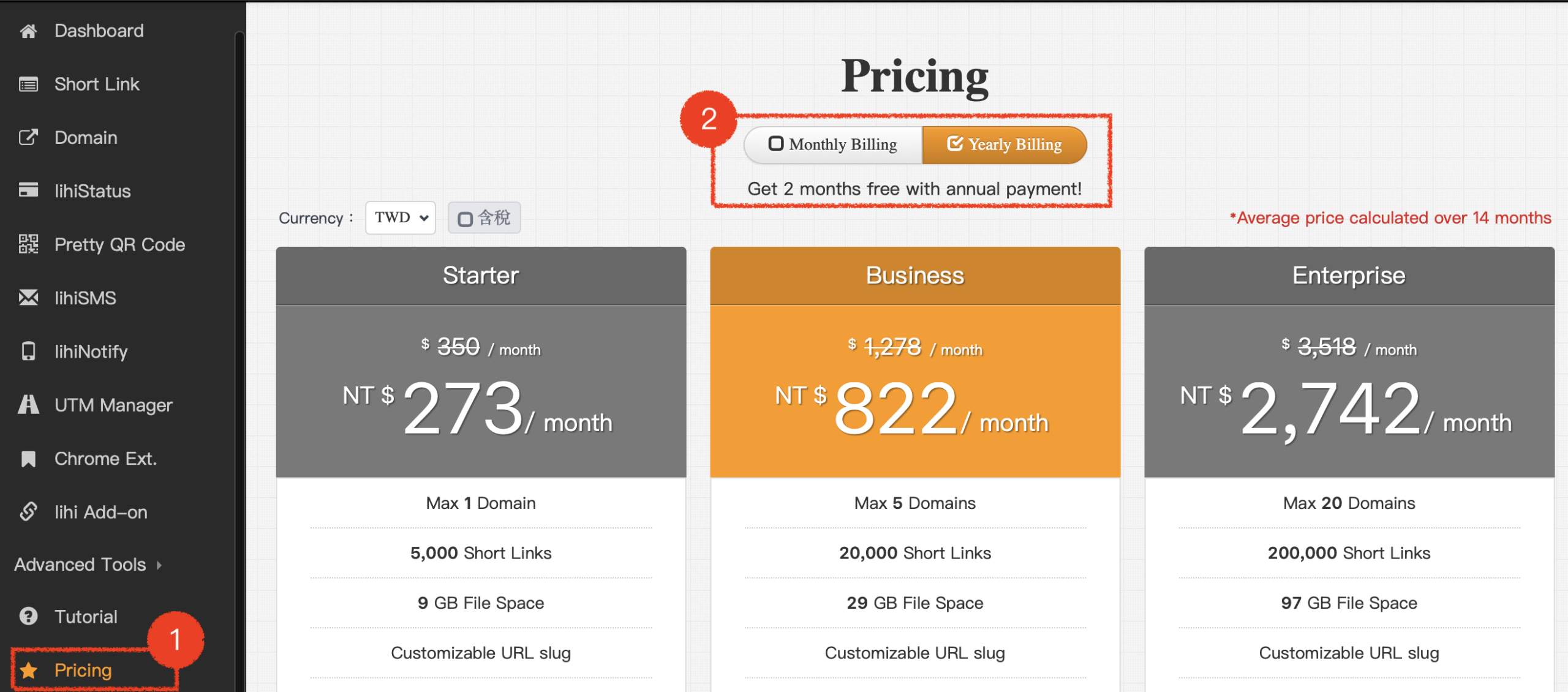
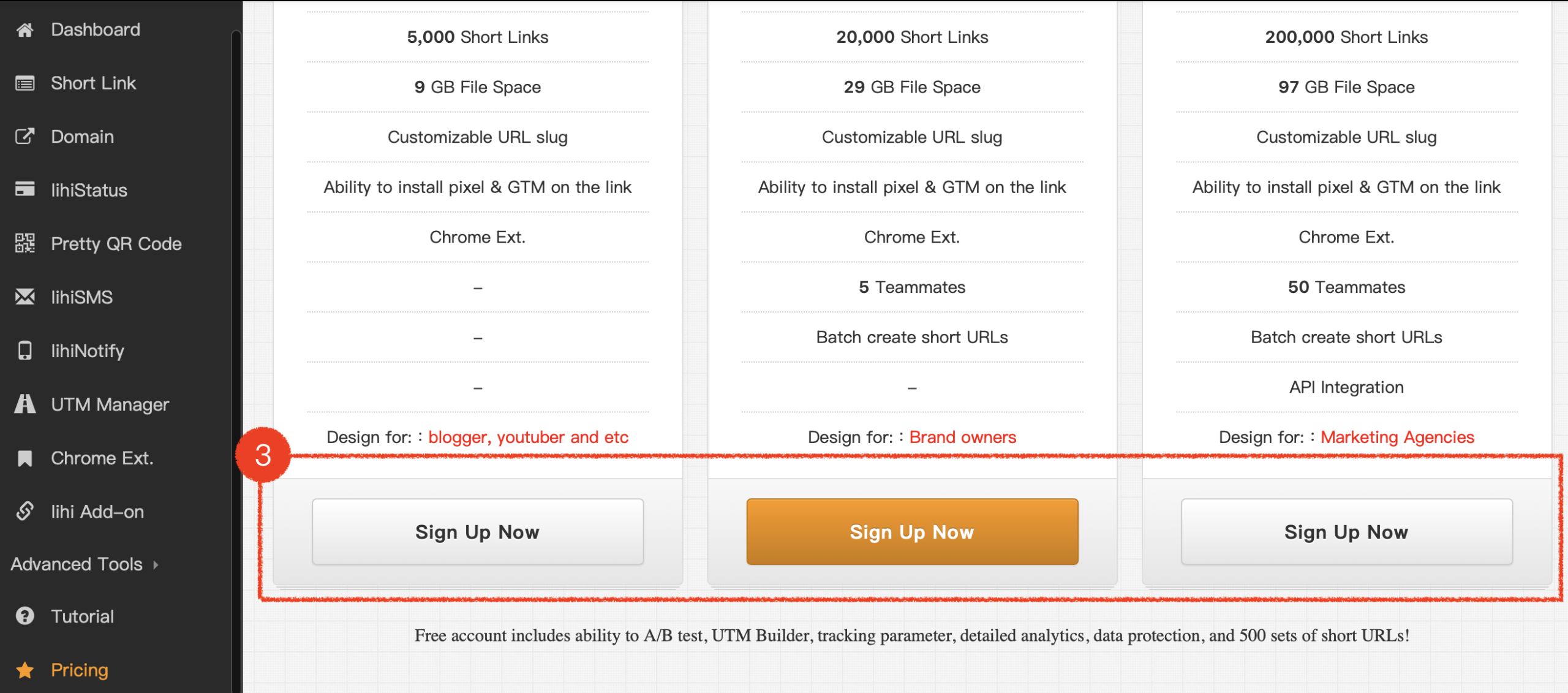
- Select Option: On the subscription page, select a paid plan and Billing Cycle, click Sing Up Now.
- Confirm Change: Select a credit card and click Confirm Payment.
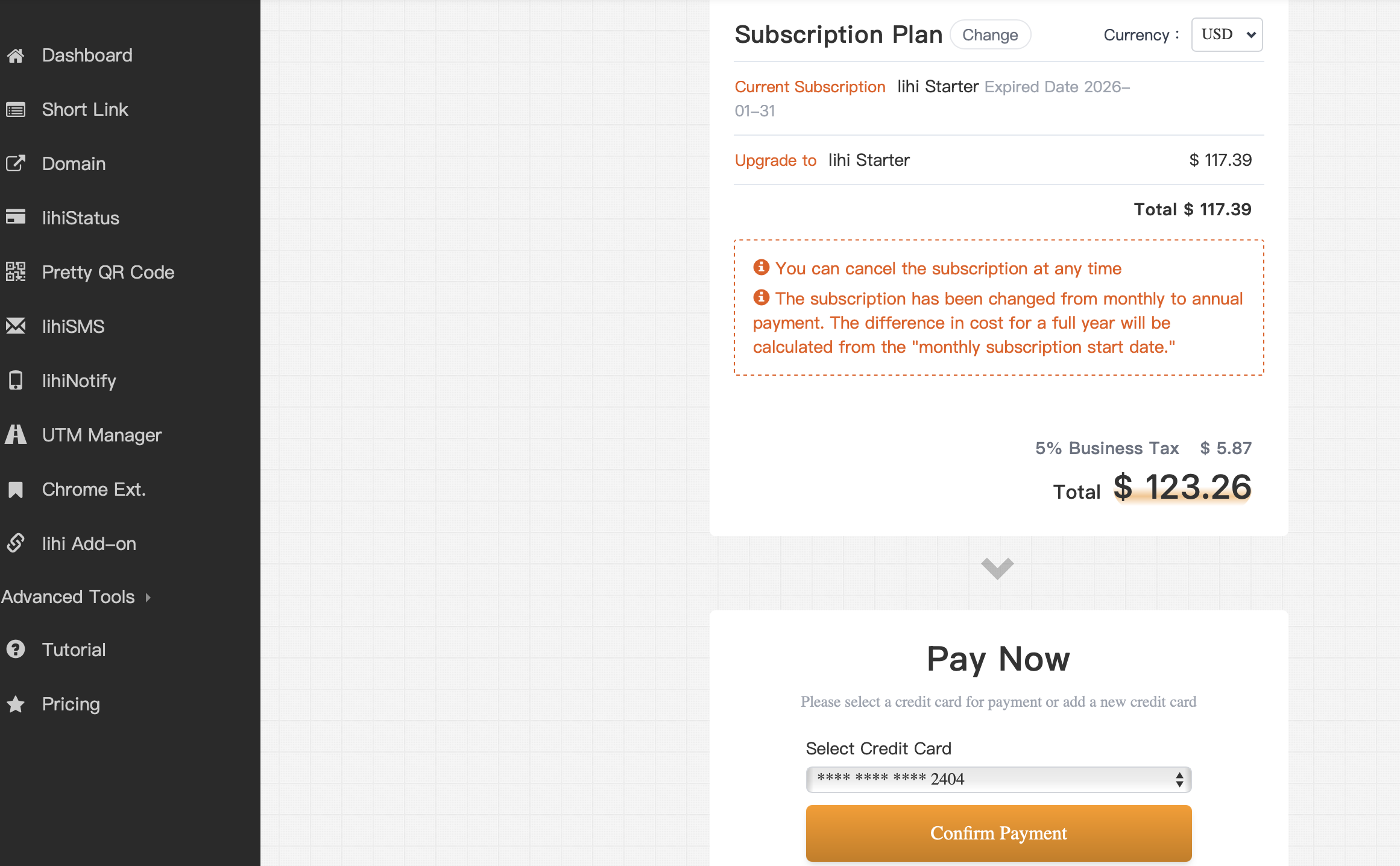
⚠️ Important Notice: Except for plan upgrades, other billing changes will not take effect immediately. You must wait until your current subscription period ends. The new billing cycle and plan features will become active starting from your next scheduled payment.
Start using lihi for free ⇒ Click Here!