How to Cancel Your Subscription
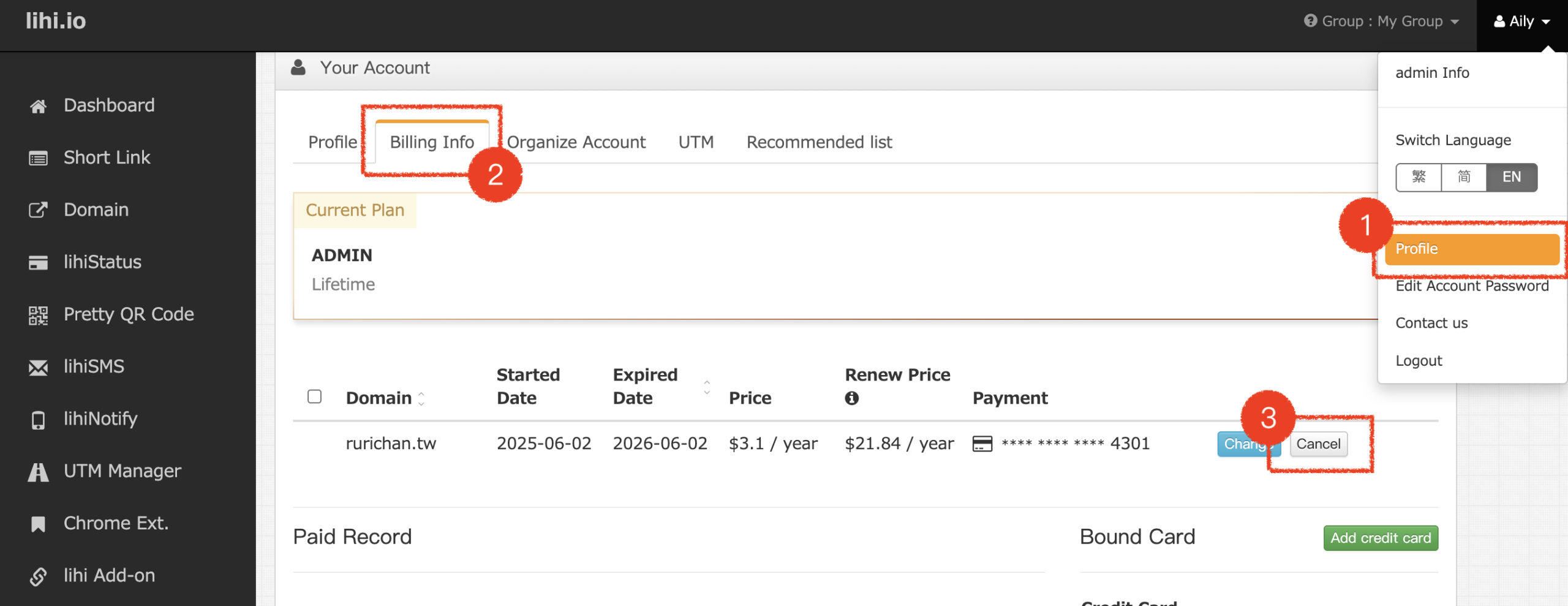
- Initiate Cancellation: From the top-right corner of the main dashboard, click on your Profile icon. Navigate to Billing Info and click the Cancel button.
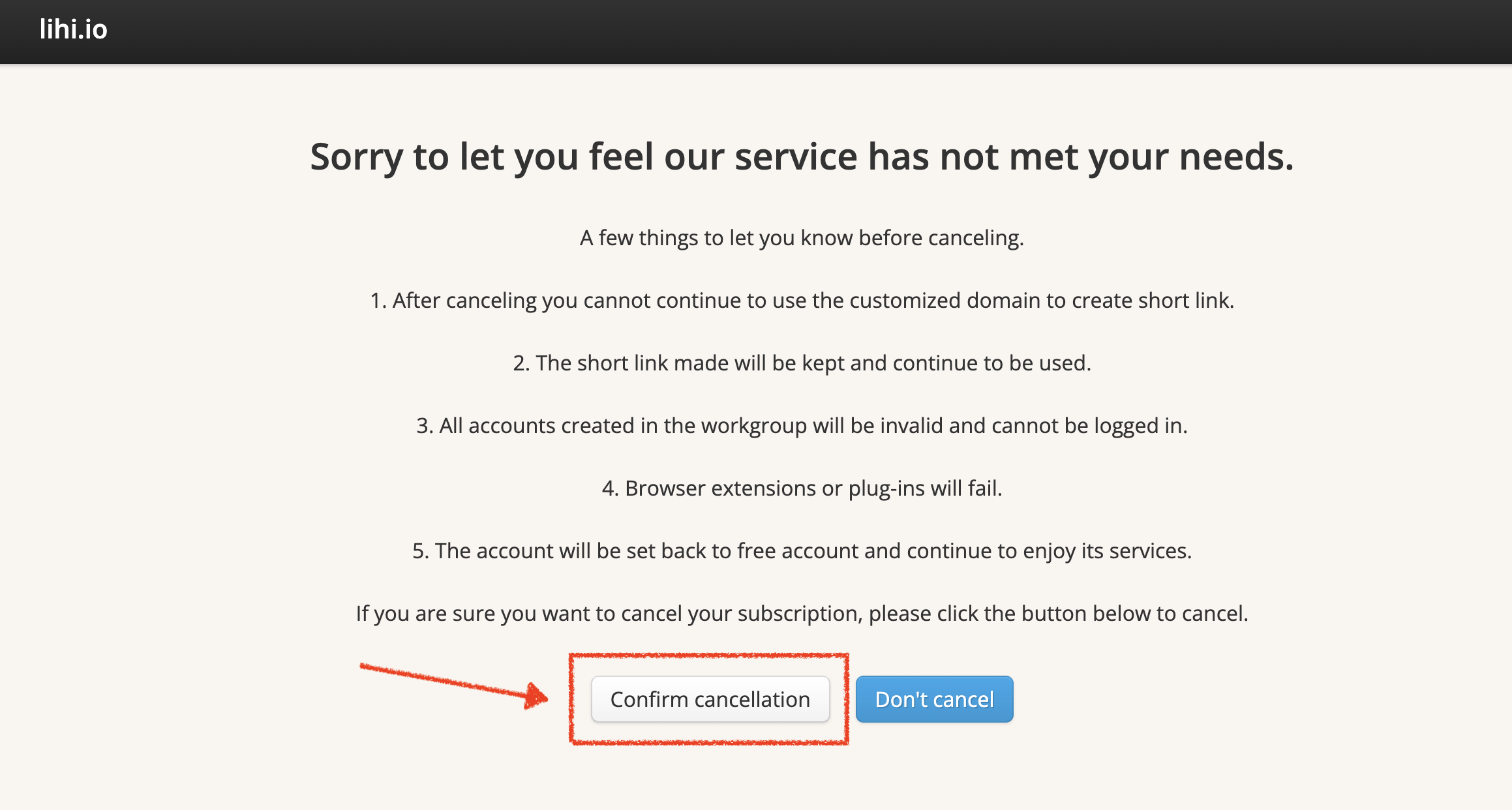
- Review Impact: A reminder screen will appear detailing the features that will be affected after cancellation. After reviewing, click Confirm Cancellation to proceed.
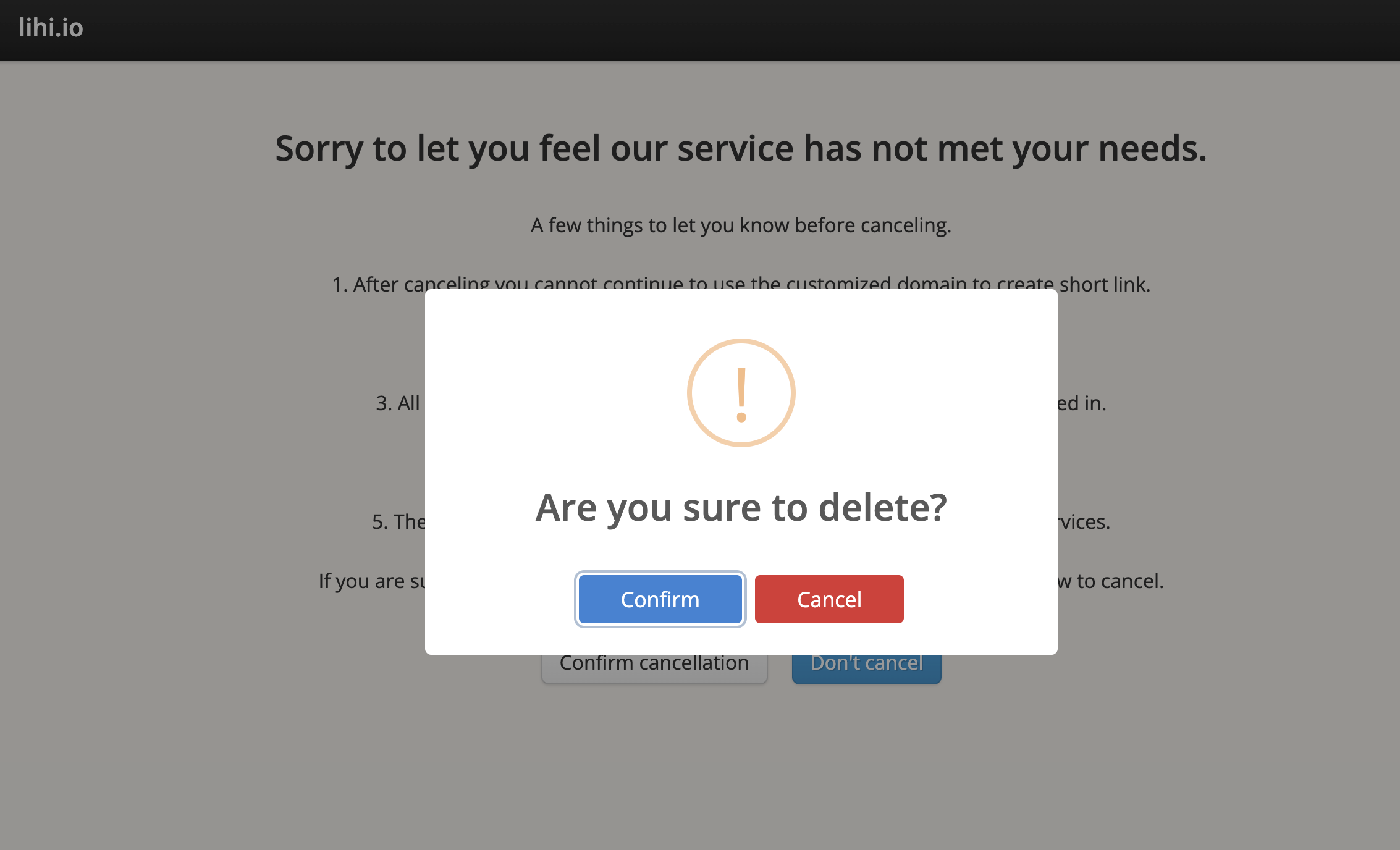
- Final Confirmation: You will be asked to confirm your choice one last time. Click Confirm to finalize the process.
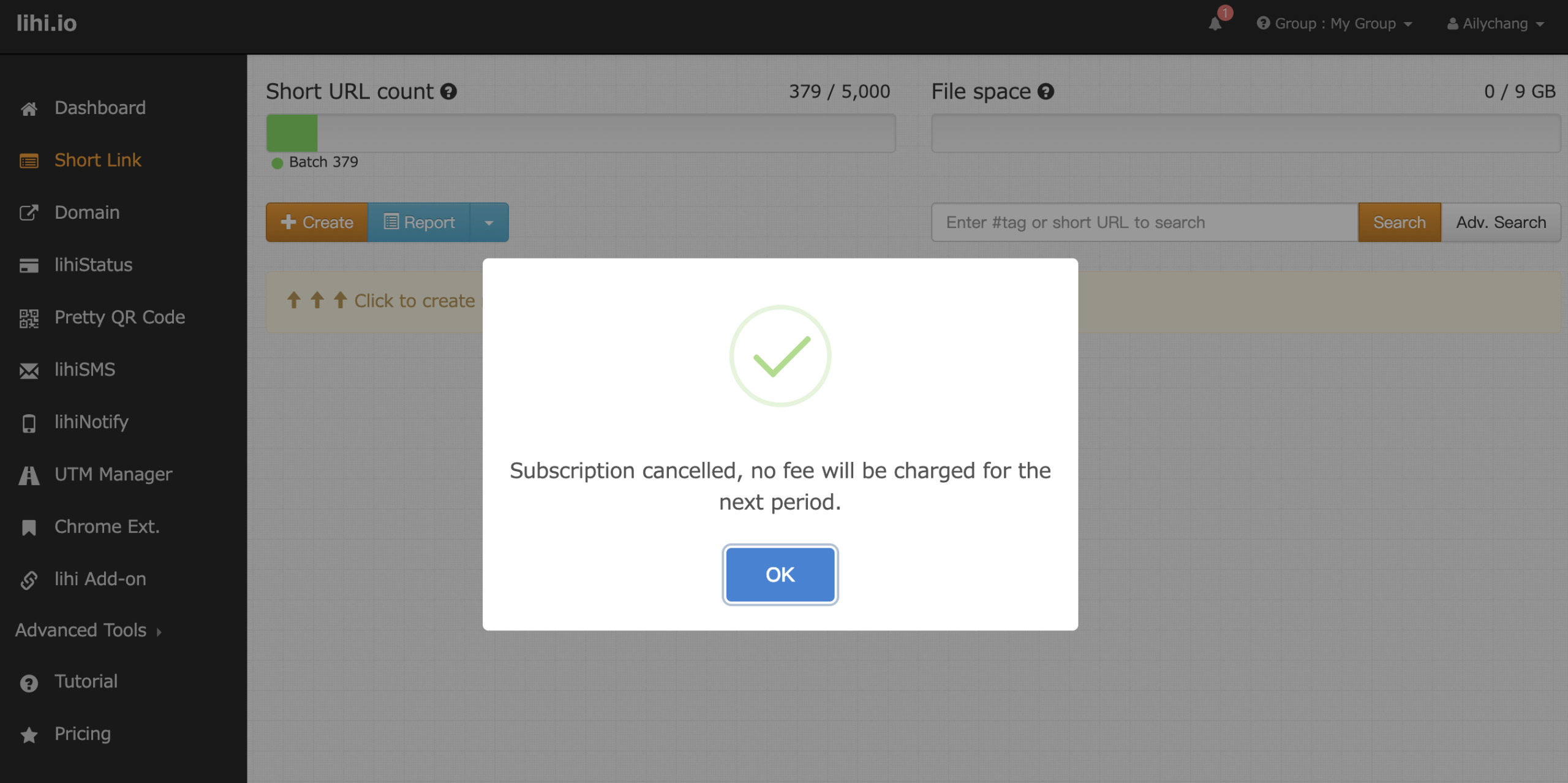
- Completion: Your subscription has been successfully cancelled!
Start using lihi for free ⇒ Click Here!