How to Configure Cloudflare CAA Records for lihi
Seeing a warning message in your lihi dashboard can be frustrating. Usually, this means your domain’s security settings are blocking our certificate provider from issuing an SSL certificate.
The fix? CAA Records. A CAA (Certificate Authority Authorization) record tells the world exactly which certificate authorities are allowed to issue security certificates for your domain. If you use Cloudflare, you’ll need to add two specific records to let lihi keep your links secure.
1. Access your DNS settings
Log in to your Cloudflare Dashboard. Select the account and the specific domain you are using with lihi. On the left-hand sidebar, click DNS > Records.
2. Add the first CAA record (Hostnames)
Click Add Record and enter the following:
-
Type: Select CAA.
-
Name: Enter
@. -
Tag: Select Only allow specific hostnames (or “issue”) from the dropdown.
-
CA domain name: Type
sectigo.com. -
TTL: Keep it as Auto.
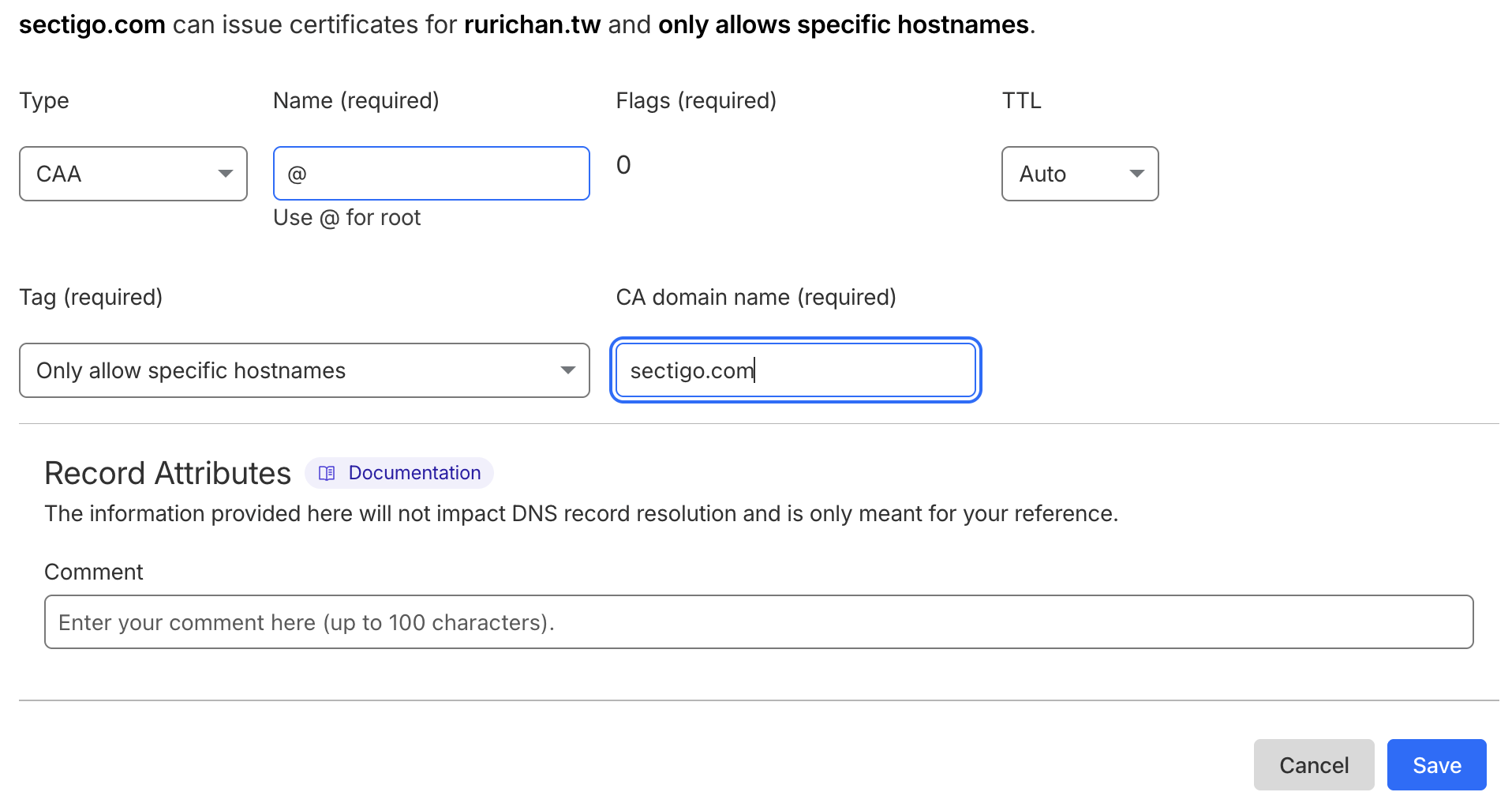
Click Save.
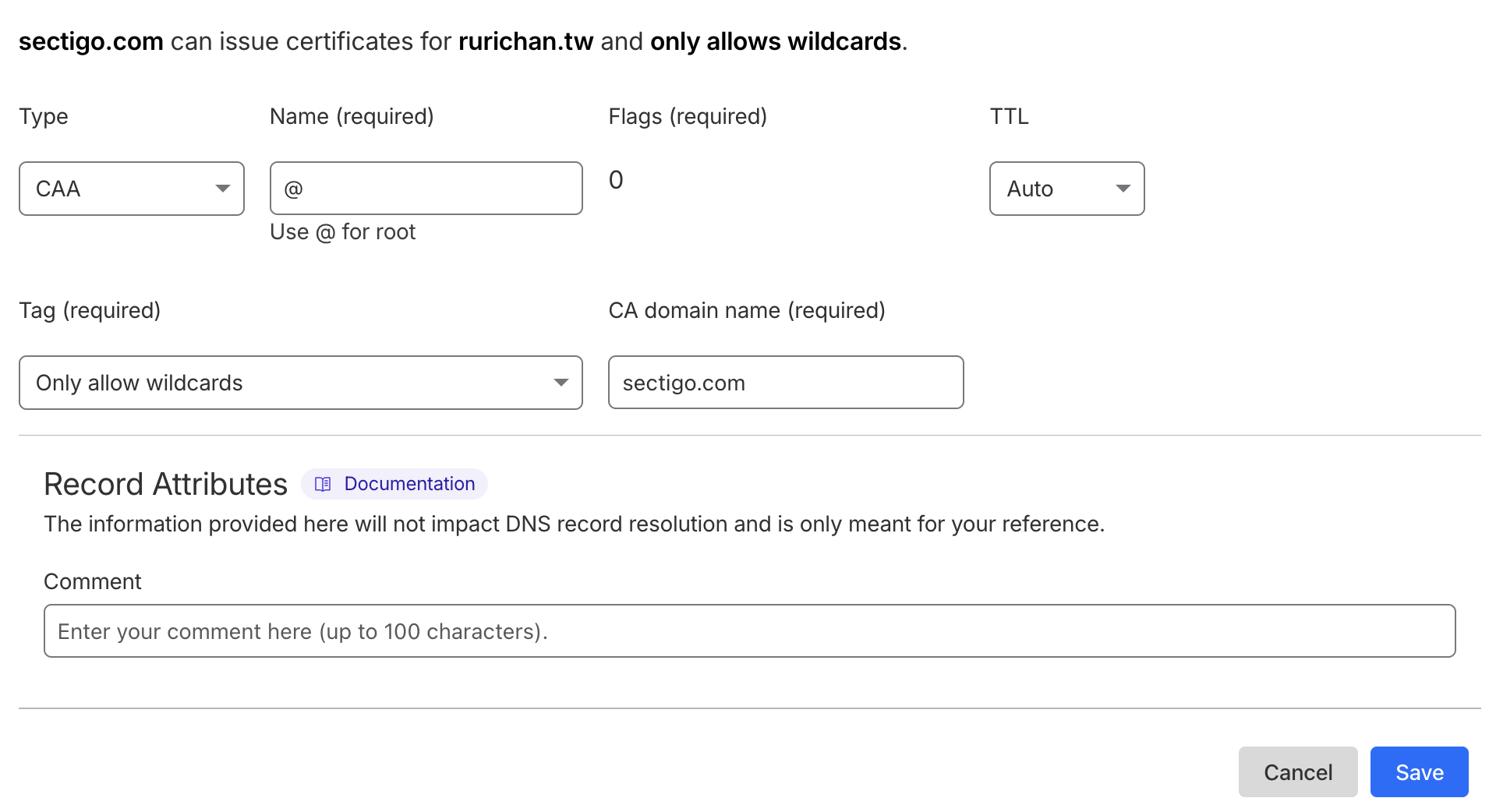
3. Add the second CAA record (Wildcards)
You need one more record to cover all bases. Click Add Record again:
-
Type: Select CAA.
-
Name: Enter
@. -
Tag: Select Only allow wildcards (or “issuewild”) from the dropdown.
-
CA domain name: Type
sectigo.com.
-
TTL: Keep it as Auto.
Click Save.
Start using lihi for free ⇒ Click Here!